Commissar
Members
-
Joined
-
Last visited
Everything posted by Commissar
-
not on a server, it doesn't. although, it depends on whether they're using SAS or SATA... or if they're using SSD's, and again, whether they're using SATA or PCI-E... but yeah, server space is more expensive that you might think
-
 uhhh...vehicle.meta installl location is not specified... where the hell do I put it?
- 218 comments
- 42 reviews
-
-
other cops always shootin my coroners... and then i can't get coroners anmore without reloading plugins
-
 Traffic policer audio has a few files that are broken... winbdows is complaining about error i reported on previous page. hashed the zip file md5: FE5C58B695D01F2BE836C0CB1FDBF457 EDIT: redoenloaded, extracted directlyu, instead of into another folder. worked fine...
- 3,646 comments
- 306 reviews
-
-
-
-
lately, i've noticed considerable slowdown of my browser, whenever i open this site, as well as increased system use by "plugin container". this occurs ONLY on this website. when i kill the plugin container, i do notice that some of the sidebar ads are flash-based once I reenabled adblock (I had previously whitelisted this site), the performance issues stopped. I therefore conclude that the flash-based sidebar ads are detrimental to the site users... perhaps it is time to look at some alternatives? i'd really like to be able to re-whitelist this site again...
-
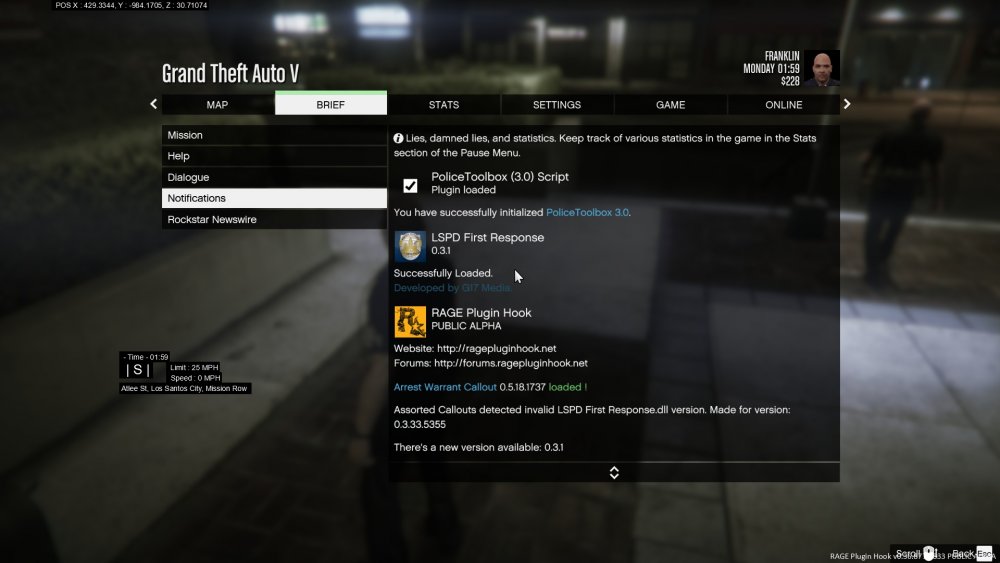
uhhh... the newest version seems to be checking for lspdfr version o.3.33... correct me if i'm wrong, but wasn't the lastest update only 0.3.1?
-
on the traffic backup callout, if you get the felony (firearms) stop, and you tell the guy to get out before pressing y the final time, the suspect will run off,while the callout will be active. the car, and the officer you're backing up eventually drive off without the original driver.
-
telling me that there's a new version on it, and I have this one (5.4.0.7) installed...
- 3,646 comments
- 306 reviews
-
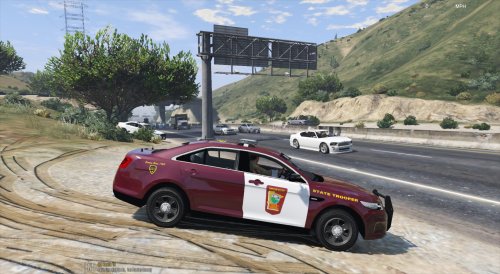 can u try and find the old state patrol livery, before they went with the white panels?
- 14 comments
- 3 reviews
-
-

- 1
-
-
I suspected as much.... well, the problem with that, is the stock vehicles don't work with ELS, they don't show up properly... however, even before I modded it, GTA was not very stable... I dunno what it is, because Rockstar, in their infinite wisdom, chose not to use any error logging... edit: mostly solved the crashing problem, turns out the carbon E7 model I was using made it crash. shame, it was one of the few good models that isn't a CVPI or charger...
-
well, now it crashes as soonas I hit alt-p, not that it was very stable to begin with. i have just LCPDFR, ELS, and mods for all the police units, aside from choppers.
-
that's in the lcpdfr.ini, right? oddly enough, I don't see it. it's almost as if I somehow dowloaded the non-hotfix version, from the hotfix link.
-
well, I was on the bridger, over charge island, when a call came in on charge island. i natually decided to check it out, when I hit y, the error message popped up. only mods are LCPDFR 1.0b, ELS, and a few car mods to get stock to work with els
-
i'm using launch options, but i'll give this a try
-
well, the crashing rate slowed considerably after I reinstalled GTA, and switched to auto settings... however, I should be able to run gta w/o poly mods, on max. I have an 8350, 7970, and 8 gigs of ram... we can use ts.mountgaming.com
-
says it's OK not sure if this means anythingm, but gta doesn't like my system specs. I had to use the launch options to bypass the low-spec limiters, as it doesn't properly recognize my system specs. however, my system should be easily capable of maxing it out, assuming it doesn't have issues with AMD gpus...
-
auto, into my install on my steam folder
-
i have the same problem, although it's often maybe 5 minutes at most. it says there's an update, but I am 100% sure that I installed the 1.0b....