
SantosMods.dev
Members
-
Joined
-
Last visited
Files posted by SantosMods.dev
-
EffectsOverhaul
EffectsOverhaul is designed to consolidate all of my effect mods into one easy-to-find package. This eliminates the need to download multiple files while ensuring you get all the enhanced effects in one convenient mod.
GitHub/License
GitHub: https://github.com/SantosMods/EffectsOverhaul
License: https://github.com/SantosMods/EffectsOverhaul/blob/main/LICENSE
Included Mods
ExplosionFX
Description: Ultra Realistic Explosion Mod
FireFX
Description: Enhanced Fire Duration and Scale
Purpose
This overhaul ensures you no longer need to download separate files for individual mods. Instead, you get all the effects in one unified and streamlined package.
Notes
Bugs and issues may occasionally occur as updates are rolled out. Thank you for your patience.
For support or to report issues, join our Discord server or visit our website.
Contact
Discord: https://links.santosmods.dev/discord
Special Thanks
Huge shoutout to geoffrey_gamer for reviewing our mods!- 1,878 Downloads
- 4 Comments
Updated -
SandyMotelConstruction
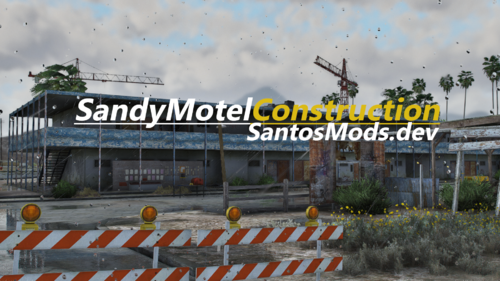
SandyMotelConstruction is a redesigned and actively maintained modification for the Sandy Shores Motel, transforming one of Blaine County’s most recognizable locations into a more believable and detailed construction site.
Warning
Some features such as traffic paths, AI node behavior, and certain map interactions may not function correctly in Singleplayer.
Features
New Custom Props
New custom game props have been added to improve construction detail, roadside clutter, and overall site realism throughout the motel area.
Iron Scrap Assets
Custom iron scrap props by BzZzi have been added to create more believable debris zones, junk piles, and industrial clutter.
Traffic Signs and Barricades
Traffic signs, barricades, and work-zone props by PNWParksFan have been added to improve roadwork staging and blocked-off construction areas.
Construction Vehicles
Dump trucks, bulldozers, and other heavy equipment are placed throughout the area to support the active construction theme.
Cranes
Large construction cranes continue to define the skyline and reinforce the scale of the work site.
Adjusted Access and Layout
The layout supports improved vehicle access and better usability for gameplay, free roam, and roleplay scenarios.
Environmental Details
Expanded prop placement, fencing, clutter, barriers, and construction materials create a denser and more immersive environment while preserving the Sandy Shores aesthetic.
Credits
This version includes custom props and supporting assets from:
PNWParksFan
Traffic Signs and Barricades Pack
https://www.lcpdfr.com/downloads/gta5mods/misc/31234-traffic-signs-and-barricades-pack-lml-or-dlc-fivem-ready/
BzZzi
[PROPS] Iron Scrap
https://forum.cfx.re/t/props-iron-scrap/5281969
About the Mod
Tool Used: CodeWalker
Version: 5.0
This release introduces a major prop expansion with stronger scene composition, improved visual realism, and better overall construction-site atmosphere.
Why Download?
Version 5.0 is the strongest SandyMotelConstruction release so far. With new custom props, improved clutter balance, stronger roadside detail, and a more complete construction-site atmosphere, this update delivers a more polished and immersive Sandy Shores motel overhaul.
Feedback and Updates
Community Feedback
Feedback is encouraged. Report issues or suggest improvements to help shape future versions.
Planned Updates
Future releases may continue refining the motel footprint, expanding detail work, and improving overall environmental quality.
Learn More
For more mods and updates, visit:
https://santosmods.dev
Thank you for supporting SandyMotelConstruction 5.0.- 621 Downloads
- 9 Comments
Updated -
Volunteer Collaboration Notice
UrbanPlus World Reimagined
UrbanPlus is a comprehensive world transformation project developed by SantosMods.dev, focused on redefining the environmental identity of San Andreas through modular region based development.
The project launched on May 22 2025 and remains under active structured development, with continued focus on map expansion, environmental realism, and AI navigation accuracy.
UrbanPlus is designed for long term scalability and clean integration across multiplayer and single player environments.
Release Status
This build introduces the first public alpha with full Story Mode compatibility.
FiveM Fully Supported
Story Mode Fully Supported
RageMP Fully Supported
Core Capabilities
Custom YMAP Development with reworked and expanded regions
Advanced AI Navigation Nodes improving traffic flow and path logic
Environmental Reconstruction including layout and terrain adjustments
Modular Architecture allowing controlled future expansion
Current Implementation
Included in This Build
Newly developed regional YMAP expansions
Rebuilt structures and environmental layouts
Updated AI navigation and traffic nodes
Planned Development
Additional regional expansions across San Andreas
Interior MLO development
Custom props and asset creation
Ambient environmental audio systems
Terrain refinement and performance optimization
Dependencies
UrbanPlus requires bob74_ipl v2.4.1 for proper prop handling and world stability.
Due to its MIT license, bob74_ipl is bundled with all official UrbanPlus releases to ensure consistent behavior and prevent map conflicts.
Support and Contact
Website: https://urbanplus.dev
Discord: https://links.santosmods.dev/discord
GitHub: https://github.com/SantosMods/UrbanPlus_World-Reimagined
License
UrbanPlus operates under a custom non commercial license.
Unauthorized redistribution, modification, repackaging, mirroring, or monetization is strictly prohibited.
Full license terms are provided in the included LICENSE file.- 629 Downloads
- 3 Comments
Updated -
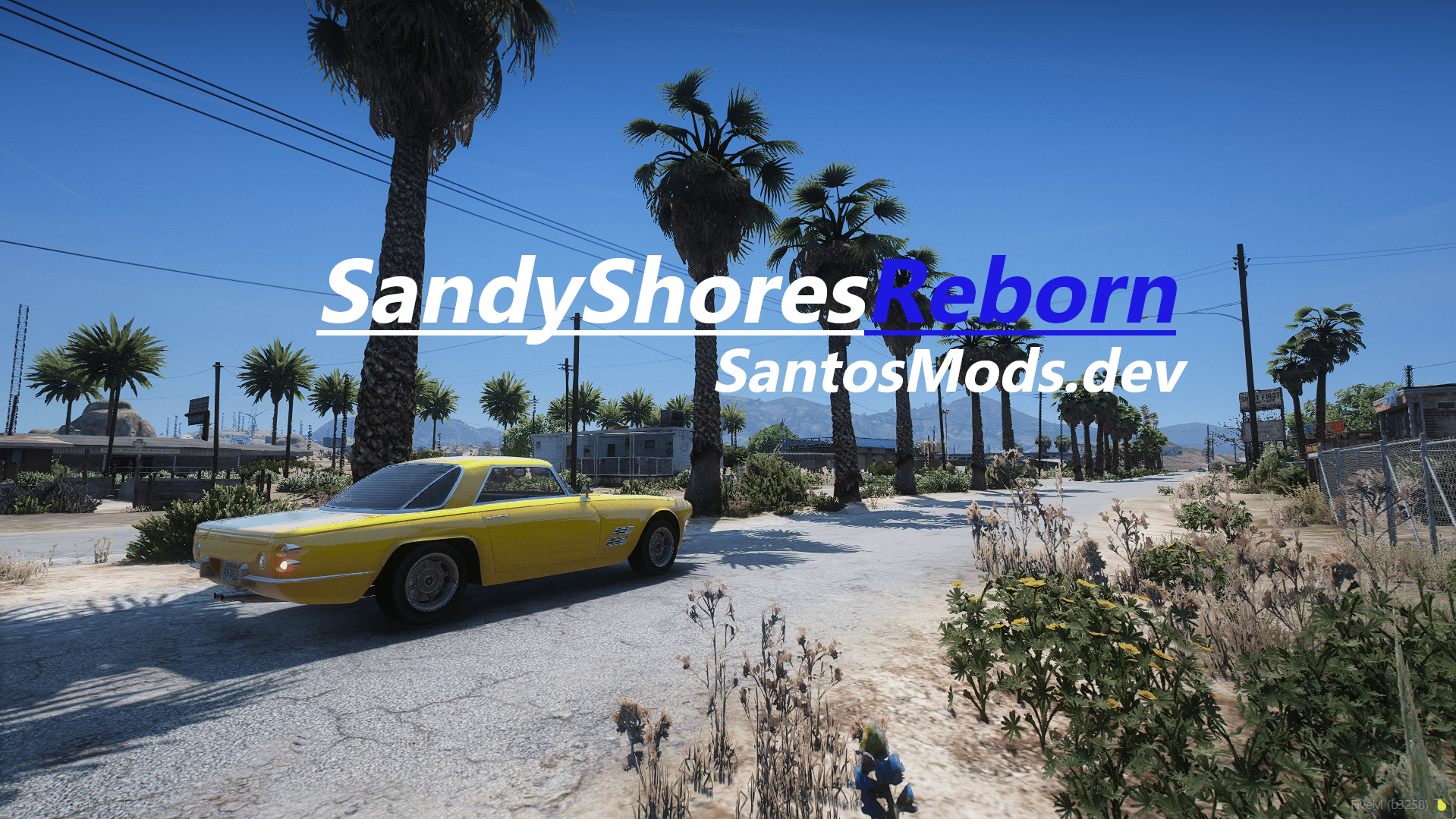
SandyShoresReborn – Public Release 2.0
GitHub: https://github.com/SantosMods/SandyShoresReborn
Originally launched in beta on January 28, this YMAP modification has undergone extensive refinements, bringing a fully realized transformation to Sandy Shores. This enhances the area with improved environmental details, upgraded infrastructure, and immersive storytelling elements, making it perfect for both FiveM and GTA V Single Player.
Features
Expanded Vegetation – Additional trees, cacti, and foliage create a more natural and immersive landscape.
Upgraded Infrastructure – Enhanced road signs, street details, and urban elements for improved realism.
Story-Rich Design – Subtle environmental changes add depth and history to Sandy Shores.
Performance Optimized – Carefully designed to enhance the world without impacting gameplay performance.
Continued Development & Community Access
While SandyShoresReborn is now in its public 2.0 release, development does not stop here. Future updates, refinements, and new content will continue to be released. Stay up to date with the latest improvements and announcements by joining our https://links.santosmods.dev/discord and visiting our official website.
For more details, visit https://store.santosmods.dev- 1,694 Downloads
- 16 Comments
Updated -
Detailed Docs: https://docs.santosmods.dev/en/Our-Docs/Scripts/FiveM/DV
smdv-dv
A basic /dv command that deletes vehicles using ox_lib UI, with logging.
Features
/dv command
Deletes nearest or current vehicle
Progress UI via ox_lib
Logs deletes to Discord webhook
Setup
Put in your resources folder
Add to server.cfg
ensure smdv-dv
Edit shared/config.lua
Set webhook URL
Tweak radius/cooldown
Usage
Run: /dv
That’s it — it deletes the closest or vehicle you’re in and logs it.- 68 Downloads
Updated -
smdv-spawnSelector
A clean and modern spawn selector for FiveM using ox_lib.
This script is built to be stable, easy to use, and safe for all players.
Features
Spawn selector opens automatically when a player joins
Manual spawn menu using the /spawn command
Weighted fallback spawn system if no choice is made
Spawn timeout to prevent players from getting stuck
Cooldown system to prevent command abuse
Smooth screen fade when spawning
Discord webhook logging support
Fully configurable spawn locations
Safe on script restarts and player reconnects
Requirements
FiveM server
ox_lib (required)
ox_lib must start before this resource.
Installation
Upload the folder to your resources directory:
smdv-spawnSelector/
Add the following to server.cfg:
ensure ox_lib
ensure smdv-spawnSelector
Edit config.lua to match your server setup.
Commands
/spawn
Opens the spawn selector again (cooldown applies)
How It Works
On First Join
The spawn selector opens automatically
If the player does not choose a location in time, a fallback spawn is used
Manual Spawn
/spawn opens the selector
Canceling the menu does nothing
Cooldown prevents spam usage
Safety Systems
Players cannot spawn more than once
Script restarts do not force respawns
Player data is cleaned up on disconnect
Configuration
Branding
Controls the title and subtitle shown in the menu.
Default Spawn
Used only if no valid spawn locations exist.
Spawn Locations
Each spawn has an ID, label, description, weight, and coordinates.
Weight controls how likely a location is chosen during fallback spawns.
Discord Webhook Logging
Set a webhook URL in the config to enable logging.
Logs include:
Player name
Server ID
Spawn location
Leaving the webhook empty disables logging.
Support
Join our Discord for support and updates:
https://links.santosmods.dev/discord- 127 Downloads
Updated -
B757 GPWS & Annunciators
Simulates realistic Ground Proximity Warning System alerts used in aviation.
Provides both audio and visual annunciators for critical flight safety conditions.
Alerts Included
Pull Up (low altitude danger)
Bank Angle (excessive roll)
Overspeed (unsafe speed)
Master Caution (damage warning)
Engine Fire Bell
Wind Shear
Don’t Sink
- 65 Downloads
- 2 Comments
Updated -
Detailed Documentation
https://docs.santosmods.dev/en/Our-Docs/Scripts/FiveM/VehSpawner-OX
smdv-vehiclespawner
A clean and fast OX-based vehicle spawning system that uses station peds and simple context menus. Players talk to a ped, pick a vehicle, and the script handles the rest. It loads the model, checks if the area is safe, applies extras and mods, and shows optional dialogue lines.
Features
• Ped interaction
• OX context menu system
• Station-restricted vehicle lists
• Extras, mods, and livery support
• Safe spawn detection
• Ped dialogue and animations
• Deletes the last spawned vehicle automatically
• Full control through config.lua only- 133 Downloads
Updated -
SMDV-ServerStatusPingFiveM
A simple and fast status checker for FiveM servers. It sends heartbeat pings, logs activity, and can notify a Discord webhook. This version is clean, easy to set up, and built to run with almost no performance impact.
What It Does
Sends regular status pings to any service you choose
Logs everything to your console
Saves logs to a file so you can look back at issues
Can also send updates to a Discord webhook
Shows a colorful splash when it starts
Sends a thank-you message after 15 seconds
Why It’s Useful
This script helps you keep track of server uptime and lets you know right away when something stops working. It’s lightweight and doesn’t slow your server down. Everything is controlled from one config file.
Features
Easy configuration
Fast and optimized
Log file support
Console logging
Discord logging
Retry system for failed pings
Startup splash screen
How To Install
Drag the folder into your resources directory
Edit the config.lua file
Add this to your server.cfg:
ensure smdv-ServerStatusPingFiveM
Restart your server
Configuration
All options are in the config.lua file. You can change:
Ping interval
Webhook URL
Whether logs go to console, file, or Discord
How many retries pings should attempt
Status service URLs
Discord embed settings
Notes
This script is made to be simple and reliable. If you need extra features, more logging, or deeper monitoring tools, they can be added later.- 132 Downloads
Updated -
smdv-teleportpoints
A simple teleport system for FiveM that lets you place teleport points anywhere on the map. Uses ox_lib for clean menus and smooth fades.
Features
• Easy setup with vector3 and vector4
• Unlimited teleport points
• Fade in and fade out
• Custom markers
• Cooldown control
• Webhook logging
Why Use It
• Fast to set up
• Works on any server
• Clean and simple for players
Update the config to add or change any teleport point.
Requires
ox_lib- 52 Downloads
Updated -
PedPurge
PedPurge is a Grand Theft Auto V mod that transforms Los Santos into a full-scale purge event. Designed for Script Hook V .NET, it creates an unpredictable, high-intensity environment where NPCs turn hostile toward both the player and each other — with improved spawning logic, performance optimizations, and customizable chaos levels.
Features
Hostile NPCs Everywhere: AI-controlled peds actively attack the player and each other, creating large-scale street battles.
Smart Spawning System: NPCs are spawned dynamically outside the player’s camera view (no pop-ins) with distance and street snapping for realism. They can spawn in any direction, including behind the player.
Configurable Weapons: Each NPC is given a single weapon from a realistic pool with customizable ammo limits.
Chaotic Traffic (Optional): Civilian drivers may abandon vehicles or drive recklessly. Controlled via the .ini file.
Customizable Atmosphere: Default purge settings use nighttime with smog, but weather and time are fully configurable.
Purge Audio Cue (Optional): Plays a configurable audio track when the purge begins.
Optimized Performance: Batching, nearby-only processing, and distance-based despawns reduce lag compared to older versions.
Interactive Menu (LemonUI):
Start Purge: Activates hostile AI and chaos systems.
Stop Purge: Restores normal behavior and halts audio.
Installation
Install Script Hook V .NET.
Install LemonUI for menu support.
Place PedPurge.dll into your GTAV scripts folder.
Inside scripts, create PedPurge/audio.
(Optional) Place your purge audio file (ThePurge.wav) into GTAV/scripts/PedPurge/audio.
Usage
Press F10 (default) to open the PedPurge menu.
Start Purge: Begins the event.
Stop Purge: Ends the event.
Edit the .ini file to adjust behavior, weather, traffic chaos, NPC counts, weapons, and other options.
Configuration Options (PedPurge.ini)
MenuKey: Change menu activation key.
EnableAudio: Toggle purge audio.
PurgeWeather: Set purge weather (e.g., Smog, Clear, Overcast).
PurgeHour: Time of purge start (24-hour format).
MinPurgeWeaponAmmo / MaxPurgeWeaponAmmo: NPC weapon ammo range.
EnableChaoticTraffic: Toggle chaotic driver behavior.
DisableEmergencyServices: Block emergency response spawns.
AllowNPCsToLeaveVehicles: Allow AI to exit vehicles.
ModPedThreshold: Max NPCs active at once.
ModPedSpawnCount: NPCs spawned per batch.
SpawnIntervalSeconds: Delay between spawn waves.
PedModels: List of ped models to use.
Known Limitations
NPC AI behavior is subject to GTA V’s AI decision-making and may occasionally ignore their firearm in favor of melee.
NPCs in remote areas may not behave aggressively due to base game spawn density rules.
Requirements
Grand Theft Auto V
Script Hook V .NET
LemonUI
- 1,928 Downloads
- 19 Comments
Updated -
Remastered-24.7s is a map beta currently in testing.
Created by DeputyRyan / SantosMods.dev.
As of April 16, 2025, this beta includes 23 entities and 7 car generators.
Join our community:
Discord
Website
- 126 Downloads
Updated -
Updated Version: https://www.lcpdfr.com/downloads/gta5mods/datafile/49795-effectsoverhaul-spfivem-client/
DeputyRyansFireFX - Enhanced Fire Duration and Scale for GTA V
Transform your GTA V experience with DeputyRyansFireFX. This mod doesn’t change your graphics; instead, it fine-tunes the behavior of fire effects, making them last longer and appear larger for a more immersive and intense gameplay experience.
Key Features:
Adjusted fire duration for more realistic persistence.
Enhanced fire scale to increase the size and impact of flames.
Fine-tuned settings for a balance between performance and realism.
Installation Path:
GTAV/mods/update/update.rpf/common/data/effects
Important: Reuploads of this file are not allowed. For updates, support, or feedback, join the community on Discord at https://links.santosmods.dev/discord
And visit our website: https://store.santosmods.dev
Huge shout out to geoffrey_gamer for reviewing our mod!
- 2,874 Downloads
- 25 Comments
Updated -
Updated Version:
DeputyRyansFireChaosFX - Ultra Realistic Explosion Mod (v1.9 Size Update Part1)
Credit: Huge thanks to pherem
Note: While I do not support pherem's actions, they did contribute to the making of this mod.
Overview
DeputyRyansFireChaosFX is a GTA V mod in version 1.9, designed to significantly enhance the visual effects of explosions, making them ultra-realistic. This version introduces multiple explosion sizes, offering players a range of options for their explosive experiences, while ensuring realism in gameplay.
Features
Ultra-realistic explosion effects Enhanced visual fidelity and physics Improved immersion for GTA V gameplay Multiple Explosion Sizes: Normal: Standard explosion effects for realistic scenarios. 2x Size: Doubling the scale for more impactful visuals. 3x Size: Triple the size for dramatic and overwhelming explosions. Smaller updates and improvements within the Normal explosion version for enhanced realism and visual fidelity. Versions
v1.9 Size Update Part1 introduces:
Explosion Size Enhancements: Players can choose between normal, 2x, and 3x explosion sizes. Updates to Normal Version: Improved visual effects and minor adjustments for a more realistic feel. Installation
Backup: Before installation, ensure you back up your existing files. A backup file is included in this mod package for your convenience. Installation Path: Copy the files to the following directory: GTA V Directory > Mods > Update > Update.RPF > Common > Data > Effects Replace Files: Overwrite the existing files with the new ones from the mod package. Notes
We apologize for the wait. This mod is currently in version 1.9. Expect occasional bugs and issues as we continue to improve and refine the effects. For support or to report issues, please contact the mod creator through the appropriate channels. Contact
For support or inquiries, please reach out to the mod creator through the SantosMods.dev Discord Server at https://links.santosmods.dev/discord or visit our website: https://santosmods.dev
Huge shout out to geoffrey_gamer for reviewing our mod!
- 1,721 Downloads
- 11 Comments
Updated -
DeputyRyansUltimateBackup
Discord: https://links.santosmods.dev/discord
DeputyRyansUltimateBackup is an enhancement mod for Ultimate Backup by BejoIjo, designed to improve the realism and immersion of backup requests in LSPDFR through refined messaging and notifications.
Features
Improved Notifications: All backup requests and responses feature updated text for clarity and realism, ensuring a more engaging role-playing experience. Traffic Stop Alerts: Enhanced alerts to prevent accidental cancellation of traffic stops when requesting backup. Emergency Response Clarity: Clear and concise messages for various backup types, including: Code 2 and Code 3 responses Panic and Group Backup requests Ambulance and Fire Department notifications Air Support details Spike Strips and Roadblocks: Realistic notifications for requesting and deploying spike strips and roadblocks, ensuring situational awareness during pursuits. Requirements
LSPDFR (Latest Version) Ultimate Backup by BejoIjo Download Here Rage Plugin Hook (Latest version) Customization
You can customize the notification texts and other settings within the mod's configuration file, allowing for a personalized experience that fits your gameplay style.
Credits
BejoIjo for the original Ultimate Backup mod. DeputyMods for enhancing and optimizing the backup experience. Support
For support, bug reports, or suggestions, please visit the DeputyMods Discord Server https://discord.gg/z86yU86PQU.
Thank you for using DeputyRyansUltimateBackup. Stay safe out there!
- 824 Downloads
- 4 Comments
Updated -
Second Amendment NPCs
Discord: https://links.santosmods.dev/discord
Description
The Second Amendment NPCs mod enhances NPC behavior in GTA V by equipping every NPC with a firearm and enabling them to use it if provoked. NPCs will not engage in combat automatically but will defend themselves if threatened, making interactions more dynamic and immersive.
Features
All NPCs carry a firearm.
NPCs engage in combat only when provoked, adding a realistic self-defense behavior.
Installation
Drag and drop the scripts folder into your GTAV Directory
Credits
Scripted by: DeputyRyan
Watched by: brax2873, NickD
Owned by: DeputyMods
- 1,004 Downloads
- 15 Comments
Updated -
PistolRedirect by DeputyRyan
Discord: https://links.santosmods.dev/discord
PistolRedirect is a ScriptHookVDotNet mod for GTA V that forces the player to switch to a pistol whenever a non-pistol weapon is selected, while still allowing the player to use fists. It also automatically removes any modifications (such as suppressors or extended clips) from the pistol to keep it in its default state.
Features
Automatically switches any non-pistol weapon to a pistol, unless fists are selected.
Removes any attachments or modifications (e.g., suppressors, extended clips) from the pistol.
Maintains balanced gameplay by restricting the player to pistols only.
Installation
Make sure ScriptHookV and ScriptHookVDotNet are installed.
Download and install LemonUI for proper mod functionality.
Place both PistolRedirect.dll and PistolRedirect.pdb into your scripts folder in your GTA V directory.
Usage
The mod automatically switches you to the default pistol when any non-pistol weapon is selected.
You are still able to select your fists.
Any modifications (such as extended clips or suppressors) on the pistol will be automatically removed.
Requirements
GTA V
ScriptHookV
ScriptHookVDotNet
LemonUI
Join Us
For support or to connect with the community, join our Discord.- 141 Downloads
- 6 Comments
Updated -
PoliceAI SHVDN Edition
Discord: https://links.santosmods.dev/discord
PoliceAI SHVDN Edition is a custom mod designed to overhaul the police response system in GTA V using ScriptHookVDotNet. This mod enhances how law enforcement behaves during pursuits, adding more realism and increasing difficulty through smarter tactics, SWAT team deployments, dynamic roadblocks, and more aggressive responses as the player’s wanted level escalates.
With a focus on customizable settings and AI behavior improvements, the mod adds significant depth to police chases, making it more challenging for players to escape as the police employ advanced strategies like roadblocks, helicopters, SWAT teams, and snipers.
[WIP] - Work in Progress
This mod is still a [WIP] and may have some issues. Join our Discord for help, support, and to report bugs:
Discord: Join Here
Features
Dynamic Roadblocks
Roadblocks are now set up strategically during high-speed pursuits, making it more difficult for players to escape.
Helicopter Support (BETA)
Helicopters join the chase at higher wanted levels, actively tracking and engaging the player from the air.
SWAT Team Deployment (Workes better with RDE)
When players reach a 5-star wanted level, heavily armed SWAT units are deployed with armored vehicles to apprehend the player.
Spike Strips
Police deploy spike strips during chases to puncture tires, slowing down the player's vehicle.
Snipers (BETA)
Snipers are deployed at extreme wanted levels, targeting the player from long distances.
Police Checkpoints (BETA)
Police establish checkpoints during pursuits, making escape routes more difficult to navigate.
Highly Recommended Additions
For a truly immersive experience, add Rebalanced Dispatch Enhanced (RDE). RDE offers even more features and improvements to the police response system in GTA V, including:
10 Star Wanted Level: Extends the wanted level system for more intense law enforcement responses.
Overhauled Peds & Vehicles: Adds new, more diverse police units and vehicles to increase realism.
Performance Enhancements: Ensures smooth gameplay with minimal performance issues.
Expanded Law Enforcement Agencies: Includes multiple agencies like the San Andreas National Guard, NOOSE, and more.
Download RDE:
Rebalanced Dispatch Enhanced (RDE): Download Here
Installation Instructions
Drag and drop the scripts folder and INIFileParser into your GTA V directory.
Download and install:
ScriptHookVDotNet: Download Here
INIFileParser: Included with the PoliceAI SHVDN Edition download.
- 1,828 Downloads
- 6 Comments
Updated -
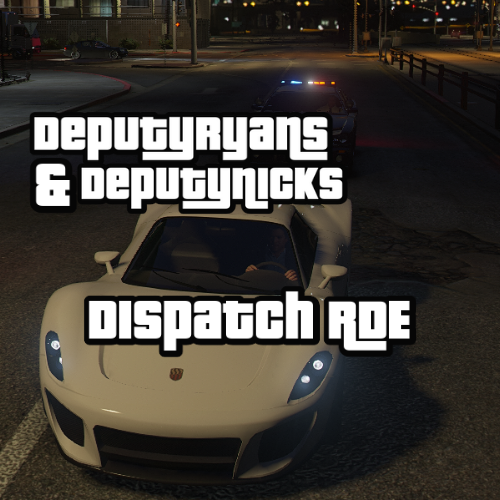
DeputyRyansDispatchRDE
Buy Us a Coffee: https://buymeacoffee.com/deputymods
DeputyRyansDispatchRDE improves the police dispatch system in GTA V with the following enhancements:
Realism: Adjustments to dispatch frequencies, response times, and law enforcement behavior to make police responses more realistic and challenging. Visual Appeal: Enhanced interactions between various emergency services and more engaging police chases. Performance: Optimized for balanced gameplay while maintaining high visual and functional quality. Installation Path:
Place the modified dispatch.meta file in: GTAV/Mods/Update/Update.RPF/Common/Data
Important Notice:
Reuploads of this modification are not allowed. For updates, support, or feedback, join the community on Discord at DeputyModsBeta: https://discord.gg/XDp9ESbaXz and visit our website at: https://www.deputycad.com
- 222 Downloads
- 2 Comments
Updated -
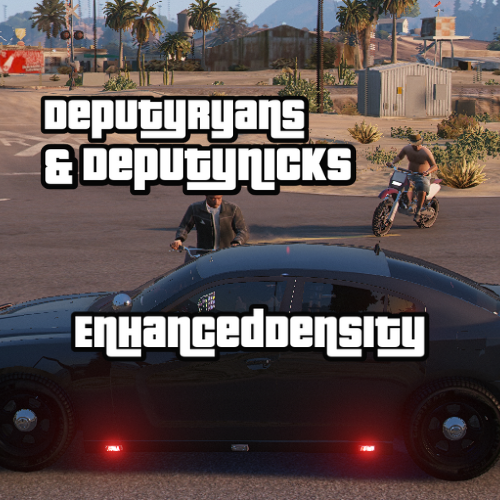
DeputyRyansEnhancedDensity
Buy Us a Coffee: https://buymeacoffee.com/deputymods
Important Notice: This mod is in deep public beta.
DeputyRyansEnhancedDensity is a sophisticated mod aimed at significantly enhancing the density of pedestrians and vehicles in GTA V, offering a more vibrant and realistic game environment. This mod fine-tunes various settings, using the unlimited cars game config as a base, to increase the liveliness of the game world, ensuring a more immersive gameplay experience.
Description
The DeputyRyansEnhancedDensity mod introduces substantial improvements to the density of both pedestrians and vehicles, addressing several aspects to enrich the in-game experience:
Increased Pedestrian Density: The mod doubles the base values for scenario and ambient pedestrian multipliers, ensuring a bustling environment with more pedestrians in various scenarios.
Enhanced Vehicle Density: It boosts vehicle density parameters, including elevated vehicle limits and adjusted spacing, to simulate more realistic traffic conditions.
Optimized Memory Usage: The mod adjusts memory usage for both vehicles and pedestrians, balancing performance with realism.
Updated Distance Parameters: Scan distances for players are increased, and density increments are finely tuned to enhance game performance without compromising on quality.
Customizable Settings: Various settings such as vehicle creation distances and density removal rates have been adjusted to provide a more tailored and optimized experience.
Installation Instructions
Navigate to: mods/update/update.rpf/common/data. Replace the existing gameconfig.xml file with the new one provided by this mod. This setup will ensure that the modifications are applied correctly, enhancing your gameplay with improved density and realism. Enjoy the new level of immersion in your GTA V experience!
- 190 Downloads
- 4 Comments
Updated -
DeputyRyansSTPQuestionsReCoded
Buy Us a Coffee: https://buymeacoffee.com/deputymods
🔢 Version: 1.0
📜 Description:
This mod is a reimagined and enhanced version of the previous DeputyRyansSTPQuestioningReimagined, which is now officially RETIRED. DeputyRyansSTPQuestionsReCoded introduces new features and improvements for a more immersive and realistic experience in LSPDFR.
🔗 Dependencies:
Stop The Ped (STP): Download STP
📝 Usage Rights:
All code and modifications included in this mod are proprietary. Unauthorized copying or use of any code or content is strictly prohibited. For permissions or inquiries, please contact DeputyRyan or DeputyModsBeta.
- 261 Downloads
Updated -
DeputyRyansELS
Buy Us a Coffee: https://buymeacoffee.com/deputymods
Version: 1.0
Description:
DeputyRyansELS is a custom modification designed to enhance the Emergency Lighting System (ELS) in Grand Theft Auto V. This mod improves the visibility and realism of emergency vehicle lights, offering a more vibrant and intense lighting effect for better immersion and functionality during emergency scenarios.
Features:
Increased light intensity and range for better visibility. Customizable settings for light size and brightness. Improved emergency lighting effects for a more realistic experience. Installation:
Download the mod from LCPDFR.com. Extract the downloaded file. Drop the ELS.ini file into your GTAV directory. Dependency:
Emergency Lighting System is required for this mod to function.- 654 Downloads
- 2 Comments
Updated -
DeputyRyansPatDownItems
Thanks for downloading our DeputyRyansPatDownItems.
Requires
LSPDFR StopThePed Installation Instructions
Navigate to your GTA5 installation directory. Open the plugins/lspdfr/StopThePed/ folder. Ensure Compatibility: Check for any compatibility issues with other mods. Backup Your Files: Always backup your original files before replacing them. We are currently working on version 4.0!
For support or questions, join our Discord server: https://links.santosmods.dev/discord
The Mod was made by DeputyRyan/SantosMods.dev
- 435 Downloads
- 12 Comments
Updated -
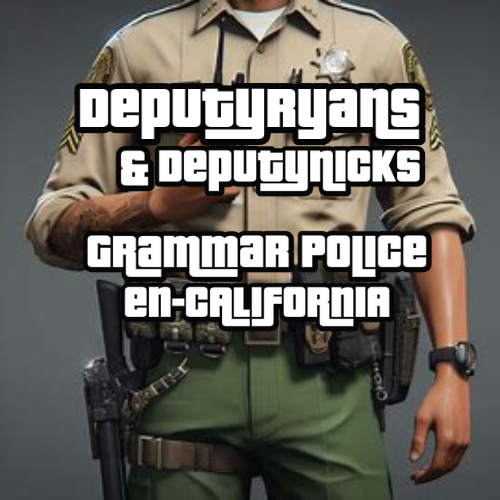
DeputyRyansGrammarCalifornia is an LSPDFR mod that enhances the GrammarPolice en-California option by adding 10 new codes and over 200 phrases. This mod is designed to improve your role-playing experience by providing more realistic and immersive communication options.
Features
Adds 10 new codes to the GrammarPolice en-California option. Includes over 200 new phrases for enhanced communication. Designed for a more immersive and realistic role-playing experience. Installation
Download the mod files. Extract the contents of the zip file. Drag and drop the extracted files into your GTA V directory. Replace any existing files if prompted. Launch LSPDFR and enjoy the enhanced GrammarPolice en-California experience. Dependencies
LSPDFR: Make sure you have the latest version of LSPDFR installed. GrammarPolice: Ensure you have the GrammarPolice plugin installed. About DeputyRyansGrammarCalifornia
DeputyRyansGrammerCalifornia is a mod for LSPDFR that enhances the GrammarPolice en-California option by adding 10 new codes and over 200 phrases. This mod aims to provide a more immersive and realistic role-playing experience by expanding the communication options available to players. Created by DeputyModsBeta, this mod is designed to be easily installed by dragging and dropping the files into your GTA V directory. Please note that you must have LSPDFR and GrammarPolice installed to use this mod.
Links
Discord: https://links.santosmods.dev/discord Website: https://links.santosmods.dev Credits
Mod Author: DeputyRyan License
This mod is the property of SantosMods.dev. You may not copy, distribute, or modify this mod in any way, shape, or form without permission.
- 587 Downloads
Updated -
Buy Us a Coffee: https://buymeacoffee.com/deputymods
The DeputyRyansGrammarGeneric mod introduces over 250+ new phrases to the GrammarPolice XML, enhancing the interaction and realism within GTA V. This update provides a wider range of responses, making gameplay more immersive and dynamic.
Installation is straightforward: simply drag and drop the mod files into your GTA V directory. No complex setup is required!
This mod is brought to you by DeputyModsBeta. For more mods and updates, visit our website at DeputyModsBeta and join our community on Discord at DeputyModsBeta Discord.
We’re continuously working on expanding and improving our mods, so stay tuned for more updates!
- 738 Downloads
Updated








.thumb.png.34af87f5880af5cc01a2fefdc6c9a90c.png)

.thumb.png.7c0c093d0fd631f2f8148225f2662f5c.png)