Jump to content
View in the app

A better way to browse. Learn more.

LCPDFR.com

A full-screen app on your home screen with push notifications, badges and more.

To install this app on iOS and iPadOS
  1. Tap the Share icon in Safari
  2. Scroll the menu and tap Add to Home Screen.
  3. Tap Add in the top-right corner.
To install this app on Android
  1. Tap the 3-dot menu (⋮) in the top-right corner of the browser.
  2. Tap Add to Home screen or Install app.
  3. Confirm by tapping Install.

ReddingtonV2

Members
  • Joined

  • Last visited

Files posted by ReddingtonV2

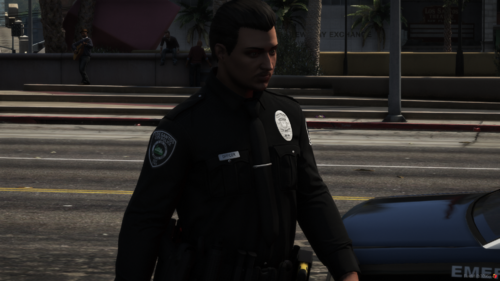
  1. The badge is kind of small in size, but hey its a free release what do you expect? I possibly might update it later to make it a little bigger but other than that its not the worst for my 2nd model
    • 76 Downloads
    Updated
  2. Didnt like how this turned out tbh, the patches are a bit uneven, so here enjoy
    discord.gg/73xGTHTvEX
    • 925 Downloads
    • 6 Comments
    Updated
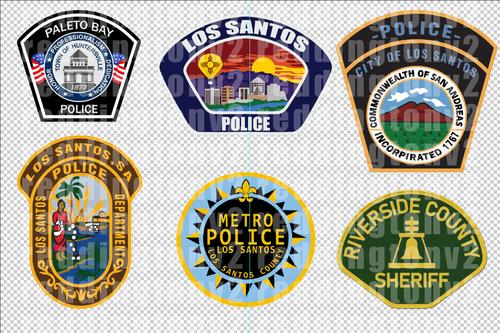
  3. Includes a few patches (Showcased in thumbnail) that are ALL emboidered and ready to be put on eup.
    All patches made by reddingtonv2
    Discord: https://discord.gg/73xGTHTvEX
    • 231 Downloads
    Updated
  4. https://discord.gg/4sszg6EJjp
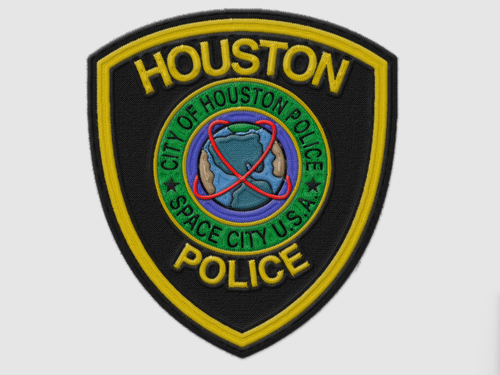
    Patch made by me.
    CREDIT reddingtonv2 IF USED!
    • 143 Downloads
    • 2 Comments
    Updated

Account

Navigation

Search

Configure browser push notifications

Chrome (Android)
  1. Tap the lock icon next to the address bar.
  2. Tap Permissions → Notifications.
  3. Adjust your preference.
Chrome (Desktop)
  1. Click the padlock icon in the address bar.
  2. Select Site settings.
  3. Find Notifications and adjust your preference.