
RobbsDevStudios
Members
-
Joined
-
Last visited
Files posted by RobbsDevStudios
-
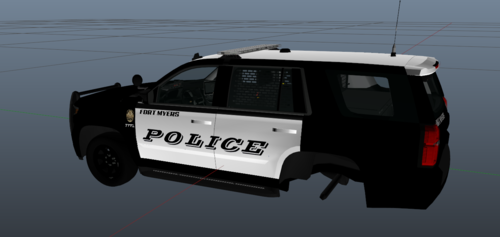
Hello and welcome to my Fort Myers livery package what can include the following vehicles
2014 Dodge Charger 2014 Chevrolet Tahoe 2016 Ford Explorer 202 Ford Explorer 2020 Chevrolet Tahoe
Step 1
Download the package and find the vehicle you want to do first
Step 2
Find the YTD and the YFT of the vehicle you chose and place those files in OpenIV
Step 3
Open the YTD file and search sign then click replace please make sure that you have edit mode turned on
Step 4
Replace the sign file with the one what is currently there you don't need to change the file name of the one in the files as it will change automatically
Step 5
Click save then exit and open the YFT and if you see the livery you added it worked
Step 6
Have fun and make sure to join my Discord if you need more help Discord Server
Come check out my dev server and see some of my newest releases and to keep up to date with posts and wip and maybe even come by and purchase some of our vehicles
- 97 Downloads
Updated -
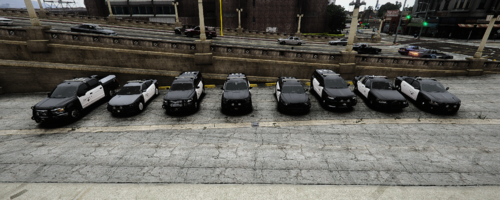
Hello and welcome to my Lee County Sheriff based livery pack this pack includes the
2014 Charger 2014 Chevrolet Tahoe 2016 Ford Explorer (Old and newer version) 2018 Dodge Charger 2019 Chevrolet Tahoe 2020 Ford Explorer
Follow the steps to install the liveries to your vehicle
Step 1
Download the package and find the vehicle you want to do first
Step 2
Find the YTD and the YFT of the vehicle you chose and place those files in OpenIV
Step 3
Open the YTD file and search sign then click replace please make sure that you have edit mode turned on
Step 4
Replace the sign file with the one what is currently there you don't need to change the file name of the one in the files as it will change automatically
Step 5
Click save then exit and open the YFT and if you see the livery you added it worked
Step 6
Have fun and make sure to join my Discord if you need more help Discord Server
- 187 Downloads
- 2 Comments
Updated -
Hello everyone this is my Fort Worth Livery package i made for my FiveM server and just feel like i could upload it read bellow for installation steps
Step 1
Download the package and find the vehicle you want to do first
Step 2
Find the YTD and the YFT of the vehicle you chose and place those files in OpenIV
Step 3
Open the YTD file and search sign then click replace please make sure that you have edit mode turned on
Step 4
Replace the sign file with the one what is currently there you don't need to change the file name of the one in the files as it will change automatically
Step 5
Click save then exit and open the YFT and if you see the livery you added it worked
Step 6
Have fun and make sure to join my Discord if you need more help Discord Server
Enjoy my liveries I will be posting new liveries every week and join my discord server and you can also get vehicles and EUP from there
- 446 Downloads
- 3 Comments
Updated