Skip to content
View in the app

A better way to browse. Learn more.

LCPDFR.com

A full-screen app on your home screen with push notifications, badges and more.

To install this app on iOS and iPadOS
  1. Tap the Share icon in Safari
  2. Scroll the menu and tap Add to Home Screen.
  3. Tap Add in the top-right corner.
To install this app on Android
  1. Tap the 3-dot menu (⋮) in the top-right corner of the browser.
  2. Tap Add to Home screen or Install app.
  3. Confirm by tapping Install.

IvanB

Members
  • Joined

  • Last visited

Files posted by IvanB

  1. City Of Poughkeepsie Police NY Uniform Texture
    Top Only 
    • 67 Downloads
    • 1 Comments
    Updated
  2. City Of Poughkeepsie Police NY 20' FPIU Texture
    • 49 Downloads
    Updated
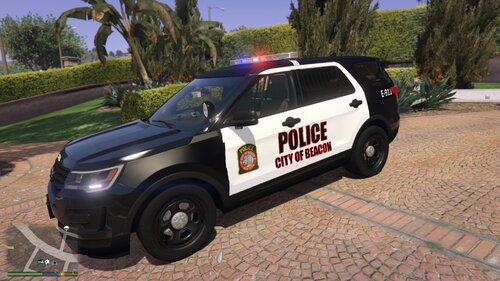
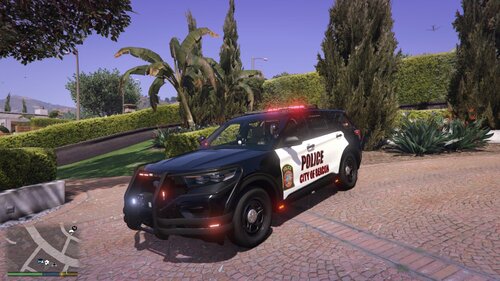
  3. City Of Beacon PD NY Texture for 16' FPIU
    • 25 Downloads
    Updated
  4. Town Of East Fishkill NY PD 18' FPIS Texture
    • 18 Downloads
    Updated
  5. Top only 
    Town of Poughkeepsie 
    FBI uniform used in photo with PK top
    • 65 Downloads
    Updated
  6. Town Of Poughkeepsie PD Texture for 20' Fpiu
    • 24 Downloads
    Updated
  7. Town Of East Fishkill NY PD 18' Charger Texture
    • 51 Downloads
    Updated
  8. Town Of East Fishkill NY PD Uniform Texture EUP
    Top texture only can be put on over any EUP black uniform
    Class B 
    • 35 Downloads
    Updated
  9. Basic uniform for city of beacon NY to go with my BPD vehicle texture
    TOP ONLY! I used Noose security enforcement uniform and replaced top with this texture. 
    • 54 Downloads
    Updated
  10. My first ever texture, I apologize that its rough around the edges but wanted a BPD texture for my game and decided to share, 
    I plan on making a full Dutchess County NY Pack in the future. 
    • 25 Downloads
    Updated

Account

Navigation

Search

Search

Configure browser push notifications

Chrome (Android)
  1. Tap the lock icon next to the address bar.
  2. Tap Permissions → Notifications.
  3. Adjust your preference.
Chrome (Desktop)
  1. Click the padlock icon in the address bar.
  2. Select Site settings.
  3. Find Notifications and adjust your preference.