
DhruvAkaFulcrum
Members
-
Joined
-
Last visited
Files posted by DhruvAkaFulcrum
-
Description
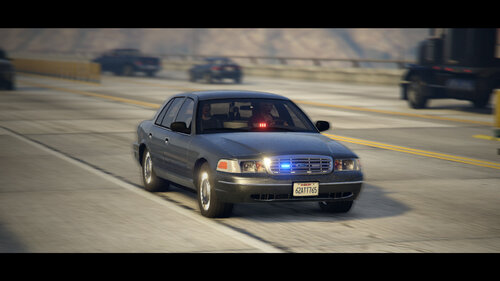
A Federal Signal-themed 2000 Ford Crown Victoria Street Appearance Package Undercover Detective Cruiser I made for someone. Comes equipped with Federal Signal Cuda TriOptic and Federal Signal Impaxx lights as well as Federal Signal Smart Controller and Federal Signal Touchmaster Delta on the console.
Enjoy.
- 2,350 Downloads
- 5 Comments
Updated -
Description
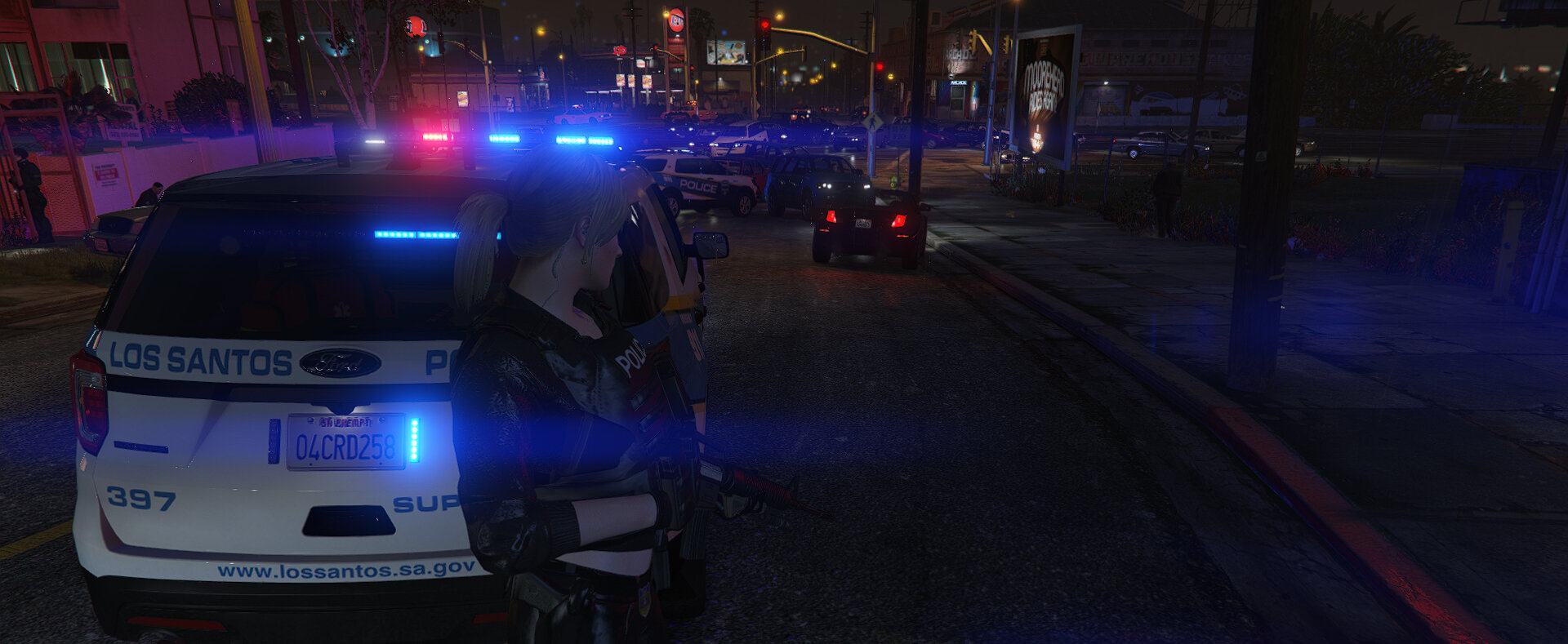
This is a fictional pack for Los Santos County Sheriff. That translates to- I did whatever the hell I wanted with the setups so don't get in my grill about accuracy. Having said that, the idea behind this pack was as simple as- I wanted to overhaul my LSSD Sheriff Department with something lore-friendly where the cars used would be from the era when GTA V was launched, set in that time period.
The P: Stands for Patrol. These Crown Vics are the old guard of the force, pressed into service long before their counterparts arrived. The old and beaten up look is to reflect the ageing fleet that still carries out day-to-day tasks reliably. Deputees drive them, abuse them, get the most out of them before they're put out to pasture. They also come equipped with the older Whelen Liberty bars; this was before the department switched to Fed Sig Valors. Some of these come equipped with a pair of ALPRs.
The I: Stands for Interceptor. The latest vehicles to be procured by the department were these Chargers. As a lower middle class became wealthier, the number of sports cars increased in the jurisdiction, which automatically led to more and lengthier police pursuits. The Crown Vics were no longer able to keep up so the newly formed Interceptor division took up that responsibility. As the department vehicles have to navigate Vinewood hills with obscure visibility angles, the department opted for Fed Sig Valors as well as numerous other lights to increase visibility from every angle.
The E: Stands for Enforcer. The Tahoes are the only SUVs to be operated by the department; often driven by Supervisors or strictly for use by Sheriff's Special Forces. They were procured sometime between the older Vics and the newer Chargers to address the transportation of Special Forces and their bulky gear as well as helping in forming stronger barricades to prevent fleeing suspect vehicles. Comes standard with Fed Sig Valor for 360 visibility. These vehicles are equipped with larger weapons, medkits, fire extinguishers and much more.
Notes
The Tahoe and CVPI have functioning spotlights which can be toggled on and off through Takedown keybinds specified in the ELS.ini. Yes, the "steady burns" on Tahoe side mirrors is intentional. That doesn't mean they're always active, they will only light up at LSTG1 and will stay on through LSTG3, but when you're at LSTG0, they'll always be turned off. This is supposed to be a high-vis vehicle which is why they're designed this way. Sorry, guys, no major toggleable extras (except CVPI ALPRs) or customization options this time; I designed this pack with a very specific look for them in mind. The worn out look on the CVPI (including the wheels) is not dirt; it's part of the livery. The dirt amplifies it more but it will never go away because again, that's how I intended the design to be. No, there will not be a clean version. There are standard OutOfVeh and SirenTone3 light patterns defined for PRMLs on all three vehicles for immersion.
Troubleshooting
Q: Can I replace it instead of installing it as a DLC?
A: Yes, as long as you know what you're doing.
Q: How do I install it as an add-on DLC?
A: Read the Installation Instructions.txt included in the download.
Q: My game won't start.
A: You need to double click the launcher.
Known Issues
Now open for commissions! Send me a private message.
- 6,342 Downloads
- 8 Comments
Updated -
Major update v3.0
Almost completely done from scratch. Lots of improvements. Check out the What's New section down below!
Description
Why did I make this? I don't know. Saw one of them GPSTC training Chargers that they use in Forsyth, GA and it got my creative juices flowing to create a fictional traffic unit for the LSPD.
Yes, I know about the pushbar. It is ALSO fictional and I put it together because this is what I'd have preferred over those Mad Max styled bars we have in real life. The 2006-10 Charger is the only police vehicle I know that has these weird "bracket" wraparound pushbars that are absurdly large compared to the front fascia of the vehicle and I don't like them.
Yes, this thing sexually identifies as a Christmas tree. Deal with it.
Notes
Of the three antennas, two are low-pros and the remaining one bobs around in real time as the car moves because magic! Take that, breast physics! Wraparounds are an extra so you can control them through vehicles.meta or any trainer of your choice or through ExtraManager If matte grey alloys give you brain aneurysms, there are textures you can import into the .ytd file to make them chrome, you boomer. Optional 4K liveries for the car included in the package for those of you snobbish ones.
Troubleshooting
Q: Can I replace any other vehicle instead of police2 with this?
A: Yes, as long as you know what you're doing.
Q: What if I don't know what I'm doing?
A: Look, there's a reason I made it to replace police2 because this is the real life counterpart to what GTA V has actual police2 aka the Buffalo. The vehicles.meta and handling lines are going to be synonymous if you replace police2, if you haven't already replaced it with something else, in which case you know what you're doing.
Q: I understand but I still want to replace another vehicle.
A: Find your vehicles.meta, find the model you wish to replace and change the handlingID parameter underneath it so it looks like this: <handlingId>POLICE2</handlingId> If you also want the engine sound of police 2, change <audioNameHash /> to <audioNameHash>POLICE2</audioNameHash>
Q: My game won't start.
A: You need to double click the launcher.
Q: I don't understand how to install the customization options.
A: Los Santos' finest, everybody. If you don't understand what they are, you don't need them.
Now open for commissions! Send me a private message.
- 3,896 Downloads
- 3 Comments
Updated -
Description
My personal setup. Nobody had been asking for it so I finally decided to upload it. I was tired of looking for one that met this criteria:
Must be as civilian-looking as possible with minimal police equipment on the outside Must have proper alloys, not those pedestrian-looking hubcaps Well-optimized so it's not missing dirt textures or LODs
So I made my own. Been playing with it for a while and decided to release it publicly in case anyone wants it.
Notes
Includes a civilian version so you can play pretend you're really undercover while actual officers out there put their lives on the line so you can sit at home safely roleplaying in GTA. Now when your detective version breaks down during a pursuit like the crap it is, you can jack the civilian version nearby without feeling a pang of guilt! Wreck it all you want, your police chief won't give you a hard time over it. The vehicle is highly customizable because you lunatic snobs can't have enough choices to trigger analysis paralysis. Lemme save you some time - the models are locked. Yeah, both of em 😉
Troubleshooting
Q: My cruiser has black windows and when I turn on the lights, they're not visible! I can't stand this, I'm seconds away from arresting my neighbors and executing them point blank!
A: Use the supplied vehicles.meta settings or open up your vehicles.meta, find the model and change the diffuseTint parameter so it looks like this: <diffuseTint value="0x00FFFFFF" />
Q: Dispatch, I ran over a surrendering suspect... again.
A: Use the supplied vehicles.meta settings or open up your vehicles.meta, find the model and change the handlingID parameter so it looks like this: <handlingId>POLICE4</handlingId>
If you use Drive V like me (because let's be honest, GTA V's arcade handling is too bland and insipid and to this day, GTA IV's handling model reigns supreme in the HD universe), I have a lil something for you- a classic select designer deluxe custom specially designed luxury prestige high quality premium gourmet handling line that will ensure you can use your new car without it flipping over at every turn. Just go in your handling.meta file, find "vecCentreOfMassOffset" and change the z value to 0.000000. Yeahhh.... that's it. Alternatively, use the entire handline file to copy and paste the snippet if you're too dense to understand what I just wrote. It'll make the car stable. Well, unless you're hot on the heels of a high-speed vehicle in Vinewood hills where it's susceptible to losing control because of VDrive's nature. But hey, the good news is that because of the realistic physics, the AI will crash into something before you do... probably.
Q: The car has yellow lights but the reflections show up as white? Do I suffer from color blindness?
A: Use the supplied carvariations.meta settings or open up your carvariations.meta, find the model, scroll all the way down to the lightSettings parameter and change it so it looks like this: <lightSettings value="2"/>
Q: My game won't start.
A: You need to double click the launcher.
Q: I don't understand how to install the customization options.
A: Los Santos' finest, everybody. If you don't understand what they are, you don't need them.
Now open for commissions! Send me a private message.
- 2,734 Downloads
Updated