
Breezey Development
Members
-
Joined
-
Last visited
Files posted by Breezey Development
-
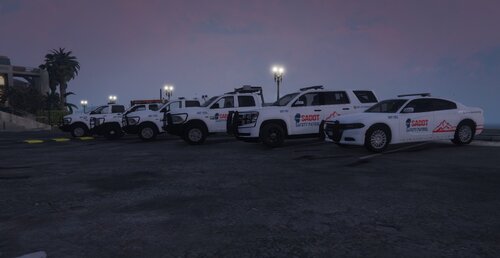
This San Andreas: Department of Transportation Package brings authority to the state of San Andreas. With five (5) of the six (6) vehicles having Ghosted Liveries included, and all six (6) having the standard SADOT livery, you are able to easily, swiftly, and efficiently have control over your state!
These vehicle models are made by Night Rider and can be downloaded here.
This package includes liveries for the following vehicles:
- 2018 Tahoe
- 2018 Charger
- 2016 Silverado
- 2016 Ram
NOTICE: This package sold is just the liveries for the vehicles. Vehicle models themselves are sold separately by another distributer (Linked above).
- 40 Downloads
Updated -
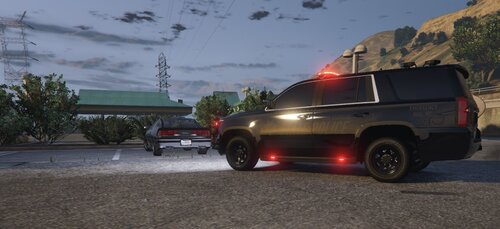
With this stealth livery package, you can control your stealth at night, and by day. This luxurious package includes liveries for all vehicles included in the pack, as well as a Master Livery that allows you to re-create this livery onto other vehicle packs made by anyone.
This package is LIVERIES ONLY! If you wish to get these vehicles, you can find them for FREE by following this link: https://www.lcpdfr.com/downloads/gta5mods/vehiclemodels/38531-els-bcso-pack/
Vehicles Included
- 2014 Dodge Charger
- 2018 Dodge Charger
- 2014 Chevy Tahoe
- 2018 Chevy Tahoe
- 2016 Ford Explorer
- 2020 Ford Explorer
DISCLAIMER: This package is just the liveries for the vehicles. Vehicle models themselves are distributed separately by another developer (Linked above).
- 85 Downloads
Updated