Mid
Members
-
Joined
-
Last visited
Files posted by Mid
-
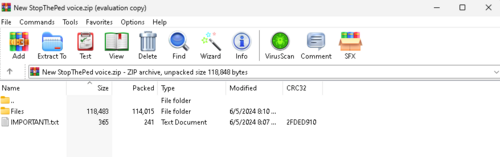
Thanks to Bejoljo for making this amazing mod, Bejo also granted us access to mod the files and tweak them. Basically, I made new audio files containing everything Bejo originally had, except all I did was change the voice, so its still the same. Installation is very simple, I included it in the IMPORTANT.txt , but if you for some reason can't read it, I'll also provide it here.
Go to Grand Theft Auto V\plugins\LSPDFR\StopThePed\Audio DON'T DELETE ANY FILES!
Then, open the Files folder provided in the download. Drag and drop all the files I provided, replace them.
(OPTIONAL): You should create a backup.
Incase the files get corrupted and StopThePed audio breaks, just re-install Stop The Ped. If your game breaks, go ahead and DM me if your Rage Plugin Hook crashes. From there I can help you fix it, a lot easier to use Discord rather than the comments of this file. My Discord is bones.2376, DM's always open. I will most likely respond in 48 hours, this is because I do message requests. Enjoy!
- 996 Downloads
- 8 Comments
Updated -
Hello! This is my first livery that I have made, and I am quite pleased with myself, and I hope you guys are too! Enjoy the livery, bye!!
- 52 Downloads
Updated