Skip to content
View in the app

A better way to browse. Learn more.

LCPDFR.com

A full-screen app on your home screen with push notifications, badges and more.

To install this app on iOS and iPadOS
  1. Tap the Share icon in Safari
  2. Scroll the menu and tap Add to Home Screen.
  3. Tap Add in the top-right corner.
To install this app on Android
  1. Tap the 3-dot menu (⋮) in the top-right corner of the browser.
  2. Tap Add to Home screen or Install app.
  3. Confirm by tapping Install.

Remnovir

Members
  • Joined

  • Last visited

Everything posted by Remnovir

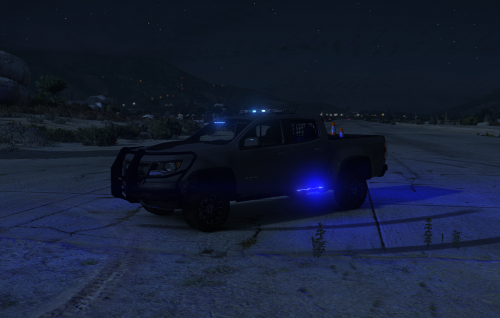
  1. Could someone make a red and blue christmas tree style version of the 2017 Chevy Colorado with the push bumper/wrap around similar to the one lion has uploaded and a sports bar attachment on the back. There used to be one linked here that belong to Ferious but it was stolen, and Ferious doesnt have plans to remake it sadly. I tried to do it myself but Im just not modder material and it ended in failure.
  2. Could you make a Red and Blue version of this? and possibly add a sports bar option to the back.

Account

Navigation

Search

Search

Configure browser push notifications

Chrome (Android)
  1. Tap the lock icon next to the address bar.
  2. Tap Permissions → Notifications.
  3. Adjust your preference.
Chrome (Desktop)
  1. Click the padlock icon in the address bar.
  2. Select Site settings.
  3. Find Notifications and adjust your preference.