fallenixi
Members
-
Joined
-
Last visited
Everything posted by fallenixi
-
had to update gta, lspdfr and a few other things since i hadn't played in a while and so i know i'll definitely have issues with my game but i cant seem to find out why my game crashes when i go on duty. I have the latest ragenativeui and so my guess would be one of my plugins. Can someone help me to identify if it is a plugin and if so which one and how to fix it. Thanks.
-
im having the exact same thing happen. Most work but some dont, eg, bank robbery simply does nothing if i force the callout
-
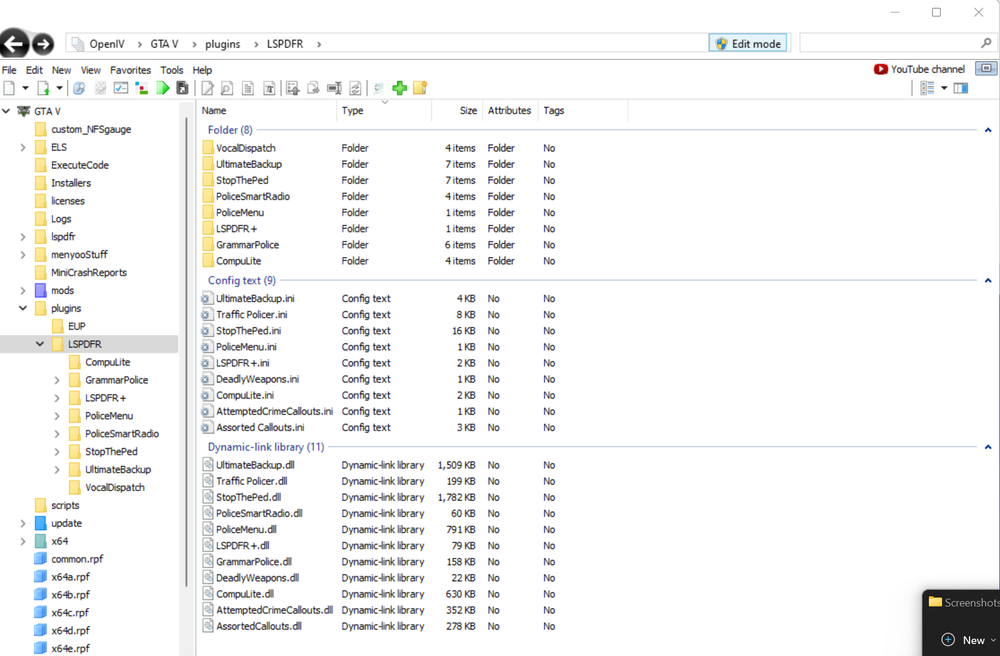
Yes.. I've checked several different forums regarding this issue and yet mine still does work. In-Game, StopThePed loads up and says it is all A-Okay but none of the keybinds work as if it isn't even installed. The folder, ini file and dll file are all in plugins > LSPDFR and i also have RageNativeUI installed and the prerequisites: Ultimate Backup, LSPDFR, RagePluginHook, CompuLite and RageNativeUI. I had it working first try on my last game folder so i do not know why it will not work now. Please someone help