
BL4ZEAPB
Members
-
Joined
-
Last visited
Files posted by BL4ZEAPB
-
LA/LS Coroner Livery - 2020 Tahoe
This livery is designed for the Coroner Tahoe By ItsCarterFr based on LA Coroner. Made for people who want a realistic game or who use 5real, and it also includes a lore friendly version!
REQUIREMENTS
Installation
(I will not tell you how to install the vehicle since its basic knowledge, if you don't know how to watch a video)
1. Go to the vehicle install location or the replace location if you chose to replace it
2. for addon go to Grand Theft Auto V\mods\update\x64\dlcpacks\Un20Tah\dlc.rpf\x64\vehicles.rpf\
3. Open "Un20Tah+hi.ytd" in edit mode
4. The last texture that comes up, hit replace in the top right then go to your desktop
5. Drag and drop the png file from this download and hit select in the openIV window then save
6. Then repeat the same instructions for Un20Tah.ytd and search for sign in the top left.
(if you want to make sure it works, open "Un20Tah_hi.yft" and make sure the livery is on)
Suggested vehicle to use with:
For support or questions i recommend joining Blueline Hangout (https://discord.gg/bluelinevibes)- 50 Downloads
Updated -
California & San Andreas – Prisoner Transport Van Livery Pack
by BL4ZEAPB
REQUIRED:
FOR SUPPORT: https://discord.gg/bluelinevibes
Installation and more info in readme, for help join the discord above!
Notes:
5REAL PLAYERS: if chosing replace method, make sure it isnt being replaced already in your traffic dlc list, or replace it in one of those!
And also huge thanks to EmergencyDistributors for including a template for the van, sped up the process alot! - BL4ZEAPB- 83 Downloads
Updated -
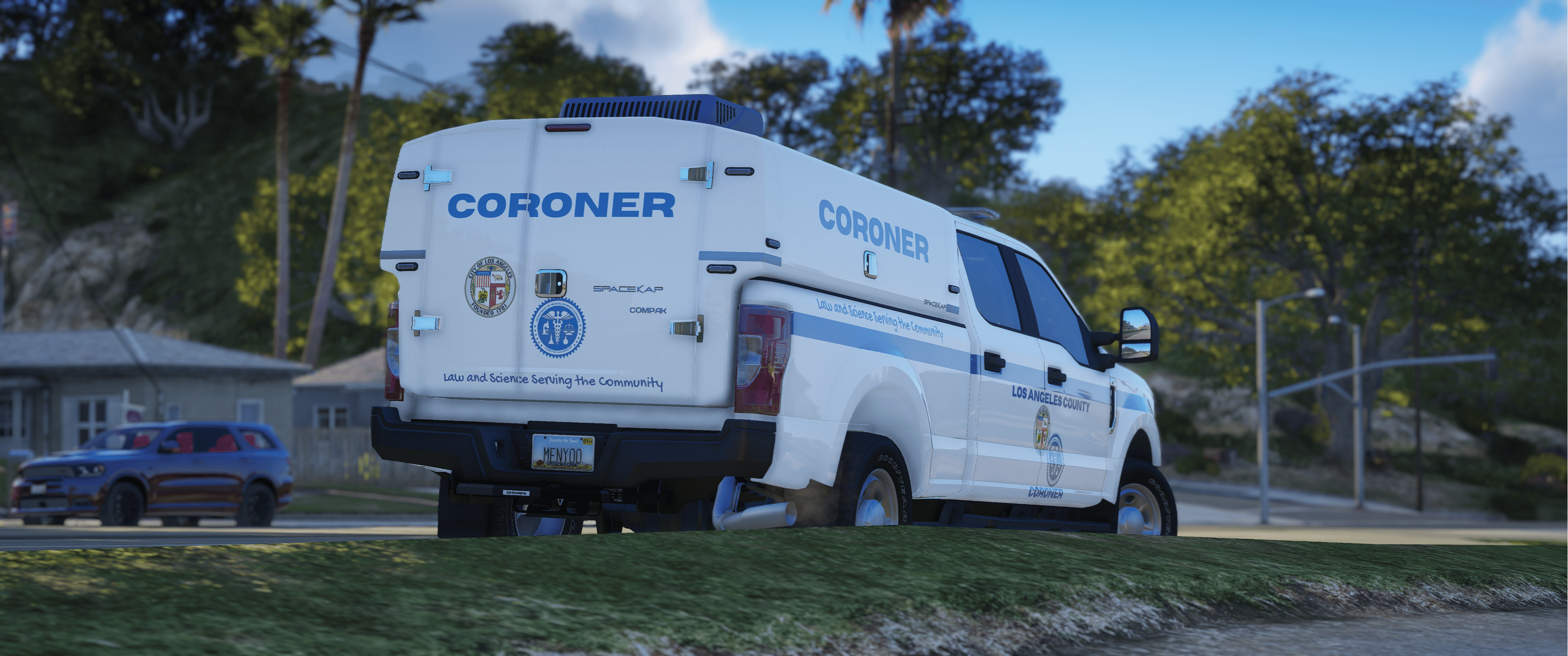
LA/LS Coroner Livery
by bl4zeapb
required:
Torrent's Modifications discord
For support:
https://discord.gg/bluelinevibes
This livery is designed for the San Andreas Coroner Truck By TrentMU (torrent mods), based on LA Coroner. Made for people who want a realistic game or who use 5real.
Suggested vehicle to use with
Installation
(I will not tell you how to install the vehicle since its basic knowledge, if you don't know how to watch a video)
1. Go to the vehicle install location or the replace location if you chose to replace it
2. for addon go to Grand Theft Auto V\mods\update\x64\dlcpacks\sac\dlc.rpf\x64\vehicles.rpf\
3. Open "sac.ytd" in edit mode and search for "sign" in the top left
4. The first texture that comes up, hit replace in the top right then go to your desktop
5. Drag and drop the png file from this download and hit select in the openIV window then save
(if you want to make sure it works, open "sac_hi.yft" and make sure the livery is on)- 182 Downloads
- 3 Comments
Updated