
TheBabyGoat
Members
-
Joined
-
Last visited
Files posted by TheBabyGoat
-
Vivid V Ymaps Will add over 5,000 vegetation props to the world of Los Santos.
From South Los Santos all the way to the dry dessert of Blaine County.
This will greatly enhance patrols through the state!
PLEASE NOTE: THESE ARE YMAPS ONLY NO CC!! IF YOU WISH TO HAVE CUSTOM VEGETATION FROM THE SCREENS PLEASE VISIT MY PATREON
════════
Version 1.0
════════
• South Los Santos
• Rockford Hills
• Vespucci
• Rancho
• Airport
• Fort Zanccudo
• And More
═══════════
INSTALLATIONS
═══════════
SINGLEPLAYER
1. Download Singleplayer and Extract it
2. Open OpenIV
3. Go to Tools ► Package Installer
4. Find the VividVYmaps.oiv file you have downloaded and click on it
5. Choose the "mods" folder option and wait for it to finish the installation
6. Done
FIVEM CLIENT
1. Download FiveM Client and Extract it
2. Open your FiveM "mods" folder by Right-clicking on FiveM ► Open file location ► FiveM Application Data ► "mods" folder
3. Find the VividVMaps.rpf file you have downloaded and copy it
4. Go back in your FiveM "mods" folder and paste it
5. Done
FIVEM SERVER
1. Download FiveM Server and Extract it
2. Open your FiveM "ressources" folder
3. Find the VividVMaps folder you have downloaded and copy it
4. Go back in your FiveM "ressources" folder and paste it
5. Add ensure VividVMaps in your config.cfg file
6. Restart server
7. Done
- 1,000 Downloads
- 8 Comments
Updated -
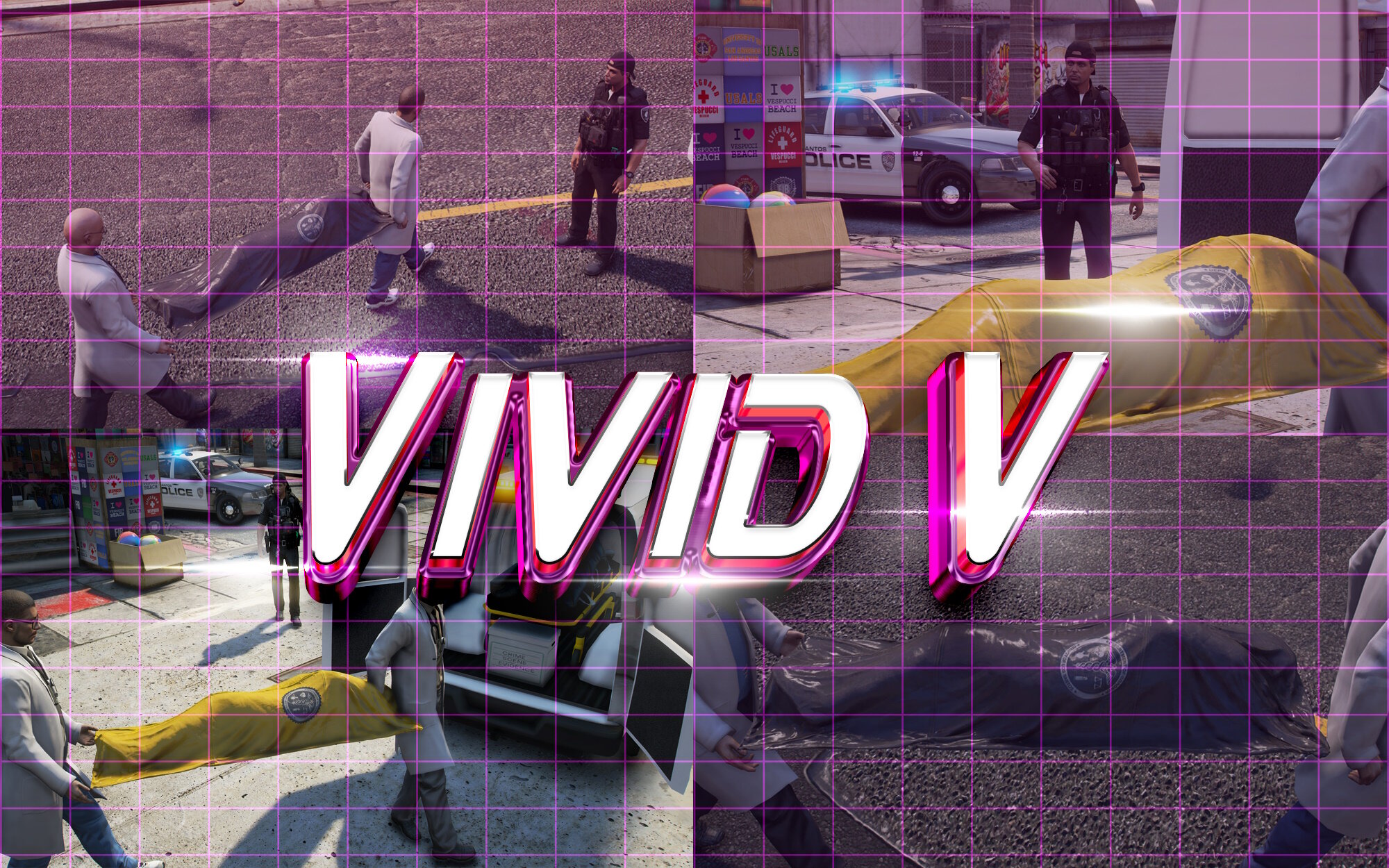
Vivid V Coroner Bag Replacements includes two variations. One Black bag and One Yellow bag.
Well aware this has already been redone before however these are HQ Prop replacements that look great in game for screenshots. KEEP IN MIND THESE ARE HQ PROPS Install instructions included in the supplied readme file
Known Issues:
When Coroners are at the scene the Body Bag bounces around before they grab it. Lead Coroners hands sometimes drift from the bag in certain situations
- 703 Downloads
- 7 Comments
Updated