drmaynard
Members
-
Joined
-
Last visited
Files posted by drmaynard
-
NOTICE
After this project has been abandoned, I have decided to recontinue it but better! It may take a while for me to overhaul it but make sure you stay on the lookout for future updates!
Introducing my newest plugin for LSPDFR!
Callouts currently are:
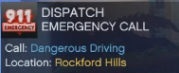
-Dangerous Driving
-Criminal Resisting Arrest (Trevor Phillips)
-Bank Robbery (At the Fleeca Bank near Chumash)
-Armoured Truck Theft
-Fire Truck Theft
-Officer Requesting Backup
There are still more callouts to be added and suggestions are welcome.
Consider supporting my Patreon!
BUGS
Bugs using this mod are unlikely, but not impossible.
In the event a bug is found, please contact "drmaynard" on discord (or use the comments bellow)
Keep in mind that this is the first release of the plugin and may not be entirely perfect.
Terms of Use:
You are free to use this plugin, however you may NOT redistribute or share. This includes as calming this as your own. You may not attempt to reverse engineer any part of the plugin. Some code used in the plugin is my own property and proprietary code. The plugin has been highly obfuscated to prevent theft. Action may be taken against those who violate the intellectual property of the author. Such actions may result in a lawsuit against the violator.. This plugin may only be listed at https://lcpdfr.com/downloads/gta5mods/scripts/45862-drmaynards-callouts/. Anywhere else is prohibited. By using this plugin you agree to the terms and actions that may be taken if you violate them. These terms may change, and the author holds no obligation to inform users, they are expected to read this section before downloading.
This work © 2023 is licensed under CC BY-ND 4.0
Changelog:
1.0.1: Added new callout "Shooting".
1.0.0: Plugin officially released.
- 9,293 Downloads
- 19 Comments
Updated -
Thank you for choosing "drmaynards Ford Door Chime".
Due to the way GTAV audio files must be the same length as the original sound file,
the chime will play much faster than the real-life Ford chime, I'm sorry but that's the way
it has to be. (If I find another way I will update this file)
Consider supporting my Patreon!
Requirements:
OpenIV and its necessary files.
A legal version of Grand Theft Auto V.
Installation:
Drag the file provided named "mods" into the GTAV main directory. (If you have
previously modified the "x64 > audio > sfx > RESIDENT.rpf" files you will have to manualy
restore the modified files as this will replace all to default except the sound
"DOOR_OPEN.wav")
If you require any assistance with the file, please comment on the file download page.
- 818 Downloads
- 1 Comments
Updated -
Replace for stations.xml adding new locations for the map! If you want, comment stations you would like to see in this replace and I will try to add them!.
CHANGELOG:
1.0.2
-Added the lslg department
-Added lslg station
-Added ambient lifeguards/vehicles spawns
-Added lslg as a local backup for Vecpucci Beach area.
1.0.1
-Added a backup of stations.xml.
1.0
-Added Fort Zancudo locker and garage.
- 646 Downloads
- 14 Comments
Updated