



fattboi94
Members
-
Joined
-
Last visited
Everything posted by fattboi94
-
One guy says, 'It doesn't create a log if you never go on duty'. Another says there is a log. It seems like no one has any idea on what the hell is going on.
-
I dosen't create a log, because I never start LCPDFR.
-
Nothing worked still getting the same start up error LCPDFR.Loader. Why can't they upload 1.0c, because this is ridiculous, some versions work then an update come out then it no longer works and then you can't play LCPDFR anymore. Everytime there is an update, some peoples game goes straight to hell.
-
OK. I will download a fresh manual LCPDFR and install that advancedhook. That didn't work either. I'm going to do a fresh install of everything and only install LCPDFR and no other mods. To check to see if its LCPDFR or another mod.
-
Yes. I installed Game4Videos ENB installed. But I had it installed before, and it never did this. I did the manual installation first.
-
Still saying the same thing. Here's a pic if it helps. GTAIV 2015-02-20 21-07-02-21.bmp
-
So , I had to factory default my PC. So I go to re-install everything and when I run my Diagnostic Tool, everything but the Log Check is fine. I read another topic on this same issue, but it was from 2013. It said, to delete my LCPDFR.log and retry the installation check. I don't seem to have LCPDFR.log. I installed 1.0d_2 manually. I also read that this version of LCPDFR and vDH PoliiceHelper are not compatible. I have no idea whats going on. Diagnostics_19.2.2015_21_53_49.log
-
I love this mod, but it worked for a while, now every time I get in it, it disappears. I can see it walking up to it, but once I get in the driver seat, it disappears or it goes invisible to be more precise. Also 5/5.
- 10 comments
- 5 reviews
-
pretty f**king awsome...love the car!!! 5/5 wish there was more lights in the back
- 31 comments
- 16 reviews
-
I really like this pack, but when I installed it and start my game. It crashes immediately.
- 37 comments
- 9 reviews
-
Finally. A pack I can use. I just wish I wasn't lazy enough to install the handling lines one by one...lol. 5/5 Yard!!!
- 65 comments
- 22 reviews
-
Yea. Like i said I know how to fix it. I was just wondering if it was just me having this problem or anyone else.
-
I have GTA IV on Steam. So I create another folder to house my modded GTA IV. When I download and to install LCPDFR 1.0C, in my modded GTA folder, it goes in another folder labeled "LCPD First Response". When I start GTA. LCPDFR script isn't running. I know how to fix the problem manually. You take everything out the folder and put it in your GTA directory. But I want to know why it keep doing it. I never had this problem using the Auto Installer , but now I do. Like i said i know how to fix it manually, i just wanna know if im doing something wrong, or is has it changed.
-
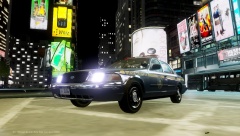
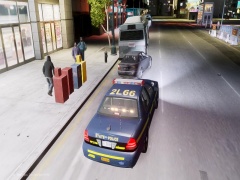
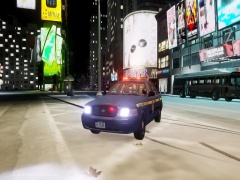
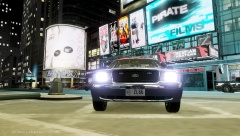
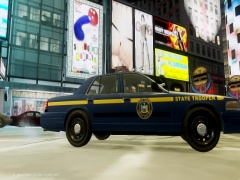
Random pics of gameplay.
-
From the album: Gameplay
Link to Car -
From the album: Gameplay
Link to Car -
From the album: Gameplay
Link to Car -
From the album: Gameplay
Link to Car -
From the album: Gameplay
Link to Car -
Anyone recommends a good ELS V8 Config. My Current ELS Config for V8: [ ENV LIGHTING ] Range_PRML = 30 Inten_PRML = 6 Range_SECL = 3 Inten_SECL = 7 Range_WRNL = 3 Inten_WRNL = 7 Range_TKDN = 13 Inten_TKDN = 8 IntMult_Crnas = 1.0 EnvMult_Morning = 0.2 EnvMult_Evening = 0.4 EnvMult_Night = 1.0 I want it to be a little bit more realistic. P.S. Im also looking for a good texture pack. Roads, Buildings etc.
-
-
-
 I installed this and when I accept the call it does nothing but say responding.
- 153 comments
- 13 reviews
-
-
I'm in the market for a good, reasonable and reliable backlit gaming keyboard. Preferably, the backlit light will be blue. If anyone knows one, I would appreciate if you link the product.


