



SHERIFF/EMS/FIRE
Members
-
Joined
-
Last visited
Everything posted by SHERIFF/EMS/FIRE
-
-
 Yes
Yes -
My current pc specs and possible new pc specs below. Is it worth it to upgrade? If I do get the new pc i will probably overclock the Processor and GPU. Current PC - Alienware X51 R1 - Windows 10 Home - Intel i7-3770 3.9GHz Turbo Boost - Gtx 960 4gb - 16gb Ram - 2TB HDD 7200rpm Possible New PC - HP Envy Phoenix 860-170vx - Windows 10 Home - Intel I7 6700k 4GHz - Gtx 980TI 6gb - 24gb Ram - 2TB HDD 7200rpm (I put my pc into sleep mode so it starts up fast already) for $1,399.99
-
 "Message Prophet for Vehicle." Are you guys still letting people use these vehicles? Messaged you both.
 -
same problem here. I hold the left turn key and double tap the F key and the wheel doesn't lock.
-
 Will the Charger and CVPI be released or is it a private release? Thanks!
 -
I don't think you can even run minesweeper on a $200 computer.
-
-
-
-
-
-
-
-
-
-
-
-
-
-
-
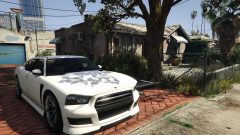 Testing 4k resolution at x2 MSAA with everything else maxed
 -
I know they haven't said anything about Fallout 4 but check out this video and possibly other videos from this guy. He analyzed the site source code and found things such as Fallout4.com etc. Only 1 hour to go to see the big surprise anyway.
-
From what I've heard I can upgrade to a 970 if I upgraded my Alienware motherboard from a R1 version to an R2. I'm probably just going to wait to see if a 960 TI comes out. I first started out with a GTX 555 OEM then upgraded to the GTX 660 TI.
-
Same here man I'm so excited! I just posted a thread about this a couple of minutes ago. Can a moderator please merge these threads? Thank you!







