Skip to content
View in the app

A better way to browse. Learn more.

LCPDFR.com

A full-screen app on your home screen with push notifications, badges and more.

To install this app on iOS and iPadOS
  1. Tap the Share icon in Safari
  2. Scroll the menu and tap Add to Home Screen.
  3. Tap Add in the top-right corner.
To install this app on Android
  1. Tap the 3-dot menu (⋮) in the top-right corner of the browser.
  2. Tap Add to Home screen or Install app.
  3. Confirm by tapping Install.

MC Hollow

Members

Everything posted by MC Hollow

    • 29 downloads
    • Version 1.0.0
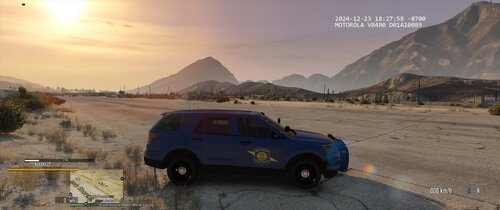
    Here is my new Michigan State Patrol explorer skin Original Model
    • 10 downloads
    • Version 1.0.0
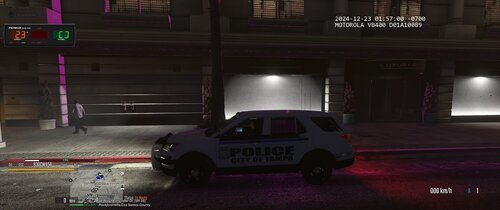
    here is my new Tampa FL Skin Original Model
  1. thanks for the support I'm glad you like it
  2. what do you mean it looks nice it has a good amount of downloads so go and bully someone else
    • 63 downloads
    • Version 1.0.0
    MADE BY ME DO NOT REUPLOAD Original Modal
    • 15 downloads
    • Version 1.0.0
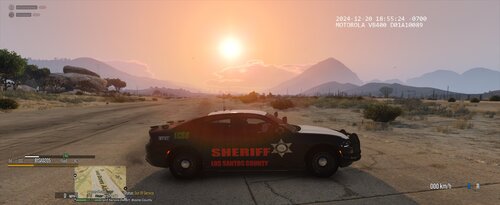
    MADE BY ME DO NOT REUPLOAD HAPPY HOLIDAYS FOLKS Here is my new LCSO Mini Pack Based on XMAS Original Model
    • 69 downloads
    • Version 1.0.0
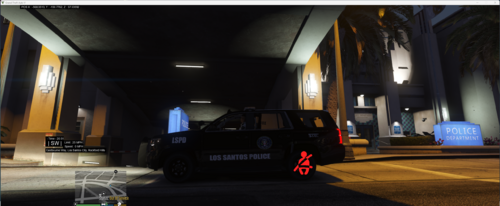
    Hello Everyone, here is my new livery An LSPD Durango Skin Original Model
    • 43 downloads
    • Version 1.0.0
    Hello There This Is, my new livery I just made I hope y'all like it Original Model
    • 9 downloads
    • Version 1.0.0
    Here is my new Tahoe livery hope y'all like it Original Model
  3. hey man no need to be a dick about it I'm still new at making livery's i don't care about your thoughts on it if you don't like it then don't even look at it or download it
  4. I Am going to update the screenshot soon the car looks grey and it is a red livery il fix the screenshot soon
    • 3 downloads
    • Version 1.0.0
    Here Is My New EMS Livery

Account

Navigation

Search

Search

Configure browser push notifications

Chrome (Android)
  1. Tap the lock icon next to the address bar.
  2. Tap Permissions → Notifications.
  3. Adjust your preference.
Chrome (Desktop)
  1. Click the padlock icon in the address bar.
  2. Select Site settings.
  3. Find Notifications and adjust your preference.