




Raylan Givens
Members
-
Joined
-
Last visited
Everything posted by Raylan Givens
-
ok, that's good. and yes I got my vids monetized. just got that set up last night! :)
-
link to scanner.
-
so I need to add the music to the vid before upload? if so then how do I get it to be like that link above to show the name of the song?
-
ok so here this vid:
-
link me to the scanner. as I said in the first post. thank you ~srgt.scales will do. ill get it done tomorrow.
-
Inboard LED module options: any combination of single color 6 or 9 LED, dual color 12 LED or tri-color 18 LED counts Corner LED module options: any combination of single color 12 or 18 LED, dual color 24 LED or tri-color 30 LED counts "All white" forward facing modules option for intense scene lighting 6 LED Take Downs, 3 LED Alley Lights standard Manual dimming capability for nighttime use Cruise mode Ability to shut down complete front or rear inboard and select corner modules Rear arrow option Nearly 25% lighter than industry leading metal lightbars, allowing for increased fuel economy, handling performance, and top-end speed Available in 24", 36", 42", 48", 54", 60" and 72" lengths Windows PC App software for ease of programming hey nickieb you need to make that some how! :)
-
um ok.......
-
Boston,Mass. is done look at first post for link.
-
im starting it now then test then test from my other tester than upload. so maybe late tonight or early tomorrow
-
yes, ill do 30 min. I usly go about 40 if the feed is not active depends. but ill do 30 for sure.!
-
ill do them.
-
ok, link would help :)
-
first post updated.!
-
did you turn vehicles of and peds off in trainer?
-
oh well I don't know about that one.
-
well i dont know if this helps but the first videos title is " The Federal Q,........." so maybe its a federal q siren? just taking a good guess. :)
-
thank you ill try to do it today just uploaded Indiana one from a request before you.
-
please link me to the scanner. thank you ~srgt.scales
-
same, but I wont do the skin but if someone requests something at least give pictures. so it helps the skinners out! :)
-
maybe link pictures. it would HELP a lot. :)
-
-
like I said its always best to stick a command line in the gta iv directory just to be safe. I did even though I don't need it! :)
-
like I said above ever wanted your states scanner recorded or county or township or something police, fire, ems? well im the man with the plan. just pm me or post below. ill do ALL 50 states. any out of country ill do to. please provide me with the scanner link and a time of the day please post as *EST* for me. ill get them done less than a week. and also please post how long I will go up to 30 min. to the max. STATES: Alabama Alaska Arizona: http://www.mediafire.com/?zu3z0sys796nyyl Arkansas California Colorado Connecticut Delaware Florida Georgia Hawaii Idaho Illinois Indiana: '?do=embed' frameborder='0' data-embedContent>> http://www.mediafire.com/?ll6a2pw7f2279ev Iowa Kansas Kentucky Louisiana Maine Maryland Massachusetts: http://www.mediafire.com/?vpp21ideyv7bcvs , http://www.mediafire.com/?i6otadeubzdccuk Michigan Minnesota Mississippi Missouri Montana Nebraska Nevada New Hampshire New Jersey New Mexico: http://www.mediafire.com/download/s07t45oxa1tb7z3/albequerque+pd.zip New York North Carolina North Dakota Ohio Oklahoma Oregon Pennsylvania Rhode Island South Carolina South Dakota Tennessee Texas Utah Vermont Virginia Washington West Virginia Wisconsin Wyoming OTHER: *all scanner feed will have to be downloaded on media fire. I don't want to upload 50+ uploads might get in trouble for it* (I think I need some rep after all of this)
-
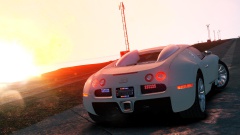 didn't even realize it was a real cop car wow!
 -
ive seen that one I tried it didn't like it. :/


