
MattGliMTC
Members
-
Joined
-
Last visited
Files posted by MattGliMTC
-
this mod will remove your crosshair, have fun!
--INSTALLATION--
1. Open OpenIV
2. Go to mods / update / update.rpf / common / data / ui
3. Put the "frontend.xml" file in the folder "File" in there!
And you're done!
it might not work if you dont replace it also in the main GTAV files, so go in update / update.rpf / common / data / ui and do the same thing.
If something doesn't work or is bugged, replace the modded frontend.xml with the one in the "Backup" folder.
DISCLAIMER: i know there's already a crosshair remover mod, but its old (2015) and could be outdated, i didn't take anything from the original mod.
Original mod (outdated, could be not working): https://it.gta5-mods.com/misc/remove-reticle-crosshair
- 1,882 Downloads
Updated -
--IT--
Apri La Cartella Modello, Apri OpenIV e Vai In: mods - update - x64 - dlcpacks - patchday19ng - dlc.rpf - x64 - levels - gta5 - vehicles.rpf
e Mettici Tutti I File Dentro
ELS:
Vai In GTAV - ELS - pack_default
e Metti Il File Nella Cartella Di ELS Dentro
--EN--
Open the Model Folder, Open OpenIV and Go Into: mods - update - x64 - dlcpacks - patchday19ng - dlc.rpf - x64 - levels - gta5 - vehicles.rpf
and Put All Your Files Inside
ELS:
Go to GTAV - ELS - pack_default
and Put the File in the ELS Folder Inside
- 7 Downloads
Updated -
Installazione:
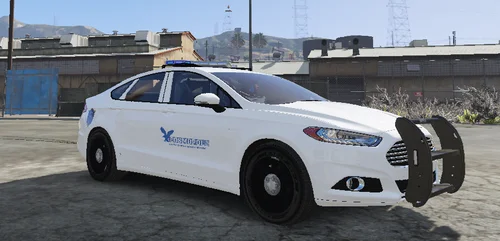
1. Scarica Il Pacchetto Originale ( Nella Sezione Crediti ) Apri L'Archivio e Apri La Cartella Modello, Da li Prendi Tutti I File Che Terminano Con .yft Rinomimali a dilettante2.yft e dilettante2_hi.yft Dopo Mettili Nella Cartella "Modello" Del Mio Archivio Stessa Cosa Con ELS Ma Lo Rinonimi Come dilettante2.xml e Lo Metti Nella Cartella ELS Del Mio Archivio
2. Apri La Cartella Modello e Metti Tutti I File In: GTAV - mods - update - x64 - dlcpacks - patchday19ng - dlc.rpf - x64 - levels - gta5 - vehicles.rpf
3. Apri La Cartella ELS E Metti Il File In: GTAV - ELS - pack_default
-ENG-------------------------------------------------------------------------------
1. Download the original package ( In The Credits Section ), open the archive and open the model folder, from there get all the files that end with .yft, rename them to dilettante2.yft and dilettante2_hi.yft, then put them in the "Modello" folder of the My Archive. Same thing with ELS but rename it as dilettante2.xml and put it in the ELS folder of my archive
2. Open the Model Folder and Place All Files In: GTAV - mods - update - x64 - dlcpacks - patchday19ng - dlc.rpf - x64 - levels - gta5 - vehicles.rpf
3. Open The ELS Folder And Place The File In: GTAV - ELS - pack_default
- 18 Downloads
Updated -
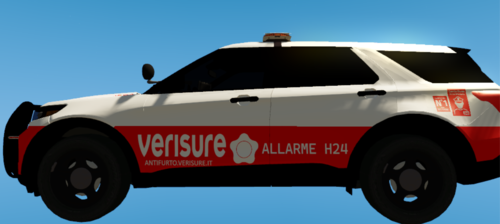
ATTENTION: THIS MOD ONLY FIXES THE TEXTURE FOR THE POLICE5 AND THE POLGAUNTLET, IT DOESNT FIX THE TEXTURE OF THE NEWEST POLICE CARS (EX: POLCOQUETTE O POLGREENWOOD) I PLAN TO UPDATE IT IN THE NEAR FUTURE.
This File Fixes The police5 and polgauntlet livery so you can modify the model / texture of police5 and polgauntlet
easy to install
you need OpenIV to install this script
install instructions:
go to mods - update - x64 - dlcpacks - mp2023_02 - dlc.rpf - common - data
and replace carvariations.xml with the one in the archive
for now there are no bugs but if there are tell me in the comments
car used in the file's image: https://www.lcpdfr.com/downloads/gta5mods/vehiclemodels/46911-elsreplace-lspd-21-tahoe-ppv-slicktop/- 516 Downloads
- 10 Comments
Updated -
IT
Ciao! Questa e La Mia Prima Texture Quindi Ditemi Se C'e Qualcosa Di Sbagliato
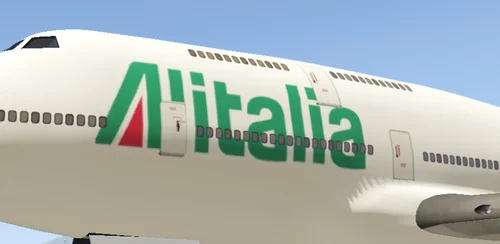
Questa Livery Modifica La Texture Del JET Facendolo Diventare Un Alitalia e ITA Airways.
Le Istruzioni Sono Nell' Archivio
Crediti:
Brands Logos ( Logo Alitalia)
Logos World ( Logo ITA Airways )
Grazie a daniele1, VIfederico, stefano11, Pi3tr091, Skyrix e Police 18651 Per Avermi Ispirato A Fare Questa Texture
Per Piu Realismo Scaricate Questo Pack: https://it.gta5-mods.com/paintjobs/pack-alitalia-airport
EN
----------------------------------------------------------------------------------------------
HI! This is my first texture so tell me if there is something wrong
This Livery Changes The Texture Of The JET Making It Become An Alitalia and ITA Airways.
Instructions are in the archive
Credits:
Brands Logos (Alitalia Logo)
Logos World (ITA Airways Logo)
Thanks to daniele1, VIfederico, stefano11, Pi3tr091, Skyrix and Police 18651 for inspiring me to make this texture
For More Realism Download This Pack: https://it.gta5-mods.com/paintjobs/pack-alitalia-airport
Install Instructions:
Go To mods / x64e / levels / gta5 / vehicles.rpf and replace jet.jtd and jet+hi.jtd with the ones in the archive
- 6 Downloads
Updated -
Questo File è Un Reupload a LCPDFR.com Dal Mio gta5mods
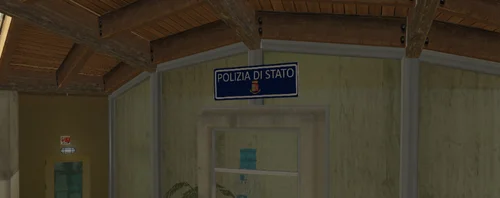
Questa Texture Modifica La Stazione Di Vespucci Beach Traducendola In Italiano
Purtroppo Non e Compatibile Con LSPDFR Visto Che Non e Segnata Come Una Stazione DI Polizia
--Installazione--
Metti Il File In: mods - x64m - levels - gta5 - cityw - venice_01 - vb_34
--EN--------------------------------------------------------------------------------------------------------------
This File Is a Reupload To LCPDFR.com From My gta5mods
This Texture Changes Vespucci Beach Station Translating it into Italian
Unfortunately it is not compatible with LSPDFR as it is not marked as a police station
--Installation--
Put The File In: mods - x64m - levels - gta5 - cityw - venice_01 - vb_34
- 5 Downloads
Updated