Lizardboy
Members
-
Joined
-
Last visited
Files posted by Lizardboy
-
Gude,
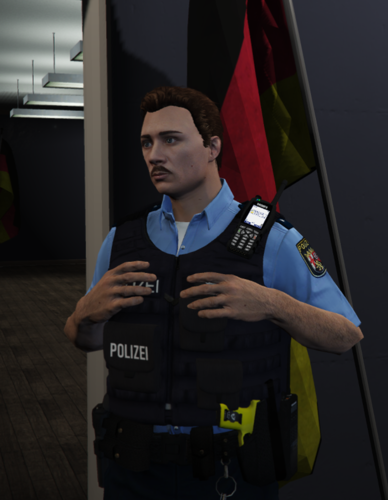
dies ist ein Skin, welcher der neuesten Weste der Polizei Rheinland-Pfalz so ähnlich wie möglich ist.
Der Skin kommt in vier Ausführungen.
Standard Ausführung (Mit und ohne Trauerpatch)
Video Ausführung (Mit und ohne Trauerpatch)
Alle Anleitungen sind in der "readme" Datei enthalten.
Es wird das folgende Model in der Variante 4 benötigt:
Ich habe viel Arbeit und Aufwand betrieben, damit der Skin so realistisch ist, wie es bei einem Re-Skin nur möglich ist.
Daher möchte ich nicht, dass dieser Skin
-Verändert wird,
-Von anderen Personen erneut hochgeladen wird (Egal wo!),
-Als seine eigene Arbeit ausgeben wird,
-Ohne meine Zustimmung auf irgendwelchen Servern verwendet wird (FiveM/AltV/etc...) <- Fragt mich echt! In der Regel stimme ich zu und möchte nur wissen wo meine Sachen verwendet werden und ob ich in den Credits stehe :).
Zusätzlich empfehle ich die in den Fotos abgebildeten Accessoires:
- 895 Downloads
- 1 Comments
Updated