Influenza
Members
-
Joined
-
Last visited
Files posted by Influenza
-
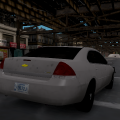
Modification Information File | Vehicle Parts and Equipment
- MOD NAME DETECTIVE / LCPD UNMARKED UNIT
- VERSION v1.1 ELS
- SPECIAL MODEL ELS
- LIGHTBAR N/A
- EXTRA PARTS Unity Spotlight, Whelen Talon, Impala Rambar
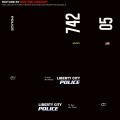
- LIVERIES 4
- OPTIMIZED FOR POLICE2, POLICE, FBI
- CREDITS RMC (see notes)
- MOD STATUS Open
INSTALLATION
- Use sparkIV or OpenIV to edit vehicle.img. There find the car you want to replace (e.g.: fbi.wft)
and import the files from this folder (e.g.: fbi.wft,fbi.wtd).
- Do not forget to make backups of original game files!
- For multiple livery support go to "Grand Theft Auto IVcommondata" or "EFLCcommondata" and open "vehicles.ide"
find the line with the name of the model (e.g.: fbi.) and add "+livery" at the end.
- Start the game and enjoy!
NOTES
- Make sure to read the readme.txt!
- Model is original Chevrolet Impala From Driver SF, modified for and converted to GTAIV by Bxbugs123, Rims by Schaefft
- Rambar originally by Bxbugs123 edited to a Chevrolet Impala rambar by Archerymodz, further edited by RMC
FILES INCLUDED
- police2.wft
- police2.wtd
- Readme textfile
- Preview thumbnails
- Template by BxBugs123
********************
31 DECEMBER 2012
BEING FREEWARE
THIS PRODUCT IS GIVEN OUT WITHOUT ANY WARRANTY.
THANK YOU FOR DOWNLOADING!
********************
- 347 Downloads
- 8 Comments
Submitted -
- 12 Downloads
- 1 Comments
Updated