k8se10
Members
-
Joined
-
Last visited
Files posted by k8se10
-
Dukes Boulevard Remastered V3
Hey all Thanks for Downloading my first gta 4 mod, Huge Updates!
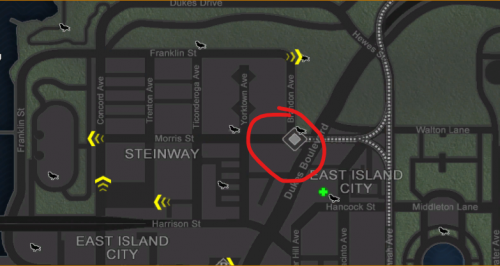
This mod aims to repath the subway trains into and out of Dukes boulevard station(EIC station)
Changelog:
v0.5 - Initial release (1 direction only)
v1.0 - First Update (Both Directions Working)
V2.0 - Second Update (Added text for station, Retextured signs at FI Airport, Sound cue added on trains)
v2.5 - Texture updates
v3.0 - Huge Update (More signs, More Textures, Better Pathing, Huge Fixes and Improvements!)
v3.1 - General bug fixes
Install Instructions:
Drag all files into main gta iv directory and replace all!
This mod will replace:
TracksQueens.dat and TracksQueens2.dat in common/data/paths
american.gxt in common/text
police_scanner.rpf in pc/audio/sfx
resident.rpf in pc/audio/sfx
queens_e.img in pc/data/maps/east
queens_m.img in pc/data/maps/east
queens_w.img in pc/data/maps/east
queens_w2.img in pc/data/maps/east
vehicles.rpf in pc/models/cdimages
DISCLAIMER! :
If you have vehicles use OpenIV to take the subway_hi and subway_lo .wft and .wtd files into your own vehicles.img
You can also do this for sound bank files (policescanner+resident.rpf) but will require external programs to do so!
So make sure you backup all listed files before, as this may not work on all versions and other mods could affect or break this mod
This mod has been tested only on 1.0.7.0 and EFLC 1.1.2.0
- 200 Downloads
- 2 Comments
Updated