Skip to content
View in the app

A better way to browse. Learn more.

LCPDFR.com

A full-screen app on your home screen with push notifications, badges and more.

To install this app on iOS and iPadOS
  1. Tap the Share icon in Safari
  2. Scroll the menu and tap Add to Home Screen.
  3. Tap Add in the top-right corner.
To install this app on Android
  1. Tap the 3-dot menu (⋮) in the top-right corner of the browser.
  2. Tap Add to Home screen or Install app.
  3. Confirm by tapping Install.

XzSnIpErxX

Members
  • Joined

  • Last visited

Files posted by XzSnIpErxX

  1. Esto solo es la traduccioón, para instalar el plugin completo deberás descargar el plugin de su 
    creador original Bejoljo: https://www.bejoijo.com/post/ultimate-backup
    This is only the translation, to install the complete plugin you must download the plugin from 
    the original creator Bejoljo: https://www.bejoijo.com/post/ultimate-backup
     
    Mas info en el leeme.
    More info on the readme
     
    Thanks for downloading!!
    • 2,435 Downloads
    • 3 Comments
    Updated
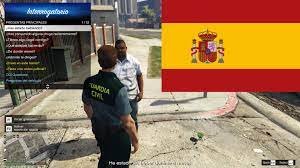
  2. El famoso plugin de Bejoijo, ahora en español
    Las peguntas, respuestas y el menú completamente en español.
    Faltan algunas cosas que traducir, que iré completando estos días
    Espero que os guste y funcione
    • 1,716 Downloads
    Updated

Account

Navigation

Search

Search

Configure browser push notifications

Chrome (Android)
  1. Tap the lock icon next to the address bar.
  2. Tap Permissions → Notifications.
  3. Adjust your preference.
Chrome (Desktop)
  1. Click the padlock icon in the address bar.
  2. Select Site settings.
  3. Find Notifications and adjust your preference.