.gif.8a43044d005420039588ccf502cb9783.gif)

Gerbooo
Members
-
Joined
-
Last visited
Files posted by Gerbooo
-
*Read everything carefully if anything isn't working add me on discord: Gerbooo
Check this github page out https://github.com/Shawn-E
github download: https://github.com/Shawn-E/fivem-eup-conversion
# fivem-eup-conversion
fivem-eup-conversion is a simple script that allows for the transfer of FiveM ready eup to singleplayer ready eup.
## Tutorial On Conversion
1.) Download Node.js: https://nodejs.org/en/download/
2.) Run the installer
Now you are done with that.
Second steps
3.) Extract the given zip/rar
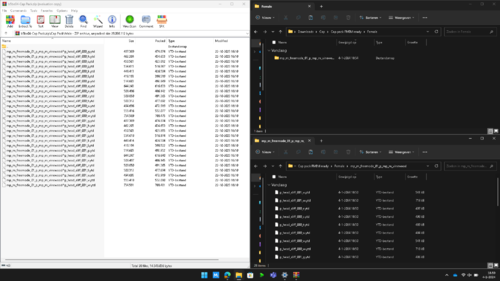
4.) Put all the files you wish to convert into the `_eup/Input` folder.
*DO NOT DELETE THE PLACEHOLDER FILES INSIDE THE FOLDERS*
5.) Then run the `start.bat`.
6.) All the files in the `_eup/Output` folder are now ready for singleplayer and split into props and clothing.
### Some Notes
mp_f_freemode_01_p Files with a p will be in the props folder and without a p will be in the cloth folder
### Auto convert Singleplayer Eup to Fivem eup
Got you! Check this link out:
# CREDITS
Check this github page out https://github.com/Shawn-E
github download: https://github.com/Shawn-E/fivem-eup-conversion
-Gerbooo
-Check my lspdfr page: https://www.lcpdfr.com/profile/530005-gerbooo/
Tutorial video:
- 5,752 Downloads
- 14 Comments
Updated -
*Read everything carefully if anything isn't working add me on discord: Gerbooo
# Auto-Convert-SPEup-to-FivemEup
Auto-Convert-SPEup-to-FivemEup is a misc that allows you to auto convert any SP ready eup to fivem ready eup.
## Tutorial On Conversion
1.) Download Node.js: https://nodejs.org/en/download/
2.) Run the installer
Now you are done with that.
Second steps
3.) Extract the given zip/rar
4.) Put all the prop folders inside the '_eup/Input/Props/' and all the cloth folders inside '_eup/Input/Clothing/'
5.) Then run the `start.bat`.
6.) All the prop files will be in the `_eup/Output/Props` folder and all the cloth files will be in the '_eup/Output/Clothing' folder.
Now all the files are fivem ready and ready to put into your fivem server eup folder.
### Some Notes
mp_f_freemode_01_p <- _p folder needs to be inside the _eup/Input/Props folder and without the _p inside the clothing folder (_eup/Input/Clothing)
### Convert fivem eup to singleplayer eup
Got you! check this link:
# CREDITS
-Check out lspdfr page https://www.lcpdfr.com/profile/530005-gerbooo/
-Check this github page out https://github.com/Shawn-E for inspiring me
-Gerbooo
Tutorial vid:
- 1,864 Downloads
Updated