



ComradeDrama
Members
-
Joined
-
Last visited
Reputation Activity
-
 ComradeDrama reacted to againstallodds for a file, Kuchera CalloutsKuchera Callouts v2.0.2.1 by againstallodds
General
Kuchera Callouts is designed to be a highly replayable LSPDFR callout pack, allowing players to build upon the provided scenarios and use other modifications to further enhance scenes, investigations, and day-to-day police work. This callout pack offers a range of high-intensity calls that will have players seeking cover, as well as regular day-to-day calls that a typical police officer might encounter. Some callouts might seem high-intensity upon response, only for players to later discover that the suspects have already fled the scene. Customization options are available, letting players edit the included .ini file to modify police vehicle models, peds, and callout activation.
Two Versions
Base - No other mods or callouts required, perfect for a more vanilla experience. Callout Interface [new] - You will need to download and install callout interface first, in order for this callout pack to work.
Join Discord
Please feel free to join to make suggestions, share screenshots, reports bugs, or play games. I will also be releasing versions of this mod on the discord for beta testing before releasing the final product here.
Key Features
Replay Factor - This callout pack has a vast number of coordinates and potential outcomes to ensure replayability. Every situation can end differently; even when you believe a situation is resolved, the suspect might surprise you. Enhanced Interactions [new] - Instead of having players repeatedly press the 'Y' button to progress through a memorized chat dialog, I've incorporated a range of randomized one-liners that suspects might say upon your arrival. These give hints on how to navigate each situation. While your imagination will guide your investigations, I recommend using this callout pack alongside other LSPDFR mods like Stop The Ped and Ultimate Backup. Although they're not mandatory, they enhance the experience. Note: This pack doesn't spoon-feed you with dialogues on how to manage situations - that's up to you. For instance, if you see someone walking away from an accident scene, it's intentional. Suspect and Vehicle Items - Specific callouts may have items added to the suspect or vehicle inventory to guide your police action (e.g., burglary tools for silent alarms, drug paraphernalia for drug related calls, fake police badges for police impersonation calls). Always be alert; some suspects might carry weapons, like knives or broken bottles Realistic Calls - I have included a number of more "realistic" day to day calls that a police officer may respond to. Note, these calls can still lead to some hectic situations. Location Based Calls - You will only receive calls that are designated for your style of patrol. (patrolling the county will get you county calls, patrolling the city will get you city calls, etc). In addition, a number of the callouts will take you down into parking garages, alleyways, and nooks that you never knew existed in GTA. Search Areas - Some callouts will utilize a search area instead of a blip to have you do some real police work and investigate an area for the reported crime. False Alarms - There is a small chance that the call you are headed to is an ambush or false alarm or anything in-between. Customization - This callout pack also comes with a .ini that you can edit to add your own city and county specific peds and vehicles along with the ability to disable callouts if you do not want them to dispatch. Scene Observations [updated] - Certain callouts include a scene observation notification that can assist you in building a case against a suspect and establishing probable cause.
Callouts Included
50+ Callouts
Traffic Accident [updated] - [Infinite Locations] - Multi vehicle accident with possible injuries and violent outcomes. Investigate the scene to find the cause of the accident and clear the road to reopen the roadway. Vehicle In Ditch - [140 Possible Locations] - Respond to the scene and assist the driver with medical aid if needed, clear the vehicle from the ditch. Vehicle On Train Tracks- [30 Possible Locations] - Respond to the scene and remove the vehicle from the train tracks before a train arrives. Abandoned Vehicle - [170 Possible Locations] - Reports of a vehicle abandoned on the shoulder, clear the vehicle and remove it from the side of the road. Foot Chase - [Infinite Locations] - Officers involved in foot chase require immediate assistance. Animal Struck [updated] - [Infinite Locations] - Vehicle struck animal in roadway, investigate the cause of the accident and reopen the roadway. Active Shooter - [63 Possible Locations] - Reports of an active shooter, respond to the scene and neutralize the threat. There is a possibility you arrive and there is nothing going on, the call was a false alarm. Backup Required - [259 Possible Locations] - Officer out with a suspect requires backup. Animal In Roadway - [Infinite Locations] - Respond to the scene and use your siren and lights to remove the animal from the road. Disabled Vehicle - [Infinite Locations] - Reports of a disabled vehicle in the road, assist in clearing it and reopening the roadway. Disorderly Conduct - [Infinite Locations] - Respond to the scene and investigate. Possible fighting, drunk behavior, persons carrying weapons, ambush, or nothing at all. High Speed Chase - [Infinite Locations] - Assist officers in high speed chase of suspects fleeing in vehicle. Object In Road - [Infinite Locations] - Reports of object in the road causing a hazard, respond and remove the object from the road. Person With Gun / Knife - [Infinite Locations] - Respond to the scene and resolve the issue. Police Impersonator - [Infinite Locations] - Respond to the scene and search for the police impersonator, conduct a traffic stop and investigate the allegations. Security Assistance [updated] - [111 Possible Locations] - Security Officer requesting assistance. Respond and investigate. Silent Alarm - [309 Possible Locations] - Alarm tripped, respond to the scene and assist. This callout has a chance of being a false alarm. Solicitation [updated] - [140 Possible Locations] - Reports of solicitor on side of the road. Investigate the report and remove them if needed. Stolen Motorcycle / Bicycle - [Infinite Locations] - Respond to the scene and make contact with the suspect, investigate if the vehicle is stolen and act accordingly. Suspect With Warrant [updated] - [Infinite Locations] - Respond to the scene and search for the subject, make contact and act accordingly. Traffic Stop Backup - [343 Possible Locations] - Officer conducting traffic stop requesting backup. Trailer Chase - [Infinite Locations] - Semi truck on the run with a trailer attached. Trailer Chase Small - [Infinite Locations] - Pickup truck on the run with a trailer attached. Transit Assistance [updated] - [55 Possible Locations] - Public bus driver requesting assistance with unruly passenger. Unknown Trouble - [Infinite Locations] - 911 hangup, respond to the scene and investigate. It could be anything from an ambush to a false alarm. Vehicle BOLO - [Infinite Locations] - Reports of stolen vehicle, suspect with warrant, or possibly a false alarm. Conduct a traffic stop on the reported vehicle. Air Assist - [Infinite Locations] - An air unit is tracking a vehicle and has requested for it to be pulled over. Officer Down - [Infinite Locations] - Officer has been shot and needs immediate assistance. Street Fight - [Infinite Locations] - Reports of active street fight, respond and put an end to the fight. Mutual Aid Pursuit - [Infinite Locations] - A neighboring agency is requesting assistance with a pursuit entering your jurisdiction. (If you are city patrol, county units will be requesting assistance. If you are in the county, city units will be requesting assistance. Fire Assist [new]- [160 Possible Locations] - Assist FD on a medical emergency call at a residence. Investigate the cause of the medical emergency. Department Operation [new]- [60 Possible Locations] - Respond to the scene and enforce a county mandate. Close down the beach, close down the state park, tackle illegal fishing, crack down on gang activity, or simply enforce motorists riding without a helmet. Bar Fight [new]- [40 Possible Locations] - Respond to the scene and investigate the cause of the fight. Domestic [new]- [400 Possible Locations] - Respond to the scene and investigate the cause of the domestic. Escaped Fugitives [new]- [Infinite Locations] - Escaped fugitives have stolen a D.O.C. vehicle and are on the run. Medical Escort [new]- [Infinite Locations] - Escort the ambulance to the hospital, code 3. Priority Escort [new]- [Infinite Locations] - Escort the evidence vehicle to the destination. Follow the regular flow of traffic and watch for an ambush. Gun Store Robbery [new]- [11 Locations] - Ammu-nation is being robbed, respond and bring order to chaos. PCP Overdose [new] - [Infinite Locations] - Respond to the scene and apprehend the suspect. Be careful as suspects on PCP can often have super human strength. Pedestrian Hit [new] - [Infinite Locations] - Pedestrian hit by vehicle, investigate the cause of the accident and render aid. Pet Trapped [new] - [180 Locations] - Pet trapped in a hot vehicle, respond code 3 and assist. Road Rage [new] - [Infinite Locations] - Road rage incident, 911 caller reports active fight. Road Rage 2 [new] - [Infinite Locations] - 911 caller reports road rage involving two vehicles chasing each other. Respond and assist. Shooting Pursuit [new] - [Infinite Locations] - Vehicle pursuit involving shots fired on officers. Shoplifting [new] - [160 Locations] - Security officer reports a possible shoplifter. Shoplifting 2 [new] - [160 Locations] - Security officer reports a possible shoplifter. Shoplifter last seen leaving on foot. (This callout will only update the suspects location once) Stolen Money Truck [new] - [Infinite Locations] - Stolen money truck stolen from San Andreas Bank, respond and bring order to chaos. Suspicious Vehicle [new] - [200 Locations] - Suspicious vehicle reported parked near callers house, investigate the call. Traffic Break [new] - [8 Locations] - Traffic break requested, respond and assist. Traffic Control [new] - [25 Locations] - Traffic alert reported in the middle of the road, respond and assist.
Recommended Mods
Stop The Ped - Aids in handling calls involving animals or peds that require taxi's. Scene Manager - Aids in general scene management and immersion.
Known Bugs
Please reports any and all bugs to my discord server as I am far more active on there.
Callout Showcase
If you are a YouTube content creator and would like to showcase the mod, I will be rotating links to videos below every 2 weeks or so. Please message me your videos in discord. I am also looking to include the communities screenshots as well, so please if you take some cool screenshots, send them to me!
Credits
LSPDFR Team - for creating this great mod LSPDFR Mod Devs - for sharing tutorials and taking part in helping each other in the LSPDFR discord. Probably the best and most helpful mod community out there. Charlie686 - for help with some animations sEbi3 - for open source Version Checker. -
ComradeDrama reacted to Sergeant Nighthawk for a file, Axon Signal (Bodycam and Dashcam Plugin)READ THE FOLLOWING BELOW BEFORE PROCEEDING TO DOWNLOAD
(NEW) DECEMBER 16, 2024 (Grand Theft Auto V Update v3411) Update
Rockstar Games has released an update for Grand Theft Auto V (build 3411.0). While no issues or any incompatibilities are expected, I have NOT tested this plugin with the new update yet. This section will be updated as soon as I get a chance to test the new plugin with the new update and if any reports from users come in. No guarantees that the plugin will work flawlessly with the new update just yet.
✅: Compatible
❌: Not compatible
🔎: Currently testing
Compatibility status: ✅
NOTE # 1: I am NOT affiliated with Axon Enterprise, Inc. or TASER International, Inc.
NOTE #2: Please READ EVERYTHING outlined in the description below, the included README file and the INI file, it will save you time before reporting a bug or asking a question that's already been answered. Reported bugs and issues are outlined in the description below.
NOTE #3: Exercise caution to anyone blindly telling you (especially on Discord) to remove callout X or plugin Y or to disable antivirus without a proper reason why, there's a 99% chance they don't know what they are doing. If you are having a specific issue with my plugin, please do NOT seek support from third-party discord servers as they will not be of any useful assistance and I will NEVER have any clue that you're having an issue to begin with.
NOTE #4: While I appreciate suggestions and feedback, I will not accept all of them especially if it is not grounded in realism. Understand that I try to do research on this project with the limited available material online, if you have any credible sources as to the operations of these things, please provide them alongside your suggestions.
NOTE #5: Keep this in mind before using any kind of colorful language to describe any frustrations you may have with this plugin, and this can apply to any developer here on this website: I am alone, I do this in my free time voluntarily, Maintaining and updating a plugin can be stressful
NOTE #6: This plugin does not record any videos. This plugin only simulates the operation of an Axon Body and Axon Fleet with Axon Signal functionality. Any inquiries about this on Discord or the comments section below will be disregarded or closed as this has been addressed multiple times previously.
FEATURE UPDATE v1.2
COORDINATED UNIVERSAL TIME FORMAT (UTC)
(shoutout to jmwfilms/their video editor for stealing this, nothing serious, just absolutely hilarious the number of people who steal this GIF)
Want to use the legacy overlay format from older generation body-worn cameras? You can configure the body camera and dash cam overlay to display the time in UTC format as well as selecting a desired offset from your local time of choice.
DASHCAM PANORAMIC LETTERBOX (includes 4:3 aspect ratio letterbox for interior camera)
courtesy of Ohio State Highway Patrol, reference photo for comparison
Get more immersed into an already unique patrol perspective. Starting with the AXON FLEET 3 generation of dashcams, depending on an agency's configuration on video resolution and aspect ratio, panoramic aspect ratios were introduced to compensate for the wide field-of-view on the newest generation dashcam.
BODY CAMERA ACTIVATION ANIMATION
New animation when activating or deactivating the body camera.
THE AXON FLEET DASHCAM UPDATE
Get a unique perspective of your patrols with the new Axon Fleet Dashcam System, featuring both a front and interior camera, whether you want to keep an eye on the action upfront or keep an eye on the cuffed offender behind your back.
REAL-TIME DASHCAM OFFSET, POSITION, and FOV EDITOR (type AxonSignalOffsetMenu in the RAGE console to access this menu)
REAL-TIME OVERLAY EDITOR (type AxonSignalOverlayConfigMenu in the RAGE console to access this menu)
BODY CAMERA TIMESTAMP OVERLAY *(requires font installation, font included)
Axon Signal is a standalone RagePluginHook plugin that simulates the operation of an Axon body worn camera and in-car dash camera. Alongside that is the ability for the body camera to automatically start recording if you unholster your weapon (list of weapons that will trigger the body camera can be defined in the AxonSignal.ini file) or activate your emergency lights (stage 3 ELS lighting or activating lights on a NON-ELS vehicle).
The following parameters can be changed in the plugin's ini file:
The key to start/stop the recording of the body camera. If the body camera will start recording if you unholster your weapon List of weapons that will trigger the body camera recording function (WEAPON_PISTOL, WEAPON_STUNGUN, etc.) If the body camera will start recording if you activate your emergency lights (supports both ELS and NON-ELS vehicles, must be a valid police vehicle) If the plugin will display notifications on the bottom-left of your screen regarding the operation and activity of the plugin The amount of time in seconds between reminder beeps on the body camera (Default: 120 seconds) Body camera timestamp overlay parameters such as the model number, serial number, UTC offset, and if visible in third person or not Rockstar Editor integration (disabled by default, keep in mind of the following limitations) Recording time: this is dependent on the number of entities around you and how many polygons those entities have (e.g. if you and 20 backup officers are in a shootout with 20 gang members with 10 addon cars exploding in the background, you will not have a lot of recording time) Addendum to the above, recordings are in clips, assuming you run out of recording time, rockstar editor will record another seperate clip, they may not be fused together perfectly, and this will be more apparent the shorter your recording time Rockstar editor usage is restricted in some areas (e.g. Fort Zancudo and the surrounding area, due to GTA Online protections) Your own storage space and hardware Speed threshold parameter to trigger the Axon Signal Vehicle while emergency lights are activated Delay between the trigger and the activation of the body camera Body camera overlay real-time editor to customize text and logo size, spacing, and position (accessible by RAGE console command AxonSignalOverlayConfigMenu) Several dashcam parameters, whether it is accessible on foot, overlay, toggling the dashcam effect, the serial of both the dashcam and the interior camera, and the dashcam model that appears on the timestamp, offset, position, and FOV (configurable in the real-time editor accessible by RAGE console command AxonSignalOffsetMenu) Hide minimap when viewing dashcam (enabling letterboxing of either the dashcam or interior camera will hide the minimap, regardless of the setting) Whether dashcam or bodycam overlay displays local time with offset or UTC time Enable or disable bodycam animations Enable or disable body camera button sounds Enable or disable dashcam or interior camera letterboxing NEW Enable or disable overlay help messages
You may also change the supplied body camera sounds and logo inside the provided AxonSignalSound folder, provided the filenames match and file size is within a reasonable level.
REQUIREMENTS
A legal copy of Grand Theft Auto V An up-to-date version of RagePluginHook RAGENativeUI (minimum v.1.9.2)
INSTALLATION
1. Unzip the files using WinZip, WinRAR, 7-zip, or any other archive utility.
2. Drag the files inside the AxonSignal/Grand Theft Auto V/Plugins/ folder to the Grand Theft Auto V/Plugins folder and replace when prompted.
- FOR ADVANCED USERS: If you're upgrading from an older version, check to make sure all new assets, files and parameters in
the ini are included so you don't have to replace files such as the ini and reconfigure settings, otherwise just replace everything.
3. Read the README.text and configure the AxonSignal.ini settings to your preferences before seeking support or complaining of a
missing feature (SERIOUSLY), I have put my best effort in including all details.
4. You can load the plugin in two different ways:
- When in-game and RPH is running, open the console pressing F4 and type "LoadPlugin AxonSignal.dll" without the quotes
OR
- Go the Grand Theft Auto V root folder and edit your startup.rphs file and add AxonSignal.dll
5. RECOMMENDED BUT OPTIONAL: Install the font included in the zip file by simply double clicking it. This will make your bodycam overlay look closer to the real thing.
USER OPERATION
DOUBLE PRESS your assigned keybinding (Default: O key) to start the recording operation of the bodycam.
While the recording is in progress, a reminder tone will play at a specified interval (Default: 120 seconds).
The recording operation of the bodycam can also automatically start by either unholstering any of your selected weapons or activating emergency lights. (parameters customizable in the .ini file)
To stop the recording operation, regardless of how the body camera started recording, HOLD DOWN your assigned keybinding for approximately 3 seconds until a prolonged tone sounds signifying that the recording operation of the body camera has stopped.
If you want to toggle the plugin functionality, type 'AxonSignalToggleSystems' in the RAGE console.
To customize the size and position of the text and logo of the overlay, type 'AxonSignalOverlayConfigMenu' in the RAGE console.
To access the dash camera and interior camera, simply cycle through your player views (Default: V key). To view the interior camera, press your look back key (Default: C key) while in dashcam view
The dash camera and interior camera are accessible regardless if you are in a police vehicle or on foot (configurable in the INI).
To customize the positioning, direction, and offset of these cameras, type 'AxonSignalOffsetMenu' in the RAGE console.
AXON SIGNAL OVERLAY STUCK ON SCREEN?
Type 'AxonSignalResetScreen' to clear any stubborn elements that may be stuck on screen.
These plugins may potentially conflict or cause side effects with Axon Signal:
Automatic Siren Cutout by Rich*
You may still use these plugins, however, it is highly recommended to disable or alter some of the parameters of the plugin.
Automatic Siren Cutout cycles through ELS Stage lighting to turn off the siren upon getting out of the car which may cause an inadvertent activation of the body camera.
*this can be mitigated by utilizing the new speed threshold feature to prevent inadvertent body camera activation while getting out of the car (assuming the car is not moving at speed while getting out)
KNOWN AND REPORTED ISSUES
While browsing through the LSPDFR garage vehicle selection menu, switching vehicles will cause the camera angle set by LSPDFR when viewing vehicles to be reset, allowing camera mouse movement while in the garage which is not intended. Root cause unknown and currently under investigation. Fairly difficult to reproduce. This is a minor bug since it is neither game-breaking nor causing major issues or side effects. No emergency patch release needed. (thanks to @unitedOrange66 for reporting, thanks to @Godalph Games for testing) On rare instances, hiding the minimap when switching to dashcam view may fail or minimap may render on screen anytime while in dashcam view even if enabled, attempting to investigate and reproduce the bug. Minor bug, no emergency patch release needed. (thanks to @Godalph Games for reporting) Emergency lights or other bright light sources in-game can cause the screen to significantly darken, or in the case of rapidly flashing emergency lights: "flickering occurs". Cause and frequency of occurrence unknown. Investigating. Some graphics mods (reportedly NaturalVision Evolved or NVE) can cause the dashcam effect even if enabled not to render. It is suspected that some graphics mods disable some or all timecycle effects. Considering an alternate solution of rendering a transparent image file on screen instead to replace dashcam effect. Not tested as I personally do not use or have NaturalVision Evolved.
FIXED ISSUES
If you are having issues with this plugin specifically, please do NOT seek support in your usual LSPDFR support Discord servers as they do not know anything and will not be able to effectively help you. I highly encourage you to join my Discord below or post your issue in the comments section. I need feedback and bug reports to continually improve this plugin.
If you need support, you may do so in the comments or join my Discord: https://discord.gg/e2qX6aW. Please do NOT seek for support in the reviews or give it a 1-star rating simply because something doesn't work.
Feedback is also appreciated as to what I can do to improve this plugin. This initial version of this plugin, as hinted by the build number, was programmed in the span of only 2 days. There may be issues or bugs that I may not be aware of although I can assure you this plugin has been tested fairly thoroughly.
INSTALLATION AND SHOWCASE VIDEO BY @Gameboyeg, @OfficerBenzo, and yours truly. THANK YOU!
-
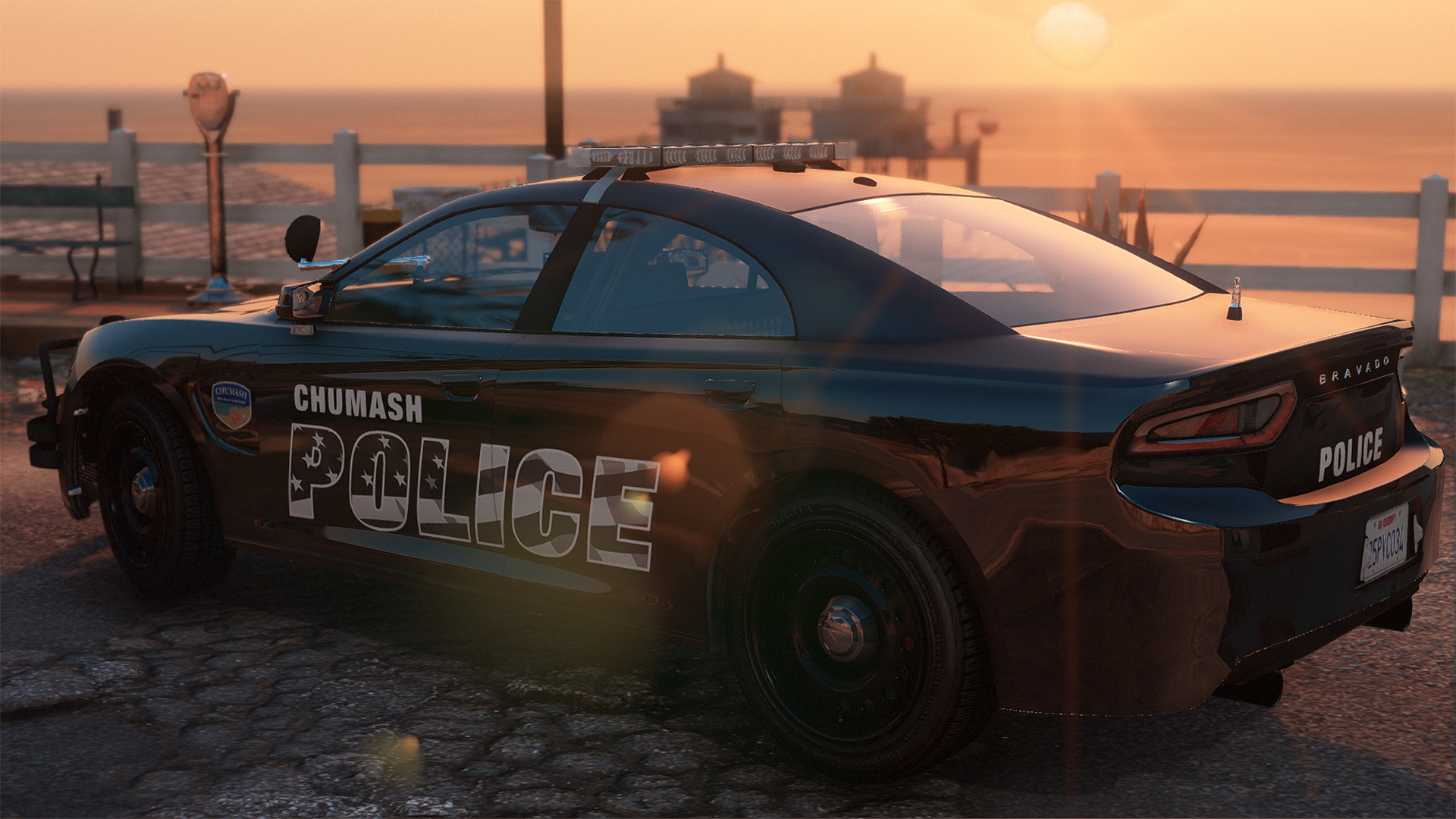
ComradeDrama reacted to Crizby for a file, [NON-ELS/DLC-Add On] Chumash Police (GA) Mini PackA small agency for a small town with an even smaller budget. 90% of the budget was spent on the Buffalo patrol cars, so with the last 10% they could only buy generic uniforms from an old movie clothing store. The vest were found in the local Ammunation store with a 50% discount, which forced the sergeant to purchase his stripes out of his own pocket. For more information you can find the Chumash Police's headquarters in the back of a local store in the Chumash Plaza.
A lore-friendly Chumash Police mini pack, entirely fictional with inspiration taken from various Georgia-style law enforcement designs for the livery and general vehicle equipment.
The pack includes the following vehicles:
A huge thank you and shoutout to Jacobmaate for his awesome assets, 11John11 for his new AWD wheels
and Actuallyтoхιc for his base and sweet pitbar
Installation instructions for DLC add-on:
The Siren Setting Limit Adjuster is required to stop sirenSetting conflicts with other packs and enable 32 siren slots!
The Gameconfig is required to support multiple addon vehicles, otherwise your game may crash!
Please let me know if there are any issues with the vehicles or if there are credits missing.
-
ComradeDrama reacted to BenTheGamer300 for a file, ELS for Lore Friendly Emergency Vehicles.Tired of the sirens coming on every time you complete your traffic stop or just prefer ELS in general?
Now there's a solution, just follow the simple instruction in the readme, and you're all set!!!
If you have any questions or have any feedback on it, feel free to leave it in the comments, more coming soon.
Installing the irl siren that I've provided is recommended if you want the California feel experience.
Demo:
Updated Demo:
Correct FIB and Ambulance/Retro Siren Pitch:
