drsnyder86
Members
-
Joined
-
Last visited
Files posted by drsnyder86
-
GAMEPLAY ENHANCEMENTS FOR
"EMERGENCY RESPONSE SIMULATOR"
Video Demo
https://www.youtube.com/watch?v=hOujbqjlBBQ
Features
QBCore & QBox Integration
Fully compatible with QBCore and QBox frameworks.
Qbx-radialmenu and Qb-radialmenu Support
Includes radial menu functions for quick access to commands and actions.
Players can easily trigger key functions without memorizing chat commands.
Players can request or cancel services while inside of a vehicle.
Radial menu functions used to trigger dispatch response events.
MDT Database Tablet UI
- TABS
Full functional MDT Tablet
Profiles Tab - View NPC and Player Data
Vehicles - Lookup NPC and Player Vehicle Information
Calls - Shows a list of accepted callouts with data
Reports - Create reports and attach NPC's, Players, Evidence Photos and Charges
Create Reports
Edit Saved Reports
Personnel - View online on duty ers personnel
Services - Request and Cancel NPC Services
This is still in developement - expect bugs
- Additional Functions
Callouts - Trigger a custom MDT notification you can click to accept if the UI is open
Dispatch - Shows all Ps-dispatch events
Request Call - Home tab icon
Toggle Calls - Home tab icon
Complete Call - Home tab icon
Speedzone - Open Speedzone Menu - Home tab icon
Place Object - Open Object Menu - Home tab icon
Vehicle Decoder - Custom Vehicle Unlock Tool - Home tab icon
Displays a list of nearby vehicles
Select vehicle for decoding
Decoder will unlock the vehicle
Wallpaper - Upload a image url to customize your wallpaper
Charges - 180+ charges to choose from
Search Bar - Search Profiles, Vehicles, and Reports by name or keyword
Ped and Vehicle Database Context Menu (ERS Peds and Vehicles - ox_lib)
Toggle via radial menu (Database)
Vehicle Menu - Stores last 10 vehicles interacted with
Ped Menu - Stores last 10 peds interacted with
TextUI notifications for successful entries
ERS Submenu (qb/qbx-radialmenu)
Duty Menu - Toggle police, ambulance, fire amd tow jobs specifically.
Utility Menu - Request callouts, toggle callouts, wraith radar remote, open mdt, speedzone menu.
Cancel Request Menu - Cancel service requests.
ERS Services Menu - Request ambulance, tow, coroner etc.
PS-Dispatch Integration
Ps-dispatch simulates a dispatcher on service requests and certain events notifying of arrivals and calls giving a bit more immersion for players.
Persistent dispatch notifications for all players.
Traffic stops, accepted callouts, callout arrivals and pursuits all trigger dispatch events with player location and data.
Callouts appear in dispatch as 911 Calls with caller and call details
Uses Player details Character Name, Callsign and Job in dispatch events
Added Tow and Fire jobs to receive dispatch events (callouts and request events)
QB-target/Ox-target Support
Go on/off duty for services at configurable points using ox-target or qb-target.
Request Tow or Mechanic when targeting a vehicle while on ERS duty.
Request Ambulance and Coroner when targeting a downed ped while on ERS duty.
Add or remove duty locations in the ers_targets_config.lua.
Dispatch Chat Display (only happens on first interaction - enable/disable in config)
Automatic notifications in chat for peds and ped vehicles
Display vehicle plate info on pullover
Display ped ID info ()
Callout offers display as Incoming 911 calls
Accepted callouts display as 911 Call
Inventory Item Support (qb_inventory and ox_inventory items)
Use your ERS tools as items.
Currently supports the Stretcher, Fire Hose, Broom, MDT, and Wraith Radar Remote.
Stretcher - uses same as stretcher command
Fire Hose - uses same as hose command
Broom - uses same as broom command
MDT - opens any MDT that uses mdt command
Wraith Radar - use your radar remote as item
Player Rewards (enable/disable in ers_integration_config.lua)
Awards players with automatic bank/cash payment bonus on completion of scene cleanup. Giving player incentive to clean-up their scenes.
Added player rewards for arriving at a callout
Add reward option for initiating a traffic stop
Traffic Stops
When used with Wk_wars2x radar the front plate will lock automatically. (enable/disable in config)
Sends dispatch alert with vehicle info when a stop is initiated.
Plate check displayed in chat.
Extra Features
Persistent flashlight option. Works for flashlight and weapon lights. Light will remain on until turned off.
Radar Zoom Option. Changes default multi-zoom minimap and replaces with a wide fixed FOV.
Weapon crosshair. Disables default crosshair and replaces with a better looking smaller one.
UPDATING FROM VERSION 1.5
Replace entire ers_integration script!
No need to change anything in ps-dispatch. Nothing was changed
ers_targets_config updated duty coords - Otherwise unchanged
Known Bugs
Dispatch will display arrival event when the player requests a service even if the request is denied
Credits
Crosshair
I updated code from a old server of mine. No author was listed in the manifest. Credit for original code goes to them.
Minimap zoom
Same goes for this code. I modified some old code from a server of mine. No idea where I originally got it.
Dependencies
Qb-core or Qbox framework
Emergency Response Simulator https://store.nights-software.com/category/ersgamemode
Ps-dispatch https://github.com/Project-Sloth/ps-dispatch
qb-radialmenu https://github.com/qbcore-framework/qb-radialmenu
OR
qbx-radialmenu https://github.com/Qbox-project/qbx_radialmenu
ox_target https://github.com/overextended/ox_target
OR
qb_target https://github.com/qbcore-framework/qb-target
ox_lib https://github.com/overextended/ox_lib
nearest-postal https://github.com/DevBlocky/nearest-postal
Highly Recommended
Wk-wars2x Radar https://github.com/WolfKnight98/wk_wars2x
ps-mdt https://github.com/Project-Sloth/ps-mdt
ps-dispatch (UI edit with dispatch audio) https://github.com/dineshrana8939-oss/PS-Dispatch-with-Audio-dispatches-
nearest-postal (UI edit) DrSnyder86/nearest_postal: Postal edit that removes the "Nearest Postal" display. Optional edit for Improved font and display.
qbox_target_features https://github.com/DrSnyder86/qbox_target_features
- 682 Downloads
- 10 Comments
drsnyder86 in FiveMUpdated -
Los Santos Freight Co. Trucking
Resource: ls_trucking
Version: 1.0.0
Author: DrSnyder
Game: FiveM / GTA V
Main command: /trucking
Receiver command: /truckreceiver
Dock command: /truckui
Default receiver key: F2
Default dispatch key: F3
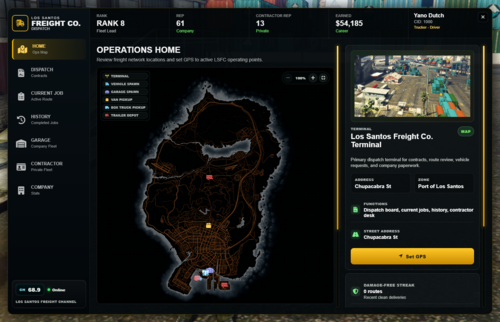
Los Santos Freight Co. Trucking is a full freight career resource for FiveM. It includes company freight contracts, private contractor progression, garage vehicles, cargo handling, trailer hauling, dispatch radio chatter, receiver and dock UIs, route history, job summaries, random delivery events, and admin trailer cargo prop tools.
The script is built around a dispatch tablet for selecting work and a handheld receiver for active route operations. Players can run company freight, unlock private contractor work, buy their own approved vehicles, save vehicle fuel and condition, choose an optional dedicated daily route, and build a trucking career through rank, XP, reputation, payouts, and route history.
Highlights
Dispatch tablet with contract, current job, garage, contractor, company, and route history views.
Handheld receiver UI with app-style pages for current route, manifest, load, vehicle, dispatch log, and settings.
Compact route dock UI for quick route status during active work.
Company contracts for van, box truck, and trailer hauling jobs.
Private contractor system with license purchase, vehicle ownership, optional dedicated daily route assignments, contractor reputation, and higher-risk payouts.
Company garage and private fleet support with saved vehicle props, fuel, engine health, and body health.
Cargo collection, trunk loading, delivery handoff, cargo condition, and route completion tracking.
Trailer hookup, trailer load checklist, secure/load verification, receiver signoff, and trailer drop validation.
Configurable flatbed trailer cargo props with an in-game admin editor and test spawner.
Dispatch radio chatter, TX/RX light behavior, GPS lock status, signal bars, route progress, and status sounds.
Random delivery events such as rush orders, audits, reroutes, dock delays, customer call-aheads, and other route modifiers.
Rank progression with 10 ranks, ending at 500,000 XP.arge intrusive popup.
Framework adapters for QB-Core, Qbox, ESX, ND_Core, and standalone fallback.
Inventory, fuel, key, and target compatibility bridges.
Vehicles.config includes popular add-on vehicle tables. Uncomment desired vehicle tables. Vanilla vehicle tables included by default.
Pier 400 Port area cleanup ymaps included. Removes Trailers from pump and weigh station area.
Also includes ytd's with custom LSF Liveries and vehicle.metas for trailer compatibility for gta vanilla vehicles.
Requirements
Required:
ox_lib
oxmysql
ox_target or qb-target
A supported framework or standalone mode
A supported inventory system
Recommended:
A supported fuel script
A supported vehicle key script
SQL database access
Admin permissions configured through your framework or ACE permissions
Supported Frameworks
Set this in config/config.lua:
Config.Framework = 'auto' -- auto, qb, qbox, esx, nd, standaloneSupported modes:
auto - detects the running framework.
qb - QB-Core.
qbox - Qbox / qbx_core.
esx - ESX / es_extended.
nd - ND_Core.
standalone - no framework economy integration. Useful for testing or custom integrations.
Notes:
QB-Core and Qbox are the most complete drop-in targets.
ESX and ND_Core support is handled through the framework adapter.
ESX and ND_Core installs are best paired with ox_inventory.
Standalone mode can run the job flow, but money, jobs, and permissions may need custom integration if used on a live economy server.
Supported Scripts
Target
Config.TargetSystem = 'auto' -- auto, ox, qbSupported:
ox_target
qb-target
Inventory
Config.Inventory = { System = 'auto', Debug = false, UseInternalTrunkFallback = true, TrunkPrefix = 'trunk' }Supported:
ox_inventory
qb-inventory
lj-inventory
ps-inventory
qs-inventory
custom
Notes:
ox_inventory has the best metadata and trunk support.
Other inventories use player item handling plus the internal route trunk fallback when needed.
Item templates are included in the install folder.
Fuel
Config.Fuel = { System = 'auto', DefaultFuel = 100.0 }Supported:
ox_fuel
LegacyFuel
ps-fuel
cdn-fuel
lj-fuel
qb-fuel
BigDaddy-Fuel
none
Vehicle Keys
Config.Keys = { System = 'auto', GiveOnSpawn = true, RemoveOnReturn = false, OwnerOnly = true }OwnerOnly tells LSFC to keep vehicle keys assigned to the driver who checked out the vehicle. When a company or contractor vehicle is assigned, other online clients are asked to remove keys for that plate through the configured key script.
Supported:
qb-vehiclekeys
qbx_vehiclekeys
Renewed-Vehiclekeys
MrNewbVehicleKeys
wasabi_carlock
cd_garage
none
Installation
Place the resource folder in your server resources.
Import sql/ls_trucking.sql into your database.
Add inventory items from the matching file in the install folder.
Configure config/config.lua.
Configure routes, vehicles, items, contracts, and random events if desired.
Ensure dependencies before ls_trucking.
Start the server and check the startup summary in console.
Example ensure order:
ensure ox_lib ensure oxmysql ensure ox_target ensure qb-core ensure ox_inventory ensure ls_truckingUse your actual framework, inventory, target, fuel, and key resources.
Main Config Files
config/config.lua - main framework, commands, UI, ranks, economy, security, depots, timing, penalties, contractor settings.
config/contracts.lua - route pools, contract data, stops, businesses, route layouts.
config/vehicles.lua - company vehicles and contractor vehicles.
config/route_trailers.lua - route trailer definitions, trailer cargo prop layouts, liveries, extras, and trailer instructions.
config/items.lua - cargo item definitions.
config/random_events.lua - random delivery events.
Trailer pickup/drop area circles are controlled from Config.AreaBlips in config/config.lua. Set Enabled = false to disable the extra minimap circles, or adjust radius/color/alpha per trailer pickup and drop stage.
Install helper files:
install/ox_inventory_items.lua
install/qb_inventory_items.lua
install/qs_inventory_items.lua
install/qb_radial_items.lua
install/qbx_radial_items.lua
install/ADD-ON-Trailers.meta
Player Commands
/trucking - opens the Los Santos Freight Co. dispatch tablet.
/truckreceiver - toggles the full handheld receiver.
/truckui - toggles the compact route dock.
/canceltrucking - cancels the active route with confirmation.
Default keybind:
F2 - toggles the full receiver. This can be changed with Config.FullReceiverKey.
If Config.RequireJob is enabled, receiver access respects the configured job requirement.
Admin Commands
Admin commands are available to admins even when debug mode is disabled. Debug mode still controls extra debug visuals and logs.
Permission checks use framework admin/god permissions first, then common admin ACE checks, then the optional ACE entries in:
Config.Security.AdminAces = { 'ls_trucking.admin', 'ls_trucking.debug' }Commands:
/lstruck_resetjob - force reset your active trucking job.
/lstruck_clearpeds - clear active contract worker peds.
/lstruck_giveitems - give cargo items for the current active route.
/lstruck_summary - open an admin route state summary.
/lstruck_rank <playerId> <rank> - set a player's trucking rank XP.
/lstruck_rep <playerId> <amount> - adjust a player's trucking reputation.
/lstruck_resetstats <playerId> - reset trucking stats.
/lstraileredit <trailerKey> - open the trailer cargo prop editor.
/lstrailertest <trailerKey> - spawn a configured trailer and cargo props without starting a contract.
/lstrailerclear - remove the current trailer test unit.
Dispatch Tablet
The dispatch tablet is the main job hub.
Contracts
Select van, box truck, or trailer contract types.
Select company vehicle and load priority.
View route preview, stops, payout, cargo, distance, and estimated time.
Start company contracts from the right-side context panel.
Current Job
Shows the current route state, route details, cargo progress, stops, vehicle, trailer status, manifest, and current objectives.
Garage
View company fleet vehicles.
Select a vehicle card to preview vehicle data in the right panel.
Spawn vehicles from the selected vehicle panel.
Return the current company vehicle to save modifications.
Spawn checks prevent vehicles from spawning into occupied spots.
Contractor
Purchase a contractor license once the required rank is reached.
Buy approved vans, box trucks, and tractors.
Store and spawn owned contractor vehicles.
Save fuel, engine health, body health, and vehicle props when garaged.
Only one contractor vehicle can be out at a time.
Choose an optional dedicated daily route assignment by delivery type from a compact route list.
Dedicated daily routes stay assigned after selection and can be changed after the configured weekly cooldown.
Complete the dedicated daily route once per server day for bonus payout and contractor rep.
Available private contracts are separate from the dedicated daily route and only show route choices for the private vehicle type currently spawned.
Contractor routes require minimum fuel and condition.
Contractor jobs pay more but have higher penalties and cancellation costs.
Company
View player career stats, rank progress, reputation, earnings, completed jobs, and rank information.
Route History
View completed route summaries.
Expand recent job tiles to review route, payout, XP, reputation, vehicle, contract type, and completion data.
Receiver UI
The receiver is a handheld device-style UI. It can be opened during or outside an active route.
Receiver pages:
Current Route - active objective, notice, destination, ETA, alerts, cargo, payout, route progress, cancel route.
Manifest - contract data and stop/package data.
Load - cargo state and load priority/request tools.
Vehicle - assigned vehicle data, fuel, condition, GPS, locks, engine, lights, doors, hood, trunk, hazards, locate.
Dispatch Log - radio traffic and route completion summary history.
Settings - player info, rank, XP, reputation, receiver assignment, model/firmware, dock model, movement toggle, dock toggle.
Receiver details:
Model label: BDG-LSFC-R-1.1.
Dock model label: BDG-LSFC-D-1.1.
TX/RX indicators react to updates and route messages.
GPS lock and signal bars update based on route/dispatch state.
Receiver movement can be toggled from settings.
The player uses a phone-style prop and animation while the receiver is open.
The receiver allows walking and driving while open.
Compact Dock UI
The compact dock is designed as a smaller route receiver fixed near the screen edge.
It shows:
Channel.
Freight logo.
RX/TX/GPS/signal block.
Current radio chatter.
Destination name and street area.
Route name.
Cargo and stop icon progress.
Last update time.
Thin route progress bar.
Dock model watermark.
The dock can be toggled with /truckui and can be moved when movement mode is enabled.
Route Flow
Van Routes
Talk to pickup worker.
Collect package.
Open trunk/cargo area.
Load package into vehicle.
Verify load attached.
Drive to delivery stop.
Grab package from vehicle.
Deliver package.
Continue through all stops.
The script accounts for missing trunk/cargo doors so players are not blocked if a door is damaged or detached.
Box Truck Routes
Collect crates.
Load crates into the assigned box truck.
Verify cargo.
Deliver crates to stores or warehouses.
Complete all assigned stops.
Trailer Routes
Spawn or use assigned tractor.
Travel to trailer depot.
Hook assigned trailer.
Secure trailer/load.
Complete checklist.
Drive to receiving yard.
Detach trailer in drop zone.
Confirm trailer dropped.
Complete receiver signoff.
Trailer depots can have multiple spawn spots, and the script tries available spots when one is occupied.
Random Delivery Events
Random delivery events live in:
config/random_events.lua Events can affect:
Route time.
Payout.
XP.
Reputation.
Alert text.
Radio chatter.
Route urgency.
Examples include:
Rush order bonus.
Dock delay.
Traffic reroute.
Receiver audit.
Customer call-ahead.
Dispatch schedule changes.
Progression
Ranks are configured in config/config.lua.
Current default rank list:
Rank 1 - Probationary Driver
Rank 2 - City Courier
Rank 3 - Route Driver
Rank 4 - Trailer Certified Driver
Rank 5 - Freight Operator
Rank 6 - Long Haul Driver
Rank 7 - Heavy Freight Specialist
Rank 8 - Fleet Lead
Rank 9 - Logistics Supervisor
Rank 10 - LSFC Master Hauler
Rank 10 requires 500,000 XP.
Trailer Cargo Prop System
Flatbed-style route trailers can spawn with configured cargo props already attached. This is useful for flatbeds, military trailers, freight trailers, and custom cargo variations.
Configured trailers live in:
config/route_trailers.lua Look for:
Config.RouteTrailers = { flatbed = { label = 'Flatbed Trailer', model = 'trflat', cargoProps = { -- props here } } }Each trailer variation can use the same trailer model with different cargo props. For example, one trflat entry can be empty, another can carry crates, and another can carry containers.
Trailer Prop Editor
Use:
/lstraileredit <trailerKey> The editor lets admins:
Select a configured trailer by Config.RouteTrailers key.
Add, duplicate, delete, and edit cargo props.
Adjust model names.
Nudge offset and rotation by axis.
Print ready-to-paste cargoProps data to console.
Camera keys while editing:
A / D or arrow left/right - rotate camera.
W / S or arrow up/down - adjust camera height.
Q / E - zoom.
R - reset camera.
Trailer Test Spawner
Use:
/lstrailertest <trailerKey> /lstrailerclear This lets admins spawn and inspect a configured trailer without starting a contract.
Recommended workflow:
Copy or create a trailer entry in Config.RouteTrailers.
Run /lstraileredit trailer_key.
Tune the props in-game.
Print the config.
Paste the printed cargoProps into config/route_trailers.lua.
Run /lstrailertest trailer_key.
Assign the trailer key to routes once it looks right.
Customization Notes
Good places to start:
Add routes in config/contracts.lua.
Add company or contractor vehicles in config/vehicles.lua.
Add route trailers and trailer prop layouts in config/route_trailers.lua.
Add new cargo items in config/items.lua.
Add route events in config/random_events.lua.
Replace receiver/dock logos in the images folder.
Replace sounds in html/sounds.
Adjust ranks, payouts, penalties, route timing, and contractor rules in config/config.lua.
Troubleshooting
Dispatch tablet opens but jobs do not start
Check server console for startup validation messages.
Confirm oxmysql is running and the SQL was imported.
Confirm your framework adapter is detecting the expected framework.
Confirm target and inventory resources are started before ls_trucking.
Vehicle will not spawn
Make sure the spawn area is not occupied.
Confirm you are within the configured depot request range.
Check Config.SpawnOccupancy.
Check company/contractor vehicle stored state in the database if needed.
Cargo cannot be loaded or delivered
Confirm the cargo item exists in your inventory resource.
Confirm the matching install item file was added.
If not using ox_inventory, keep UseInternalTrunkFallback = true.
Contractor route says active after restart
Confirm the latest SQL columns exist.
Confirm the resource has write access to update contractor route state.
Check trucking_contractor_profiles and trucking_contractor_vehicles.
Receiver or dock access with job requirement
If Config.RequireJob = true, confirm the player's framework job matches Config.JobName.
Admin commands are separate from player receiver access.
Trailer props do not appear
Confirm the prop model name exists and can be loaded.
Test with /lstrailertest <trailerKey>.
Make sure the trailer entry has cargoProps.
Check console for model loading errors.
Development Notes
The script has been split into focused client and server modules where possible:
Framework and compatibility bridges.
Route state and route helpers.
Cargo handling.
Depot vehicle handling.
Dispatch data.
Route summaries/history.
Trailer cargo props, editor, and tester.
client/main.lua and server/main.lua still coordinate the larger flow, but most heavy feature areas now live in separate modules.
Github (Always up-to-date)
https://github.com/DrSnyder86/ls_trucking/tree/main- 55 Downloads
- 3 Comments
drsnyder86 in FiveMUpdated -
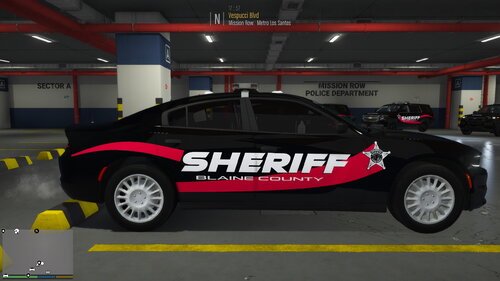
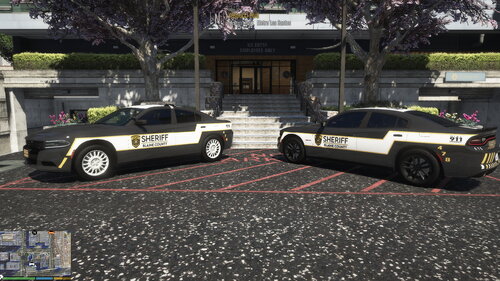
Here it is! The long awaited for UNIFIED SHERIFF'S DEPT liveries. Man, do these babies look good. There will be
additional liveries uploaded. Try 'em out! All my liveries are produced at 4k.
Liveries Included: DDS & PNG formats
11 CVPI- Underwood
14 Charger
16 FPIU - Kane 104
18 Charger - Matt's
18 Taurus
20 FPIU - Kane 104
20 Silverado-SoCal Thero
21 Durango-
Please do not rip apart these liveries and use the textures as your own. Everything is custom made. I will know!
If you would like a texture, just ask. I'll be more than happy to provide you with the original.
Note: Not all of these car packs are necessary, but reccommended. They are all only used to show how they look on
different vehicles.
Vehicles used:
Thanks to The General Lee, Scorpionfam, Jcookgrime, Officer Underwood for the templates.
- 60 Downloads
Updated -
Here is a set of Iredell County Sheriff based BCSO livery Pack. This pack is currently a WIP. I will add vehicles as I have time.
I am having issues with my cvpi templates not lining up so when I have time to fix it I will add it.
Liveries Included: DDS & PNG formats
11 CVPI- Underwood
14 Charger-GM
14 Tahoe-Underwood
16 Caprice-elf
16 FPIU - Kane 104
18 Charger - Matt's
18 Tahoe-GM
18 Taurus
20 FPIU - Kane 104
20 Silverado-SoCal Thero
21 Durango-
Vehicles used:
Thanks to The General Lee, Scorpionfam, Jcookgrime, Officer Underwood for the templates and FightingGold8823 for the shield
Coming Soon:
- Los Santos County
- Chevrons
- CallSigns
- 108 Downloads
Updated -
- 22 Downloads
Updated -
Open your pld.ini in your gta5 game directory.
Insert these values in place of yours. (Inside Readme)
Your all done. Try it out.
Get PLD by Lt Caine here:
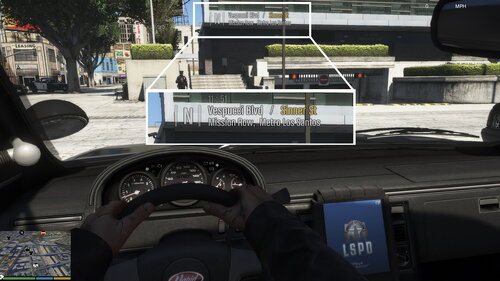
https://www.lcpdfr.com/downloads/gta5mods/scripts/7706-player-location-display/
- 881 Downloads
- 1 Comments
Updated -
LUCIDITY for VisualV
This is a visualsettings.dat replacement file for GTA V and specifically for the visual
mod "VisualV".
This edited visualsettings.dat file was created purposefully for use with LSPDFR for GTA 5
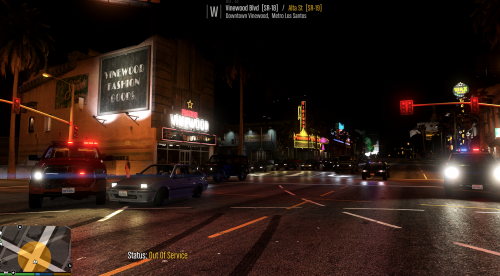
for improved vehicle lighting and detail while still trying to produce on average of 60 to 75 fps.
Keeping in mind the 20 or so assorted addon plugins and scripts the game must run and function
to operate oppriately.
That being said this is a moderate visual increase and is intended to be used by the average eveyday joe
So if you like your lights to look authentic then try this out.
Off you go!!!
Works with all emergency vehicle lighting mods.
Features
-Greater detailed lighting at short range, mid range and long range on all vehicles as well as other lighting.
-Better brightness and clarity on all vehicle lighting at increased distances.
-Brighter and realistic turn signals, brake lights and emergency lights.
INSTALLATION
Using OpenIV, replace the file in /mods/update/update.rpf/common/data/
Get VisualV here:
https://www.gta5-mods.com/misc/visualv
Replace the visualsettings.dat file after you have installed VisualV
I recommend making a backup of this file as a cautionary measure before replacing and verify the
game functions after installing VisualV and before installing the shader
Get shader here
https://reshade.me/
This mod was created for use on a RTX 2060 graphics card with all graphics settings to
the max except for extended shadows.
All credit for mods visible in the generated screenshots go to their respectful owners.
Thanks guys and hope you enjoy!!!
- 2,225 Downloads
- 5 Comments
Updated -
Hey Guys:
Thanks for checking out my liveries. This is my second pack release. I want you guys to give me all
the criticism you want. Any suggestions would be greatly appreciated.
Liveries Included: JPG and DDS
16 FPIU - Kane 104
18 Charger - Matt's
18 Tahoe
20 FPIU - Kane 104
Thanks to BritishIndieKid for the shields
- 42 Downloads
Updated -
Hey Guys:
Thanks for checking out my liveries. This is my first livery pack. I want you guys to give me all
the criticism you want. Any suggestions would be greatly appreciated.
Liveries Included:
16 FPIU - Kane 104
18 Charger - Matt's
18 Tahoe
20 FPIU - Kane 104
Thanks to BritishIndieKid for the shields
- 92 Downloads
- 1 Comments
Updated -
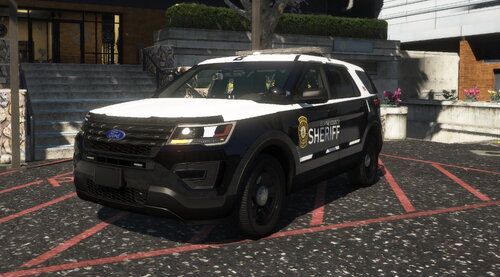
This is a livery I created for the 2016 Ford Explorer FPIU. This is a BCSO livery.
- 121 Downloads
Updated -
- 54 Downloads
Updated -
- 66 Downloads
Updated -
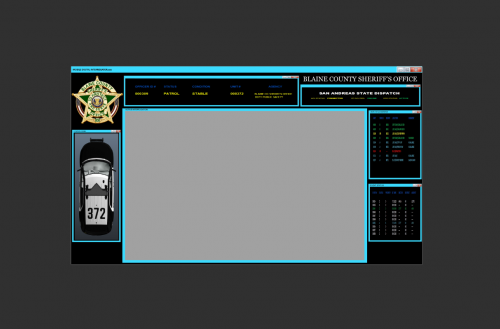
Replacement MDC for RicyVasco Police Menu
REPLACE vehicle_spawn_I5 FILE IN police_menu.ytd at the following location using open iv
update -> update.rpf -> x64 -> data -> cdimages -> scaleform_generic.rpf
- 61 Downloads
Updated -
Retexture for RicyVasco Police Menu.
2k and 4k versions
Drag and Drop Instructions Included in ReadMe
- 107 Downloads
- 2 Comments
Updated -
BCSO Replacement texture for RicyVasco Police Menu Computer
Instructions included
- 174 Downloads
- 1 Comments
Updated -
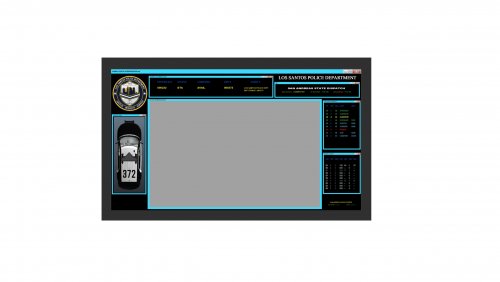
lspd texture for ricyvasco police menu.
I will make a bcso, lssd and a lscso when i have more time
I'm bored and just playing around on the computer.
If anyone has any requests, I am open to suggestions
- 205 Downloads
Updated -
- 167 Downloads
Updated -
just a quick and simple background for police menu. thought you guys might like it
- 119 Downloads
- 4 Comments
Updated -
LucidityHD for Visual V
This visualsettings.dat file is a slightly modified version of my previous release. Which you can get here btw.
https://www.lcpdfr.com/downloads/gta5mods/datafile/39393-lucidity-for-visualv/
Added Features
-Increase of detail on peds and vehicles
-Higher range of visibility of vehicle lights and emergency lights
-Better clarity and higher detail at farther ranges on all lighting
-Less flickering and better water reflections
-Better detail on peds in vehicles
-Earlier lights on and later lights off time
I apologize on the absolute shit quality of the screenshots on the attempt to give you
guys at least one decent shot at police lights. Everytime i take the shot no matter
how many police vehicles are around its always in between light bursts
Now I MUST say that I am producing this content with a RTX2600 graphics card.
Not everyone is going to have the same results.
If anyone has any issues with the operation or functionality of the game after installing this
let me know and I can advise you on settings to change for better performance.
Works with all emergency vehicle lighting mods.
Extended distance scaling should be set to at least half way for best results
INSTALLATION
Using OpenIV, replace the file in /mods/update/update.rpf/common/data/
I also have these shaders enabled in reshade
curves
hdr
levels
Get VisualV here:
https://www.gta5-mods.com/misc/visualv
Replace the visualsettings.dat file after you have installed VisualV
I recommend making a backup of this file as a cautionary measure before replacing and verify the
game functions after installing VisualV and before installing the shader
Get shader here
https://reshade.me/
All credit for this mod goes to everyone that has submitted a visualsettings file but mainly visualv.
Thanks guys and hope you enjoy!!!
- 559 Downloads
Updated