



PM Modding
Members
-
Joined
-
Last visited
Files posted by PM Modding
-
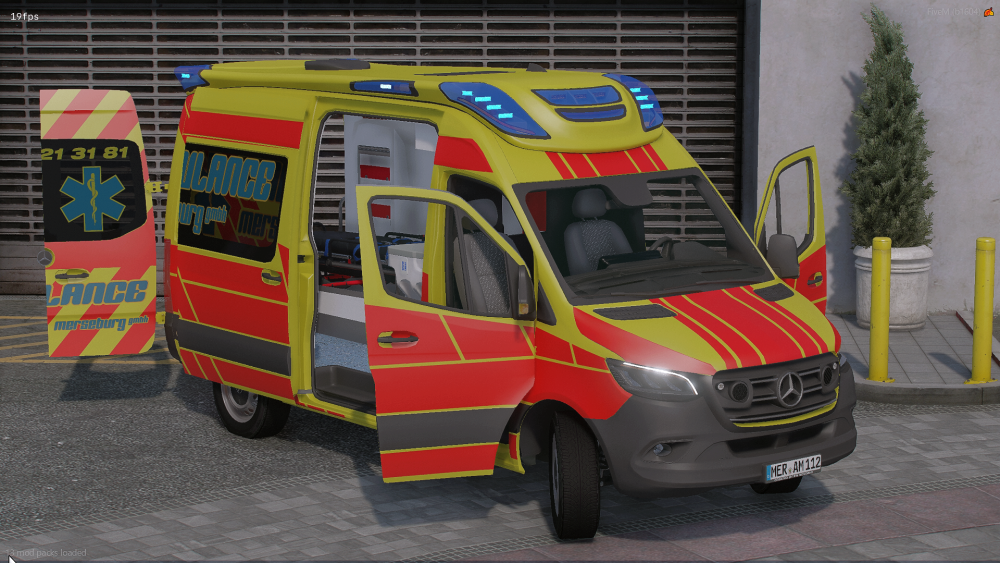
Dies ist der S-RTW aus Hamburg. Man kann alle Türen öffnen, Scheiben zerschießen und noch vieles mehr.
Es ist verboten es zu rippen,modifizieren oder zu verkaufen.
Das hochladen auf anderen Seiten ist verboten.
Es ist verboten das Fahrzeug auf Mehrspielerplatformen zu benutzen ohne Lizenz.
Um eine Lizenz zu beantragen musst du auf unseren Discord joinen:
https://discord.gg/RdjBDT6hPf
- 2,578 Downloads
- 2 Comments
Updated -
WAS RTW 2017
Hier zu sehen ist der WAS RTW basierend auf einen Mercedes Sprinter 2017.
Erlaubt:
-Umskinnen und dann releasen, aber nur die ytd
-GTA Singleplayer Nutzung
Verboten:
-Rippen weiterverkaufen oder ähnliches
-Auf FiveM ohne Lizenz benutzen.
Wenn du Bugs oder eine Lizenz oder ähnliches brauchst gehe auf den Discord:
https://discord.gg/sB7JEUedsz
- 4,306 Downloads
- 2 Comments
Updated -
VW T6 Mutlivan Polizei Bayern
Das Fahrzeug darf nicht weiterverkauft, geunlockt oder ähnliches werden.
Für FiveM server benötigst du eine Lizenz die du auf den Discord stellen kannst.
Bei Fragen oder ähnlichen kannst du auch auf den Discord vorbeischauen.
https://discord.gg/reN27PnE9B
- 3,289 Downloads
- 2 Comments
Updated
.thumb.png.7f87b4fc25d80c02377556d72309dc48.png)

.thumb.png.243c48fc5215715a9f2d06fd4af61aec.png)