Shiner
Members
-
Joined
-
Last visited
Everything posted by Shiner
-
RagePluginHook.log now its crashes back to gta not crashing the whole gmae another one im trying all sort of thing it was working untill i isntalled grammer police and lspfr+ i know that lspdfr+ is outaded but i had it untill i recovered my pc and insatlled everything all over again RagePluginHook.log
-
no just when going on duty i have native ui in a script file and in gta main directory RagePluginHook.logthats the recnt one
-
that's how i always run my lspdfr threw gta then let in hook into game instance just crashed was it possible the IPT.Common or that i had 2 rage native ui and that's why it crashed?
-
well first my lspdfr crashed wen I got on duty then it crashed when I started the game RagePluginHook.log plus when it crashes it doesn't do the normal one beep noise its does a lot of beeps like its crashing and stuck at the same time
-
i dont know why its crashing i jsust have the logs RagePluginHook.log
-
hey it worked for a couple of minutes then crashed again RagePluginHook.log
-
HEY everyone i opened lspfr and it crashed i have the log but don't know why id crash love the helpRagePluginHook.log
-
hey so i reinstalled the eup menu and installed the new ragenativeui but still crashes RagePluginHook.log
-
so just reinstall the eup menu or the s&r L&o?
-
i dont know why its crashing but here's the log of the crash RagePluginHook.log
-
i did a backup of the game files through steam then delete it i also have my mods and plugins copy not the whole game
-
its already there and still crashing even if my anti virus turn on and this the default one from windows
-
im guessing its some mod but i dont know which one maybe the logs can say? RagePluginHook.log
-
dont know if same error RagePluginHook.log
-
got this weird log RagePluginHook.log
-
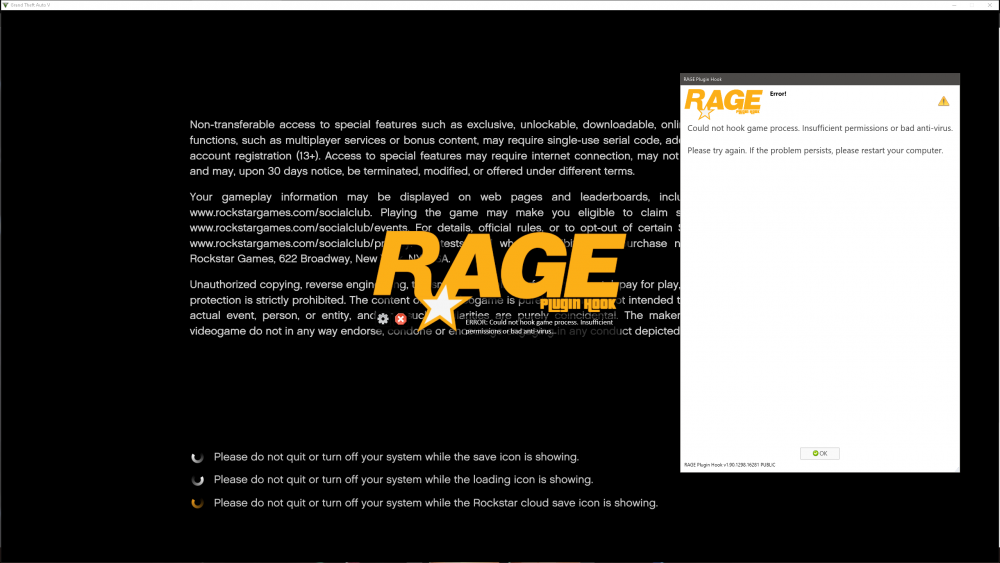
yea i can enter story mode but again this window pop up
-
so i managed to fix the Insufficient permissions or bad anti-virus but now i have a crash prob one of the plugins RagePluginHook.log
-
i just remember i have a gta game back up folder as well
-
just named it gta backup
-
i have backup just for mods and plugins
-
i added the whole folder too didn't work either
-
i did it and still got it ai disabled real time protection as well i double checked that i added rph to exception and i did and still the same window pop up and tahts weird cause i played a couple of days no crashes then little crashes then this
-
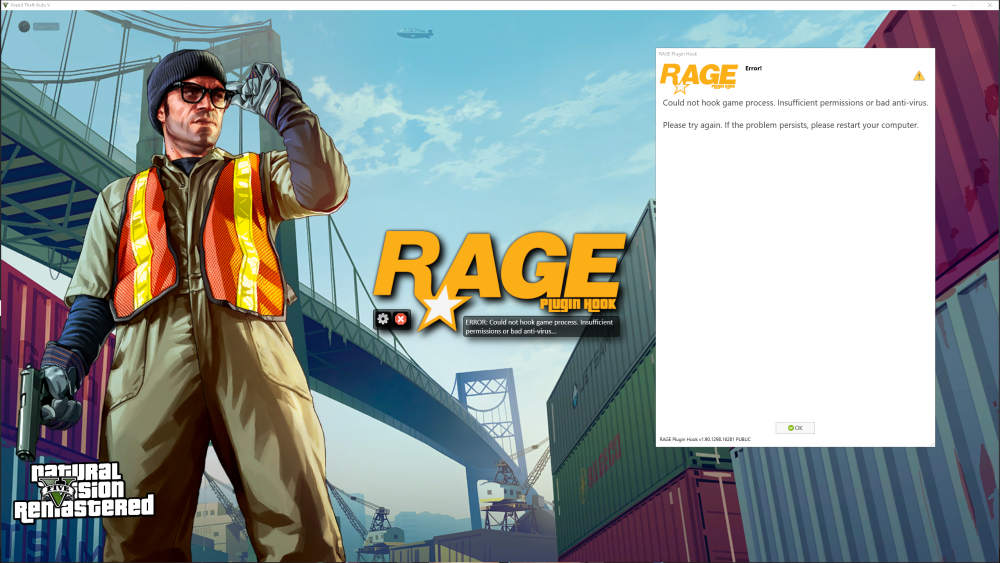
whenever i launch my game its showing me this window
-
i checked all the files and i dont see anything wrong in the files
-
yea i have the latest version and its in the gta v folder