


SlimInAZ
Insiders
-
Joined
-
Last visited
Everything posted by SlimInAZ
-
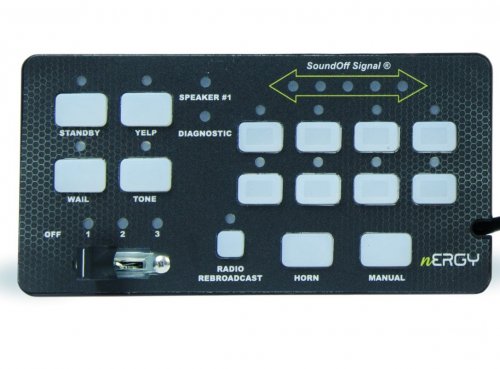 Never mind, I figured it out. I don't get all the sirens, do I need to use different strings in my ELS file? I'm not getting the one at 0:27 in the YT demo.
 -
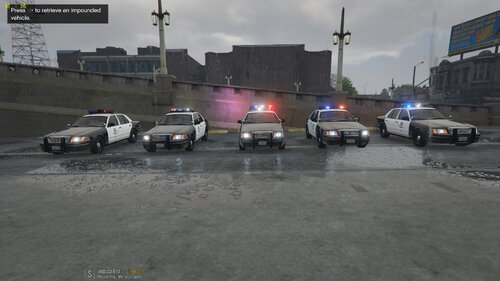 The template file I found in the Discord didn't quite line up (you can see that at the door edges in the pic I attached above). But, the template I found elsewhere (attached) lines up.
- 21 comments
- 8 reviews
-
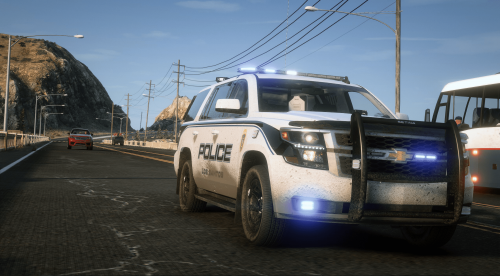 Try the attached livery, I made it for a similar model.
 -
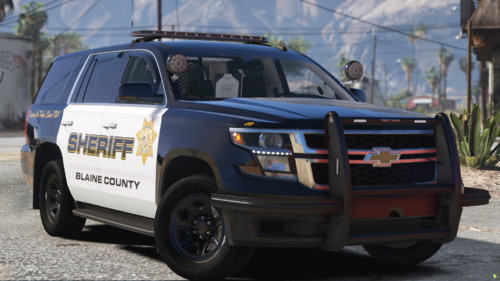 Very clean with just the right amount of lighting and extras. Any chance of a K9 version coming?
- 8 comments
- 1 review
-
-

- 1
-
-
Did anyone ever find the correct template? The one I used is close but the doors don't quite match up. Any chance on getting the takedowns and alleys fixed on police2 (Edge)? The TDs point forward but the alleys light up on the bar. The alleys point down and back. Great pack!
- 21 comments
- 8 reviews
-
Great pack, I came for the MX7000 and stayed for the JetStream. Made myself a cool Grapeseed CVPI will all blues. Thanks for the work.
- 21 comments
- 8 reviews
-
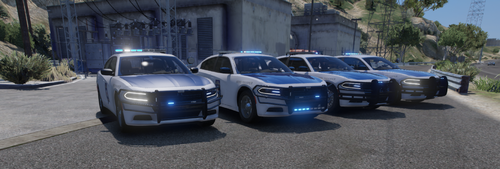 This pack is almost perfect! Great variety of current vehicles and lightbars, and it's all blues by default. (Being in Arkansas I appreciate that.) The only fix needed for this pack to be perfect is to fix the alley (scene) lights. They work but they point front/back and not to the sides. This isn't a complaint, especially as this is a free pack. Great work, thank you!
- 33 comments
- 5 reviews
-
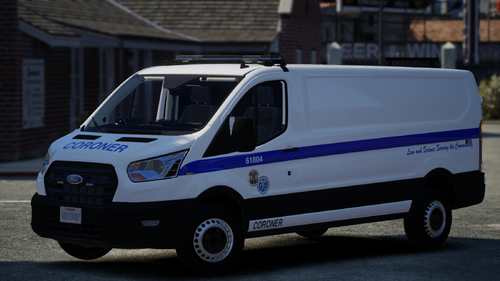 Would you be willing to share what you did regarding "ADDED CARVARIATION LIGHTS NOW WORK WHEN ARRIVING TO A CALL"? I'd like to apply that change to my prisoner transport van so it shows up with the emergency lights on. Thanks.
 -
Check my Aug. 16 post.
-
.thumb.png.9d0943161b37f863c291d6d6664edefb.png) Feature request: Use the vehicles specified in Ultimate Backup's DefaultRegions.xml LocalAir section when calling the helicopter. I have different helicopter models and liveries for LSPD, LSSD, and BCSO. It would be cool for those to show up based on the location of where the heli is called to. Or as an alternative, allow specifying models in your ini file based on jurisdiction.
Feature request: Use the vehicles specified in Ultimate Backup's DefaultRegions.xml LocalAir section when calling the helicopter. I have different helicopter models and liveries for LSPD, LSSD, and BCSO. It would be cool for those to show up based on the location of where the heli is called to. Or as an alternative, allow specifying models in your ini file based on jurisdiction.- 366 comments
- 33 reviews
-
Never mind, the units are indicated in the in-game menu. I was working in the ini file. This has been one of my favorite add-ins for a while, thanks for doing it. Regarding the ini file (Specifically the Heli section): I'm assuming the height and distance values are in meters (please correct me if I'm wrong); what units of measurement are the speeds? Knots, MPH, meters/second, etc. I'm trying the match the top speed to match the model I'm using and slow down the orbit speed. Thanks.
- 366 comments
- 33 reviews
-
.thumb.png.48773f37517498491da691ea60596d52.png) Great prisoner van, and thanks for including the template. Only odd thing I found is I can walk through the side. Great job with the lighting patterns.
Great prisoner van, and thanks for including the template. Only odd thing I found is I can walk through the side. Great job with the lighting patterns.- 19 comments
- 2 reviews
-
Looks great with the updated LODs. Is the template available so I can make some lore-friendly liveries? Thanks for the good work and quick response. Never mind on the template, looks like this one will work
-
Looks great close up but 99% disappears at 40 meters. Are there are no LODs beyond that? I'd love to see that addressed and the template included so I can make some lore-friendly liveries.
-
-
-
 You may need to get a fresh copy of the Controls.ini file. On mine the needed settings are between "RaceModeKeyModifier" and "EnableSmoothSteering." Just a heads up: "False" looks misspelled on line 42. [My file starting at line 37] RaceModeKey=X RaceModeKeyModifier=None DirectionSwitchKey=Space LeftIndicatorKey=Left LeftIndicatorKeyModifier=Shift RightIndicatorKey=Right RightIndicatorKeyModifier=Shift HazardKey=Down HazardKeyModifier=Shift .If true, slower and smoother steering will be enabled, controlled by the parameters below. EnableSmoothSteering=true
- 329 comments
- 24 reviews
-
 Without this mod LSPDFR is just a video game; with this mod LSPDFR is much closer to a sim. This mod requires you to change your gameplay from "GTA as a cop" to prioritizing cover, backup, situational awareness, etc. so you complete your shift alive. Great work!
- 625 comments
- 55 reviews
-
-

- 2
-
-
\Grand Theft Auto V\scripts\SmoothDrivingV\Controls.ini Look around lines 42–46
- 329 comments
- 24 reviews
-
-
Basically all the Bejoijo plug-ins https://www.bejoijo.com/ (Ultimate Backup and CompuLite are must-haves and ALPR Lite adds a lot of gameplay not dependent on callouts [great for patrolling]).
-
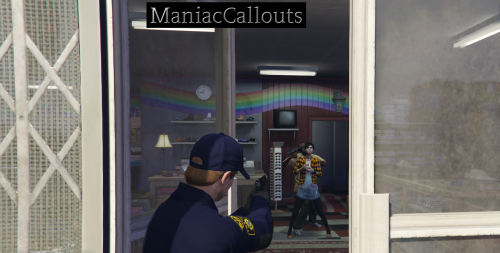 I just experienced the issue with a store robbery where the doors are locked. I see your direction requiring "A Savegame With Clothing Stores, Barber and Tattoo shop Unlocked." How do I create such a saved game? I don't play "regular" GTA V, only LSPDFR, FiveM, and FivePD. (I have Open All Interiors installed.) Thanks in advance (and thanks for the callouts).
 -
Nice to see some other older folks here. May be an opportunity for a FiveM community.
-
What do I do with the Savefile folder or the files inside of it? The readme tells me what's in the folder and why I need the files but not what to do with them. Thanks.
-
 Do you have a link to solid instructions for installing the virus_city map into LSPDFR (for use with Callout Interface)? I see CI supports that map but so far no luck finding instructions for installing that map into LSPDFR. I'm hoping you tested with that map since it's supported and can point me in the right direction. Thanks.
- 447 comments
- 46 reviews
-
-
- 2
-

.thumb.png.9d0943161b37f863c291d6d6664edefb.png)
.thumb.png.48773f37517498491da691ea60596d52.png)


