


Mytical49
Members
-
Joined
-
Last visited
Everything posted by Mytical49
-
Hi, can you post the log file please
-
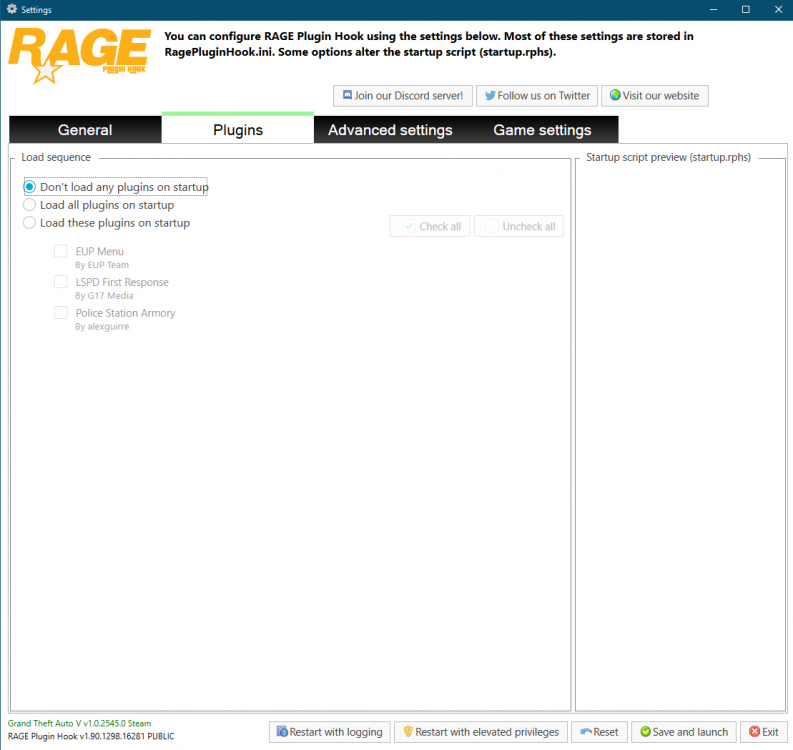
I don't see any error in this one, can you try to do this: 1- Go in the RagePluginHook and paramate it like this 2-Save and Launch 3-In the game type ReloadAllPlugin (with F4) 4-Try to go on Duty 5-Send the log if it crash
-
Can you send the log ? What do you mean LML dont load ? The game still crash or the plugins just don't load ?
-
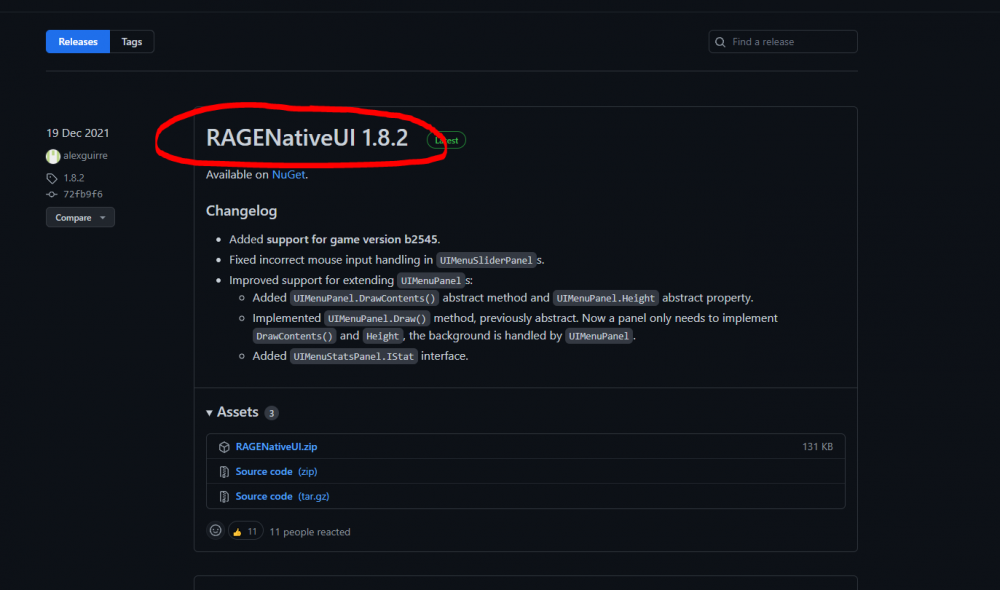
Your RageNativeUI looks like outdated, try to reinstall it https://github.com/alexguirre/RAGENativeUI/releases

-
Hi, try to update Computer+:
-
Really ? My bad, i'am so sorry
-
So the installation with the OIV didn't work correctly ?
-
Can you send the Ragepluginhook.log please
-
You absolutly need ScriptHook, you can download it from here : http://www.dev-c.com/gtav/scripthookv/
-
What key do you press for the siren and light, try to press 3 time "J" for going in code 3 and then "1"
-
What ? You don't have ScriptHook ?
-
Yeah, that what I was thinking, there is no ELS file installed, i don't know where they are because it's a OIV file so I can't extract the file Try to reinstall the OIV and re check the ELS folder
-
I forgot you use LML, try to remove EUP Menu from LML and install it manually
-
What plugin do you use (Scripthook and lspdfr plugins) ?
-
Can you show me the folder :Grand Theft Auto V\ELS\pack_default\ and also mods\update\x64\dlcpack\ in OpenIV please
-
You need to install EUP Menu because it's outdated, reinstall it
-
Can you send the Ragepluginhook.log please
-
Do you want to remove them or repair ?
-
When you open the Ragepluginhook.exe there is a windows who appear and on it there is a little gear, click it and naviguate on the menu and find disableCustomLoadingScreen, leave it blank and Save
-
Sorry i didn't see the error, you need to install EUPMenu :
-
Sorry i didn't see the error, in the rage plugin hook parameter you need to leave the parameter "disableCustomLoadingScreen" blank
-
Do you have a mods folder ?
-
You also need to install RPH from the lspdfr folder and not the site (so just update GTA and reinstall only LSPDFR)
-
Hi, try to install NativeUI https://github.com/Guad/NativeUI/releases
-
Hi, where did you install the OIV package ?


