
eatmykidneys
Members
-
Joined
-
Last visited
Files posted by eatmykidneys
-
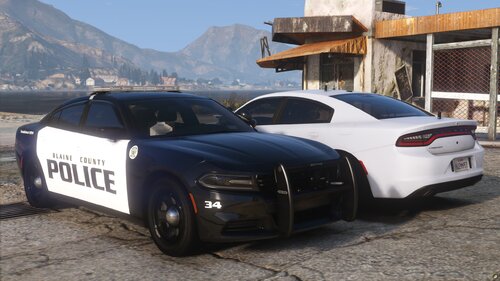
Hello everyone! Thank you so much for all the support on my last release! Sorry it’s been so long since my previous one, I’ve been a little busy over the past few months. This is a 2019 Charger mini pack with both a marked and slicktop variant. They do not currently include a partition, but one will be added in a future update. These cars are ULC compatible but do not include a ULC file.
SirenSetting Limit Adjuster is required for the lights to function properly on these cars. Without it, some lights will be missing. https://www.lcpdfr.com/downloads/gta5mods/scripts/28560-sirensetting-limit-adjuster/
Marked Pattern: https://streamable.com/0o1rhd
UM/Slicktop Pattern https://streamable.com/3ejlvx
Extra list:
Extra #5: White Front Cut
Extra #6: Front Cut
Extra #10: Spotlight
Extra #11: Folded Spotlight
Extra #12: Front License Plate- 2,260 Downloads
- 9 Comments
Updated -
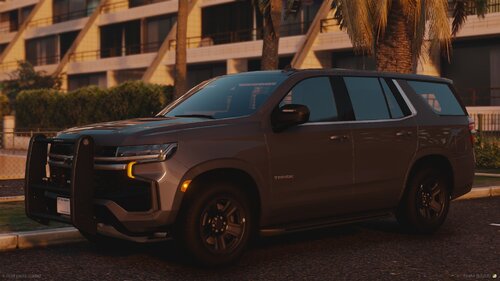
Hello everyone! This is my first ever vehicle release! I started to learn zmod about a month and a half ago and have been messing around with it for a little bit since but decided to release this Tahoe. Any feedback is much appreciated as I want to continue to learn and improve the quality of my future releases. The car does come with a spotlight but I'm an idiot and didn't toggle the extra in any of the screenshots or video 😭. If I missed any credits please tell me on discord: eatmykidneys
Here is a lighting pattern video: https://streamable.com/7e1cpl
- 3,454 Downloads
- 10 Comments
Updated