Skip to content
View in the app

A better way to browse. Learn more.

LCPDFR.com

A full-screen app on your home screen with push notifications, badges and more.

To install this app on iOS and iPadOS
  1. Tap the Share icon in Safari
  2. Scroll the menu and tap Add to Home Screen.
  3. Tap Add in the top-right corner.
To install this app on Android
  1. Tap the 3-dot menu (⋮) in the top-right corner of the browser.
  2. Tap Add to Home screen or Install app.
  3. Confirm by tapping Install.

TheLocalKing

Members
  • Joined

  • Last visited

Everything posted by TheLocalKing

    • 46 downloads
    Skin of Moreno Valley California Police Crown Victoria.
    • 2 downloads
    Custom CVPI Skin.
    • 4 downloads
    Just a skin i decided to do while i was bored. Link To Model: http://www.gtainside.com/download.php?do=comments&cat=371&start=6&id=46347
  1. in the description is the model....
  2. nope. again all computers are windows 8 now...
    • 15 downloads
    Link to model:
    • 9 downloads
    link to model : VW GOLF SKIN!!!
  3. if you can get a template that would be amazing!!!!!!!!!!
    • 14 downloads
    Berkeley California Police Tahoe
  4. TheLocalKing commented on Sgt.Donuts's gallery image in GTA IV Galleries
  5. TheLocalKing commented on Sgt.Donuts's gallery image in GTA IV Galleries
    • 82 downloads
    A U.S Marshal Skin. i thought of making this after watching The A-Team Movie.
  6. Model http://www.gtagaming.com/downloads/gta-iv/vehicle-mods/3658
    • 61 downloads
    A CIA Tahoe i made.
  7. I will fix both of those in the update thanks!
    • 6 downloads
    • Version 2.0
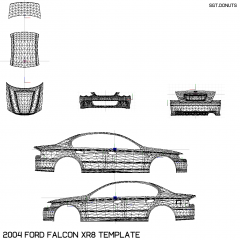
    Includes Skin And The Template
  8. alot of random white spots
  9. and if you wanna blame me for something. at least i can put my gender of my profile...

Account

Navigation

Search

Search

Configure browser push notifications

Chrome (Android)
  1. Tap the lock icon next to the address bar.
  2. Tap Permissions → Notifications.
  3. Adjust your preference.
Chrome (Desktop)
  1. Click the padlock icon in the address bar.
  2. Select Site settings.
  3. Find Notifications and adjust your preference.