
LukeDesign's
Members
-
Joined
-
Last visited
Everything posted by LukeDesign's
-
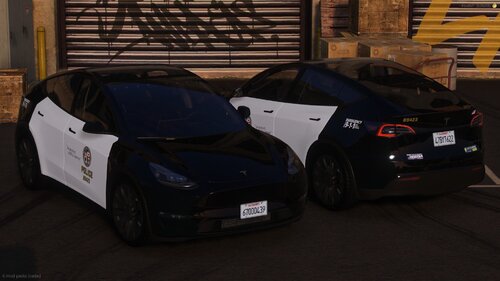 but it fits any Tesla Model Y with Raz3rs Base Model
 -
!DO NOT REDISTRIBURE OR EDIT! LukeDesign's Base Model: 2023 Tesla Model Y (Raz3r) If you have any questions, hit me up in the Comments! For Commisions add me on Discord> LukeDeSanta#2652 Basiaclly Copied my '20 FPIU onto the Tesla
-
 I love the thing! Fits perfectly for the Undercove Fleet!
 -
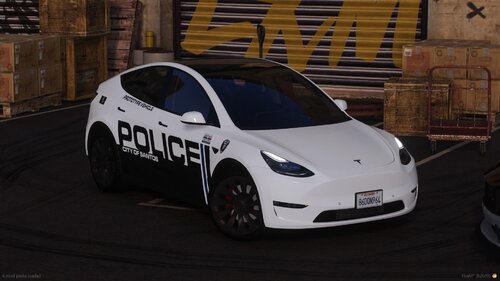 !DO NOT REDISTRIBURE OR EDIT! LukeDesign's Base Model: 2023 Tesla Model Y (Raz3r) If you have any questions, hit me up in the Comments! For Commisions add me on Discord> LukeDeSanta#2652
 -
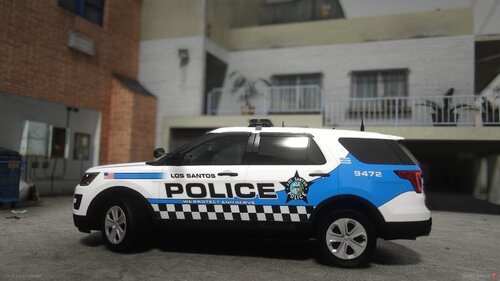 !DO NOT REDISTRIBURE OR EDIT! LukeDesign's Contains: 2016 Ford Explorer (Kane104) If you have any questions, hit me up in the Comments! For Commisions add me on Discord> LukeDeSanta#2652
 -
.thumb.png.92cada88afda5959cc58334c54a73fec.png) Love your releases man!
Love your releases man! -
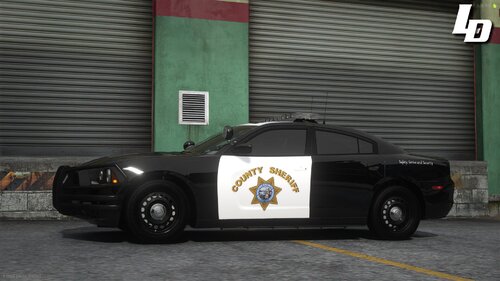 Here is eveything except the F150, I know it is on the Website but I cant find it. It is a Slicktop only one.
 -
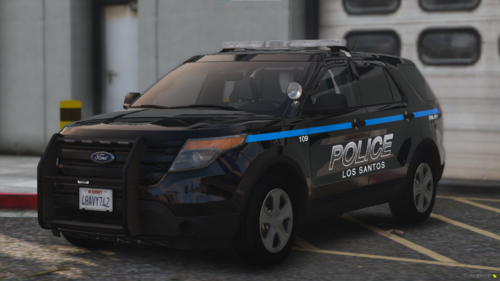 This thing HOT as FUCK
 -
oh daaaamn thanks for letting me know!!! QuantV Thanks you man!
-
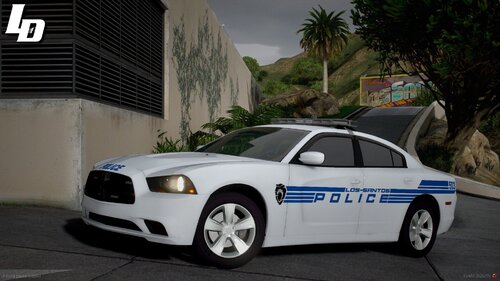
!DO NOT REDISTRIBURE OR EDIT! LukeDesign's Contains: 2013 Ford Explorer (GeorgieMoon) 2016 Ford Explorer (Kane104) 2020 Ford Explorer (Kane104) 2018 Ford Taurus (GeorgieMoon) 2018 Ford F150 (GeorgieMoon) 2014 Dodge Charger (GeorgieMoon) 2018 Dodge Charger (Matt) 2018 Dodge Durango (BlueGhost) 2019 Chevrolet Tahoe (GeorgieMoon) If you have any questions, hit me up in the Comments! For Commisions add me on Discord> LukeDeSanta#2652
-
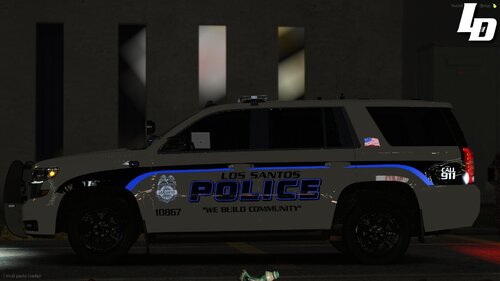 Nope your not that guy at all. I appreciate all tips or help! Serpentine has these weird things at the end of each letter if you know what I mean. I didnt know about Enter Sansman but that one seems like it! I will take a look at it tomorrow. Thanks a lot
 -
-
[4K] '19 Tahoe LSPD Livery (Fort Lauderdale, FL) (optional Reflective) Someone asked for more, I went a little more into Detail with this one. I made the Logo myself instead of using some random logo! Goes well with: Vehicle used for Screenshots: (you can use ANY Tahoe that is GeorgieMoon's Base Model!!)
-
-
-
-
 only thing diffrent then on the taurus tahoe and charger is the unit numbers
 -
 vMenu, SimpleTrainer, any other menu that has the Option to change color of cars!
 -
Like the other guy said, you can use it on any Vehicle that uses the Same base model. So you can use the 14 charger livery also on this charger for example
-
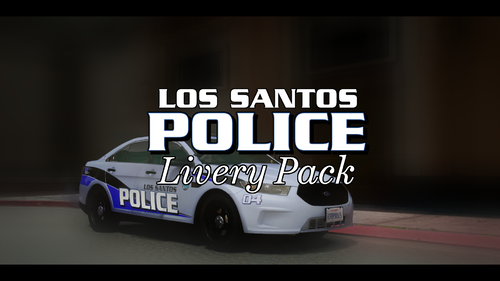
!DO NOT REDISTRIBURE OR EDIT! [4K] LSPD Livery Pack Contains: 2013 Ford Explorer (ZZ) 2016 Ford Explorer (Kane104) 2020 Ford Explorer (Kane104) 2018 Ford Taurus (GeorgieMoon) 2018 Ford F150 (GeorgieMoon) 2014 Dodge Charger (GeorgieMoon) 2018 Dodge Charger (Matt) 2021 Dodge Durango (Razer) 2019 Chevrolet Tahoe (GeorgieMoon) Vehicle Pack used for the Pictures: (Will fit any other Car as long as its the Same base Model)
-
 I could look into that yes.
 -
Alright alright ill see what I can do. I will prob delete this and Upload a new one with all from the beginning then
-
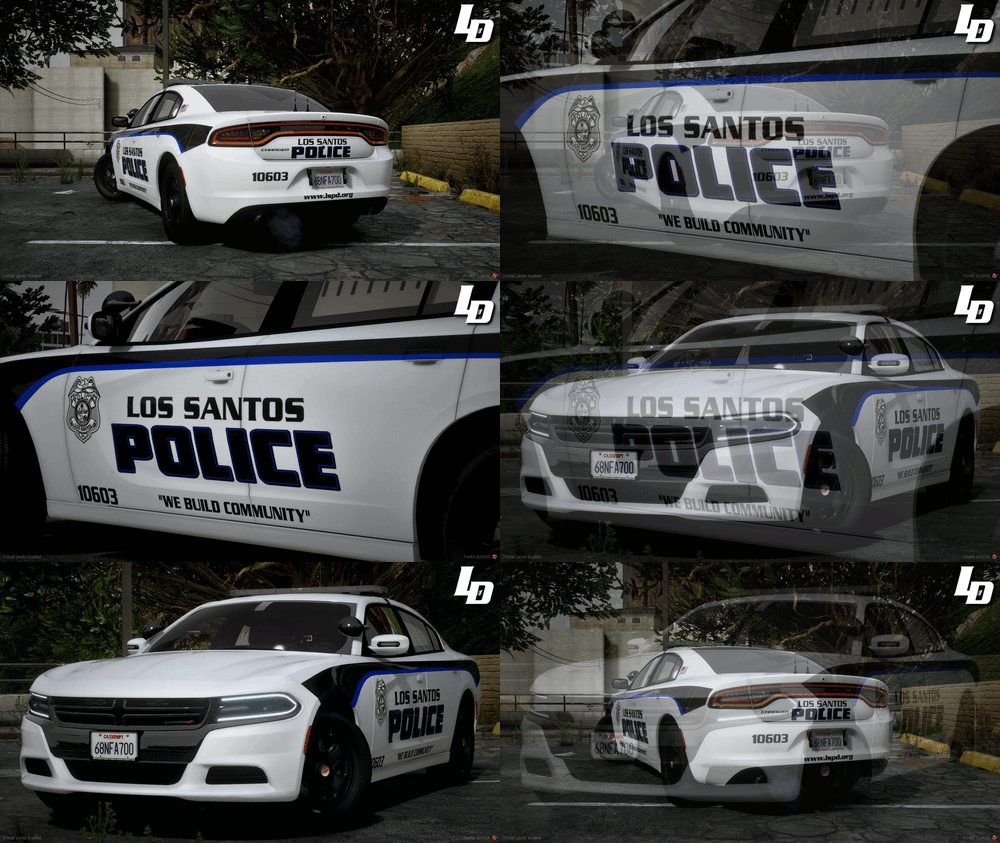
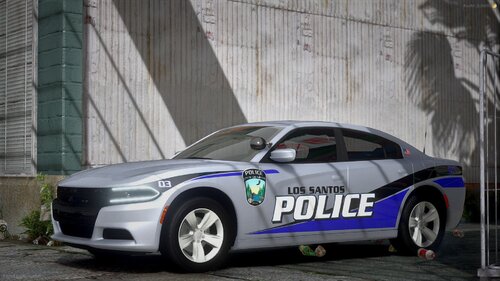 !DO NOT REDISTRIBURE OR EDIT! [4K] Dodge Charger Livery (LSPD) 2018 Charger (Matt) Vehicle used for Pictures:
 -
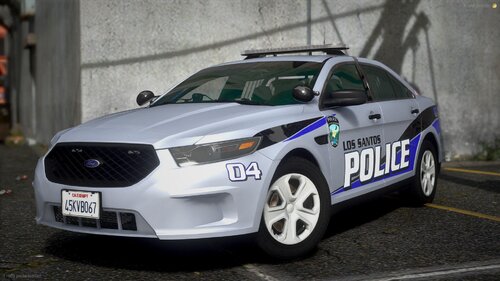
!DO NOT REDISTRIBURE OR EDIT! [4K] Ford Taurus Livery (LSPD) 2018 FPIS (GeorgieMoon) Vehicle used for Pictures:
-





.thumb.png.92cada88afda5959cc58334c54a73fec.png)