JACKisBACK
Members
-
Joined
-
Last visited
Everything posted by JACKisBACK
-
This all worked. Thanks man!
-
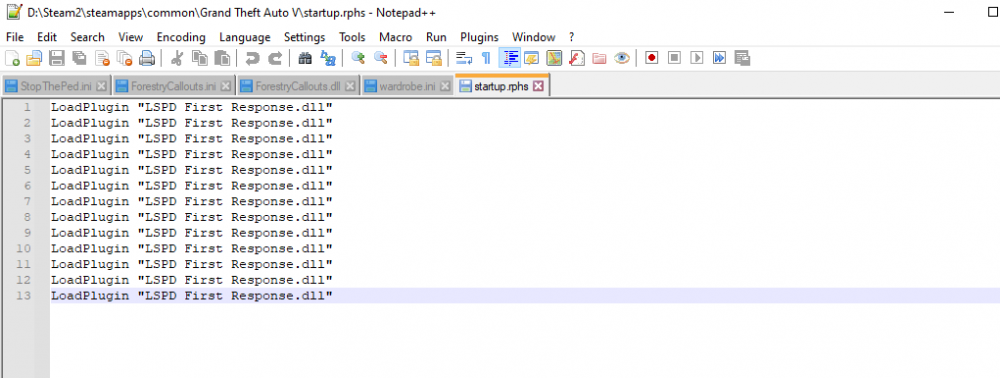
I opened it up and there are 11 of them LOL. I will get parktools in there, but should I delete the rest of the .dlls in startup?
-
RAGE loads just fine, but when I /forceduty or manually go on duty at a station I hear 5 consecutive beeps and then my game crashes. Here is my log: RagePluginHook.log
-
I can tell that my mods folder is causing the issue so I'm going to delete it and start a new one.
-
I recently started fresh with new mods and plugins and now I am facing this issue. I have attached a crash report below RagePluginHook_10072022_040054.log
-
this worked! I am now well on my way to restoring my LSPDFR to a playable state. Thank you so much! ❤️
-
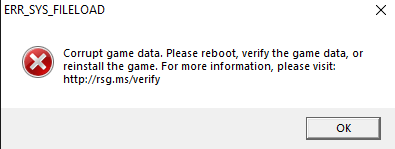
I updated my graphics drivers and now I'm getting this error
-
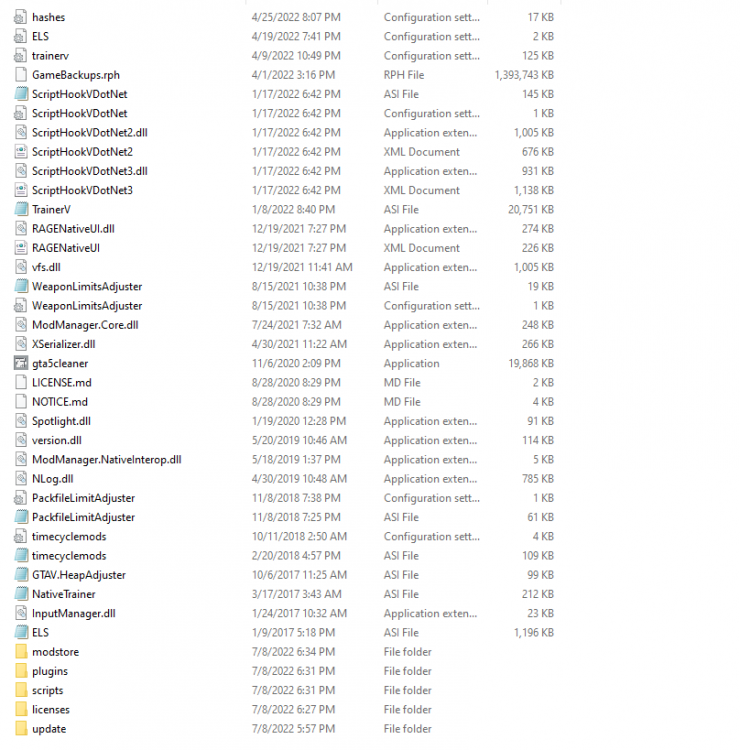
So I went back through and manually deleted my mods folder and some contents of my plugins folder. I'm left still having the issue and there are still some things I installed that are still there. I have GTAV on Steam
-
Hi everyone, I downloaded a new copy of GTA but when I opened the game folder it still had all my old mods in it. I ran GTAV cleaner but it didn't work. Any suggestions to get a clean copy?
-
Same, I am going to try @akinmyband's suggestions, but if that doesn't work, I might start over.
-
I disabled the mods folder, if it didn't work when I did that, would removing my mods make a difference? here is a more updated log RagePluginHook_08052022_190527.log
-
I've renamed to _mods, checked open IV, running as admin, and disabling antivirus. I guess I will try removing mods and see what happens
-
Update: I've tried verifying files, disabling mod and plugin folders, redownloading RPH and LSPDFR, updating my mods folder, etc. Any solutions that don't require me starting fresh?
-
What callout packs do you have downloaded? Have you checked that they are all compatible and you have all the dependencies needed?
-
I recently updated to the newest version of LSPDFR and RPH, and after that my game hasn't been loading. It's stuck on the game loading screen. I have attached my log, let me know if anything else needs to be attached. Thank you all! RagePluginHook_08052022_001023.log
-
I turned it off and the crashing continued. Here is my report. RagePluginHook.log
-
Do you think I should unsubscribe from openallinteriors?
-
LSPDFR has been crashing at what seems like random moments in game, any suggestions on how to fix this? It does not crash when I disable my mods folder so it is an issue with that. RagePluginHook.log
-
My apologies, here is the right log I also love your bio RagePluginHook.log
-
I recently started a fresh mods folder and redownloaded/downloaded new vehicles and such. Since then, LSPDFR has been crashing. These crashes seem almost random, sometimes they happen when I load up the EUP menu, sometimes when I force duty, and sometimes when I just let my character AFK. I haven't been in the game for more than 10 minutes in quite some time. I have attached a crash report. I tried to attach a crash report, but I get the error that the format is not accepted or that it has been corrupted. When I open the file with notepad, it looks like a whole bunch of this: help please!!
-
Here is my Rage log, apologies for forgetting to add it RagePluginHook.log
-
I recently downloaded EMS callouts and now my game crashes on startup. I renamed my Mods folder, set the value to 60000, and it still crashes. I got into the game once when my mods folder was renamed, but EUP (which I've never had an issue with) was not loading and my hair was changing to different colors. Help please.