
Raptor Credentials
Members
-
Joined
-
Last visited
Files posted by Raptor Credentials
-
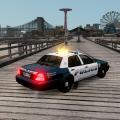
This is my almost finished Brooklyn Park Minnesota CVPI. Lot of people were asking for it, I hope you like it.
Here is a couple videos of me explaining the awesome features of the car. Go ahead as well to check out my youtube videos with NickieB and Strikeeagle345!
Nightime Video showcasing the insidey parts and the ELS lighting setup: https://www.youtube.com/watch?v=Kg94b86BSBc
Daytime Video showing the inside components and placement of things: https://www.youtube.com/watch?v=Yd6T2tjnJa8
** By downloading this file you are agreeing not to rip the model or its contents, as well, Please DO NOT upload or distribute this file without my written permission**
- 1,559 Downloads
- 14 Comments
Updated -
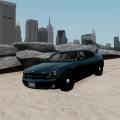
This car has been modeled from the real Brooklyn Park Slicktop/undercover 2010 Charger we have here. There are 3 different models of the real thing, 2 of them which have the same light setup, one has steel wheels, the other as seen in the picture has those 5 strip rims. The other model has a different antenna and rear light setup.
Preview Video -- https://www.youtube.com/watch?v=iX-H_Pqwz1w
** By downloading this file you are agreeing not to rip the model or its contents, as well, Please DO NOT upload or distribute this file without my written permission**
- 276 Downloads
- 5 Comments
Updated