Ling
Members
-
Joined
-
Last visited
Everything posted by Ling
-
Aw damn, thanks, and I don't think it's UB it was happening before I had it installed.
-
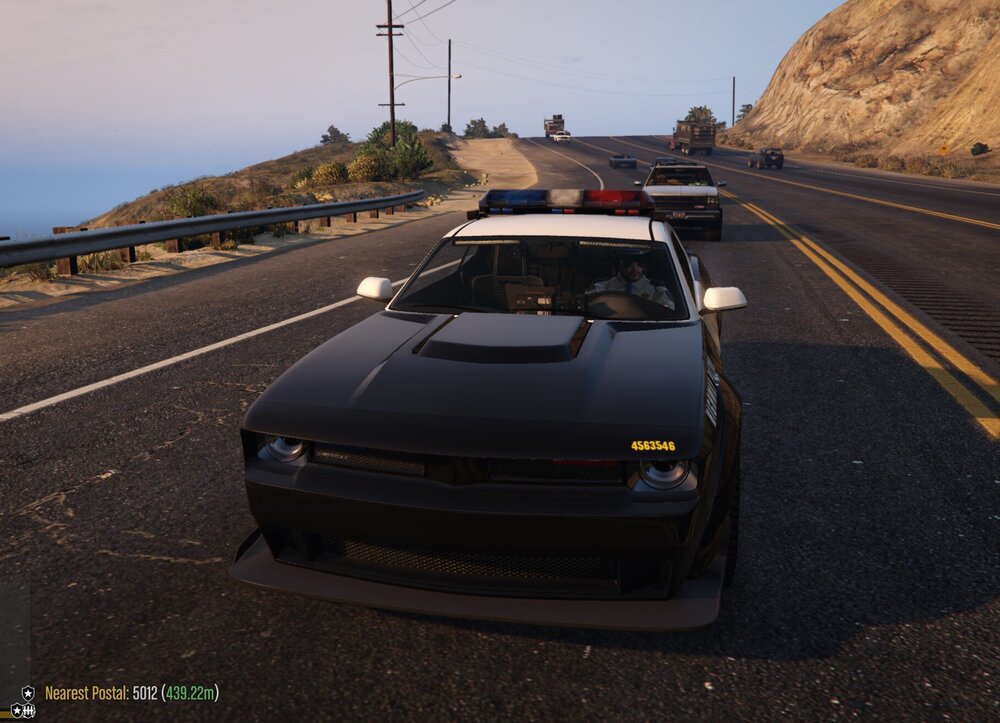
Hello guys, I have a problem with my latest install of lspdfr. Motorcycle cops are now seeming to spawn in the new police cars from GTA Online update 1.68 "The Chop Shop", instead of on their bikes. This only seems to affect naturally spawning ones as when I call a state patrol in as backup, they spawn as normal. As well as this, they seem to accelerate in a staggered manner as though they are still on the bike. Any help would be very much appreciated as this is kinda immersion breaking. Thanks 🙂 Mods I have installed: Menyoo Resource Adjuster Speed radar light auto siren cutout ELS Better ELS Reflections Callout Interface ClearTheWayV CompuLite Custom Environmental Lighting Custom Pullover Deadly Weapons Fast Draw Delete Vehicle Lidar Gun LemonUI