


howellp12
Members
-
Joined
-
Last visited
Everything posted by howellp12
-
thx by the way @00stevo my Tahoe in game crashes into cars but im like 20 feet away from them how do you fix that issue?
-
dose anyone know where to get a Tahoe gorino rambar for a 2008-2014 Tahoe?
-
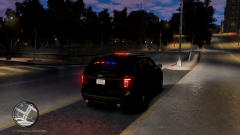 hey I hear you their I just have some sick ideas about this explorer as far as light setup goes lol
 -
extra_1 extra_2 extra_3 and extra_4 are your primary lights extra5 and extra6 are your wig wags must be named like this or your lights will be dim extra_7 extra_8 and extra_9 is your traffic advisor lights and make sure you attach them (wig wags) if you have a light bar on the car because if you don't when you export the model you'll get errors
-
nicely done dude by the way is there any explorers coming unlocked in a DEV version just wondering
-
switch to light mode 3 by pressing the / on number pad on light mode 3 your siren is silent and cars still pull over
- 10 comments
- 12 reviews
-
do you know where there is a unlocked version because I would like to make a cvpi for myself
-
'?do=embed' frameborder='0' data-embedContent>> I think that's the one you saw by the way save it as a favorite because that is the only way you can get the DEV. section lol
-
just need to know what light bar this is?
-
what year is that Taurus that you need?
-
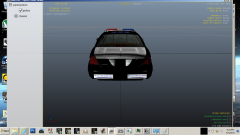 both traffic advisors work together tested them after I put it in the game
 -
made from parts I got from here and gta modding chest and has dual traffic advisory
-
-
-
great job dude by the way were did you learn how to map the els lighting for the outer edge because I am gonna try to do the Tahoe for the New Mexico State Police the both the marked and unmarked versions
- 20 comments
- 16 reviews
-
Thx guys I'm trying to get the inner edge with the traffic advisor how would I go about adding the off modauls sorry about the spelling
-
thanks for your help
-
would their need to be L1's and L2's on extras 7 8 and 9 for it to work or would just L0's display in the game?
-
ya got you I mean is it okay if I pm you the question? sorry just didn't want to do that with out your ok on that
-
some great specs I would check out nutts enb and game4videos enb those two look good but also make sure you back up your game folder first before installing any enb just in case or if you want to swap them out later
-
both of them look good to me I personally use the game4video files the enb d3d9.dll makes my screen shake like crazy lol had to delete it and tweak the visual settings.dat file a bit it could be my specs tho @hlsavior you mind if I ask you a quick question bout zmodeler if that's okay?
-
-
ya it takes a lil tweaking to get it just right for all of them
-
I have mine set to 60 just note that the higher the number for example 800 the brighter and the lower the dimer
-
my first question to you are you using a ENB or any graphic enhancing mods? if not go to your gta directory then common folder then data folder then look for a file called visual settings.dat open it with a text editing program like notepad look for the line # Other emissive lights car.defaultlight.emissive.on and try a lower number
