


Kejrol
Members
-
Joined
-
Last visited
Everything posted by Kejrol
-
Do you have any solutions for that. I personally thing that this is caused by too many police lights in one area and my RPH crashed Crash report: RagePluginHook.log
-
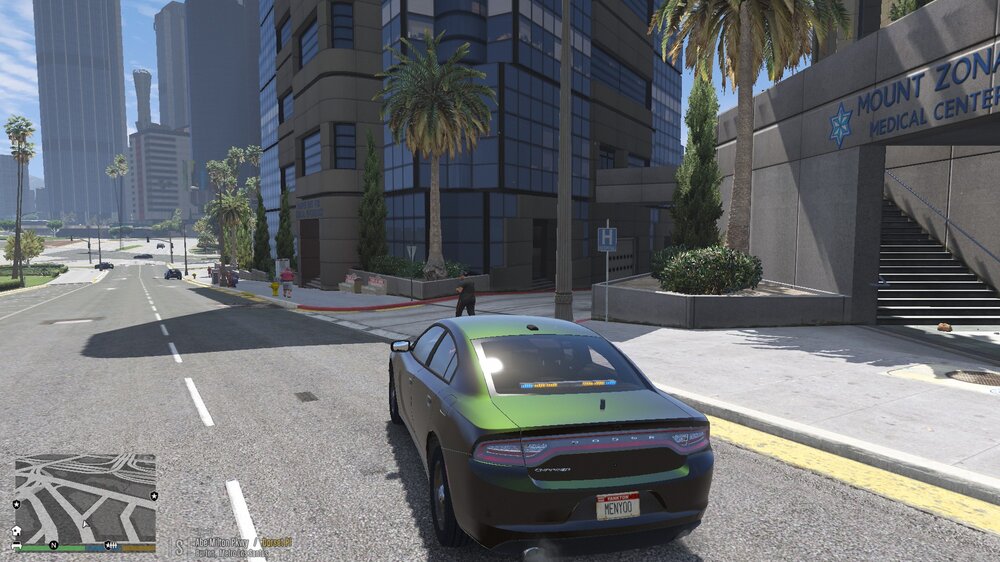
And another thing, when I'm spawning my addon cars with menyoo or other trainer they are green and it doesn't looks good when you want the black and white police dodge charger and you get a green and white. Do you know where can I change it to black?
-
Do you know why my textures looks like s**t sometimes? And why when I'm pressing END to end callout it's teleporting me? RagePluginHook.log
-
I found a problem!!!! One of the vehicle files has defect. I deleted it and it started working 🙂
-
I changed game config and it doesn't help, I changed my EUP LAPD models for police peds and it still doesn't working. But I have a question, it is possible that one vehicle file, crashes the game?
-
Nevermind, I found it and it's still crashing when loading into a game.
-
I will try another thing. Do you have an original file named "scaleform_generic" because I forgot to do the backup file for it.
-
Thanks! I'm not sure that this cause my problems, what do you think?
-
Okay I will do that and I will let you know.
-
Emm, I really don't know how this happened but they were in the recycle bin. I really don't know how this happened PS: Sorry for my constant responses, but I wish people who wanted to help were know what's going on.
-
Or maybe not it still doesn't working. I'm an idiot
-
The problem is in mods folder, because I renamed it to _mods and it started working. But now something deleted all my plugins from "Plugins" folder :(((
-
Which changes should I revert? PS: My game just crashed AGAIN!!! Do you have any solution for that? RagePluginHook.log
-
I have it both and it still doesn't working
-
Okay... but how can I fix it?
-
Yea, now I know, but how can I get my coroner unit from STP working? RagePluginHook.log
-
@Charlie686 I have another problem :((. When I'm changing name for folder "mods" to "_mods" in order to get coroner from StopThePed working, it just not loading my vehicles models etc. Do you have any idea what cause the problem?
-
But how could I play GTA V online without uninstalling LSPDFR?
-
It's still the same. PS: I have my GTA V folder in steam-> steamapps->common And GTA V folder with LSPDFR in D:/Grand Theft Auto V Should I move the LSPDFR to the main game folder?
-
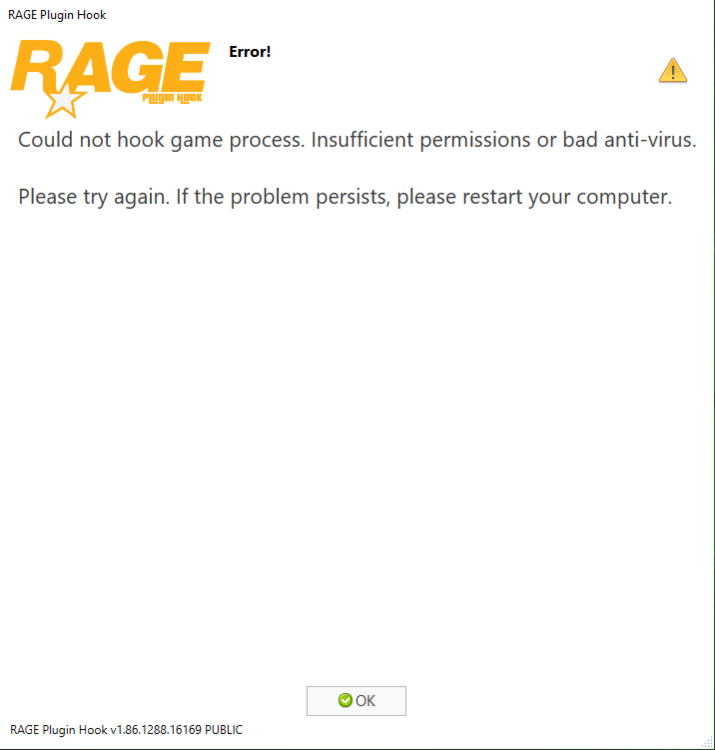
@Charlie686Why did I have this problem?: RagePluginHook.log
-
Okay I will do that
-
I have LSPDFR in my main steam directory and I have my backup version in destkop, but when I'm trying to open GTA V.exe in my backup folder it's trying to open in Rockstar Games Launcher and I'm afraid that I'm gonna open my modded version of GTA V I know that LSPDFR isn't working without RPH launcher but I'm still afraid of it
-
Do anyone have any idea how can I play multiplayer (or GTA ONLINE) without uninstalling LSPDFR plugin?
-
Create your own post here: https://www.lcpdfr.com/forums/forum/920-lspdfr-04-support/ and someone will help you with it
-
It's in main directory, it is second file under RagePluginHook.exe RagePluginHook.log

