Skip to content
View in the app

A better way to browse. Learn more.

LCPDFR.com

A full-screen app on your home screen with push notifications, badges and more.

To install this app on iOS and iPadOS
  1. Tap the Share icon in Safari
  2. Scroll the menu and tap Add to Home Screen.
  3. Tap Add in the top-right corner.
To install this app on Android
  1. Tap the 3-dot menu (⋮) in the top-right corner of the browser.
  2. Tap Add to Home screen or Install app.
  3. Confirm by tapping Install.

Emerson P.

Members
  • Joined

  • Last visited

Files posted by Emerson P.

  1. Thin Blue Line Pack V1.0
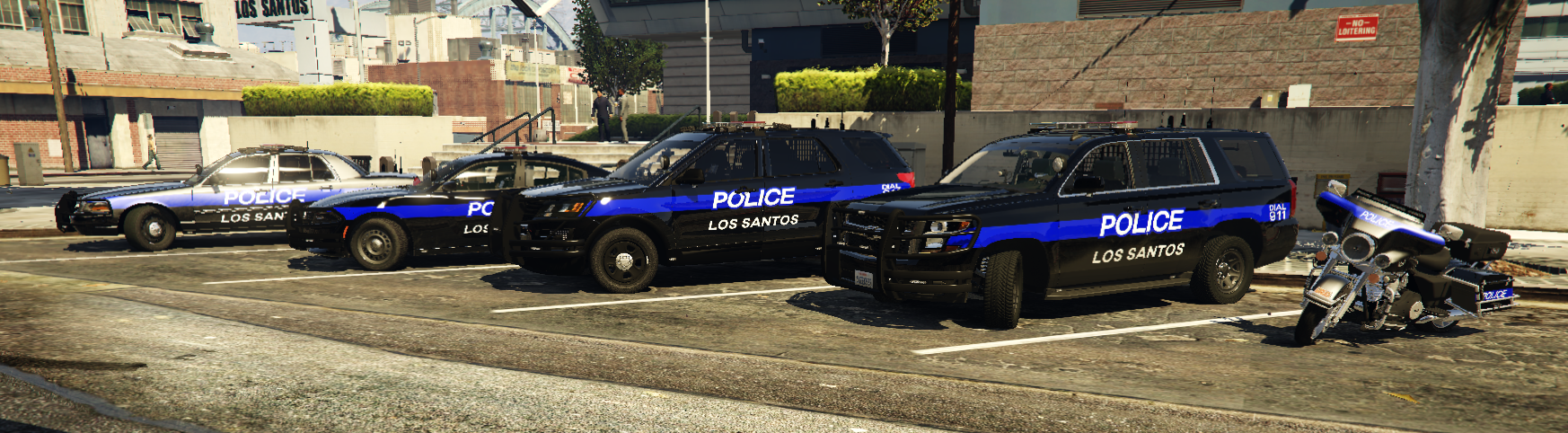
    This pack includes...
    2016 FPIU
    2020 Tahoe
    2011 CVPI
    2013 Harley
    2018 Charger 
    This pack was made for Ripple's SAHP Code 3 Pack
    Please do not Steal/reupload my pack.
    Give me credit in any videos you use these in.
        
    Signed, Emerson P.
    • 162 Downloads
    Updated
  2. San Andreas Emergency Management Pack V1.0


    This pack includes...
    F-450 Mobile Command Unit
    F-450 Search and Rescue
    CAM-AM Search and Rescue


    Rules.  
    Please do not Steal, Reupload, Sale, or claim my work is yours. 
    Give me credit in any videos you use these in.
        
    Signed, Emerson P.


    Pack I Used.
     
     
    • 83 Downloads
    Updated
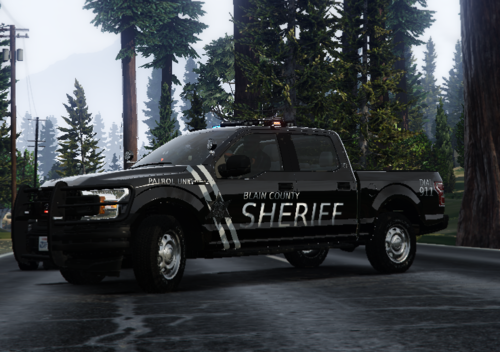
  3. Perry County Based Livery Pack V1.0
     
    This pack includes...
    2018 F-150
    2016 Ram
    2020 Tahoe
    2016 Charger
     
    Terms of use.
    Please do not Steal, reupload, claim my work is yours. 
    Give me credit in any videos you use these in.
         
     
    This is a Work in Progress:
     Future Updates:
    Supervisor Liveries
    2014 Explorer
    2014 Tahoe
    2014 Charger
     
    Signed, Emerson P.


    Pack used:
     
    • 123 Downloads
    • 3 Comments
    Updated

Account

Navigation

Search

Search

Configure browser push notifications

Chrome (Android)
  1. Tap the lock icon next to the address bar.
  2. Tap Permissions → Notifications.
  3. Adjust your preference.
Chrome (Desktop)
  1. Click the padlock icon in the address bar.
  2. Select Site settings.
  3. Find Notifications and adjust your preference.