
Geek Co Modifications
Members
-
Joined
-
Last visited
Files posted by Geek Co Modifications
-
Hello all today I bring you my first ever script. It is a text chat command which is:
/dv and you can use this in any server, you do not have to credit me, but please do not claim as your own and or reupload, thanks.
Yes I am fully aware that their is a script that can do this, but my fivem community wants to give back as we use all the free items out their.
- 3,771 Downloads
- 5 Comments
Updated -
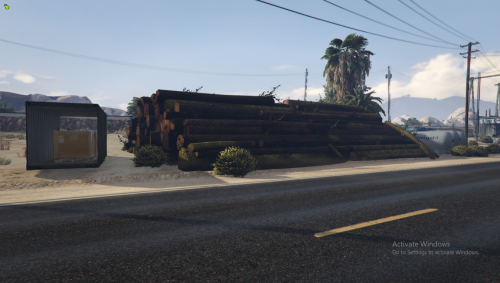
Today I upload my first mod and it is a really small and basic Ymap. It will make more sense if you have another mod for Joshua Road I recommend Joshua Road Remastered Click Here to download it.
Download and install:
Download the zip file then open it, if you already have a file for Ymaps go through all the folders until you open steam then move the Ymap into you maps folder.
Download the zip file then open it, put it into your server resources folder then open server.cfg and and either ensure or start the modification.
- 200 Downloads
Updated