


hlsavior
Members
-
Joined
-
Last visited
Everything posted by hlsavior
-
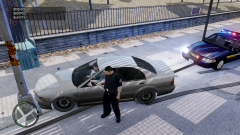
From the album: Savior ENB v2.1
Opinions? -
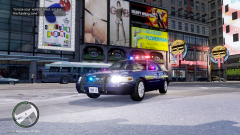
From the album: Savior ENB v2.1
Opinions? -
Yea I'd say thats kinda big...... That GTABay websites might really help, I can't find anything that directly looks like that, but do what I do, F**k around with a bunch on numbers till you get something that works. Here are the main parts:
-
Oh by the way make sure not bottleneck your system like I did!
-
I don't like them. You don't have to use this.
-
lol not mine. GTX 680 is amazing but super expensive, I would recommend a GTX 550 TI, my old one, which could handle most games (2010 and back) at max graphics.
-
THIS IS NOT ABOUT THE VEHICLE, ITS ABOUT THE ENB, THERE IS A SMALL DIFFERENCE OPTION 1: http://www.youtube.com/watch?v=i3efwFPAAFs&feature=youtu.be OPTION 2: http://www.youtube.com/watch?v=rBKyLhlc4YY&feature=youtu.be
-
I have a website and recently implemented phpBB but I'm not really feelin it and like this style a lot more. I've seen other websites using this.
-
This is kinda old news.
-
*cough* self advertising *cough**cough* You could try mine!
-
-
Considering you said you've tried many, I can almost guarantee there's conflict between them. Back up your vehicles.img and any other modded files (except visual ones like ENBs) and re-install.
- 71 comments
- 15 reviews
-
-
BACK UP EVERYTHING! I am not responsible for anything you f**k up, however I can offer support. I don't know if its like an exact copy of another existing ENB, I just threw together a bunch of numbers VIDEO: ( I recommend going to YouTube to watch it in HD on there medium sized player) V3.5: V1: V1.5: V2: V2.1: V2.5: V2.6: V3: V3.1: Version 2.5 is prettier, but that of course decreases performance. This update contains Sgt.Kayno's realistic time cycle and is completely un-edited by me, this was uploaded with his permission and he gets full credit for the timecycle. I have a release but PLEASE NOTE: The majority of the files, and all code (except for .ini's,.cfg's, etc.) are a combination of N-Rage ENB by Neolux and I only take credit for the configs and settings, not any shaders, or code. Optimal settings for Version 2.5: Brightness: 0% Contrast: 70% Saturation: 70% INSTALLATION: 1. BACK UP EVERYTHING 2. Drag all contents of your choice of download (Savior ENB.zip or Savior ENB V2.zip, etc.) into your root GTA folder (the one with GTA.exe in it). 3. Overwrite everything. 4. Play! NOTE: If your sky looks weird, simply press "p" and everything will be dandy.
- 71 comments
- 15 reviews
-
Every texture is in. Every texture is in the wft file. I've exported and played a car I've made in GTA before. That is why I'm so pissed Zmodeler decided to just stop working. Seriously if you guys need a video I can make one.
-
if you dont make me a moderator I will rip out your tounges ffed them to your pets and familly then take your pets and family and feed them to the cyclops. I AM NOT FUCKING AROUND. I. WILL. KILL. YOU. Anyway I'll be a good mod because I like when ppl break rules. It gives me reasons to kill. To eat. To feast. Plus, I need to feed my kids somehow, how else then with the corpses of those that break rules? And, I mean, dont forget, If i dont become a moderator, I will kill you. So a yea thats my application and I hope you accept <3.
-
I'm using 2.2.6 Downgrading to 2.2.4 didnt help.
-
So did everyone give up on this topic?
-
I get no errors, when I import a vanilla car model thats un modded and taken directly from the .img files then export it I get no errors but nothing works. Here are some pics. (this isnt a vanilla model) Does no one know why this is happening?!?!
-
I can't get anything to properly export. When I try to export them everything works but when I spawn the car my game crashes and when I try to preview the .wft in OpenIV, it also crashes. So obviously at first I thought it was just my model. So i imported a model from the vanilla game, then exported it without changing anything, and sure enough it crashes. So next I thought maybe my .img is corrupted to I download any old model and put it in there and it worked fine! So this leads me to believe its something wrong with my exporting or Zmodeler. When I export I have: - Store Textures UN-CHECKED - Collision CHECKED - Sliced Model CHECKED
-
didn't work
-
I saw development for one in YouTube a long ass time ago try searching around on google Yoyoyoyoyo http://www.youtube.com/watch?v=-RhNRtW6rt0
-
I try that and get same problem, but I'm in school righ now so I'll try again when I get home. Also, when I try to open my model is SparkIV the model loads and looks fine, even though it crashes gta and OpenIV
-
I have no doubt it is, I dont get nay errors unless i check off 'store textures' then i get errors saying: "file to big to be compressed store in WTD" OpenIV: My export settings:
-
Okay well now I have a new problem (of-f**king-course) Whenever i export my models they crash my game when they load. So I tried opening them in OpenIV and that crashes, but I at least get an error: "EAccessViolation: Access violation at address 009E8E1E in module 'OpenIV.exe'. Read of address 500036C0" So i tried multiple export modes, by that i mean sliced, with textures, and all combination of exports I can but it seems like it just wont work. When I try opening the .wft i got as a base (the unlocked one) it loads fine so I think its a problem with the way I'm exporting. EDIT: sorry for asking SO MANY question. :P

