


hlsavior
Members
-
Joined
-
Last visited
Everything posted by hlsavior
-
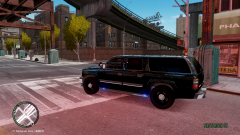
From the album: 2011 Police Suburban
Changed it from the Tahoe do to technical difficulties. Opinions? Sorry for the Gallery spam...... -
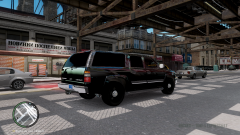
From the album: 2011 Police Suburban
Changed it from the Tahoe do to technical difficulties. Opinions? Sorry for the Gallery spam...... -
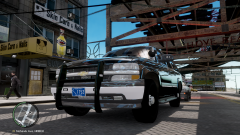
From the album: 2011 Police Suburban
Changed it from the Tahoe do to technical difficulties. Opinions? Sorry for the Gallery spam...... -
It looks the same in-game:
-
For the Suburban they are so ugly, but I can't the texture with them. It doesn't say im missing a texture even though its the same missing texture color (which is why I hate it).
-
WELL CONSIDER IT HIJACKED! XD
-
lol that second one is "unmarked"? is covered with lights.
-
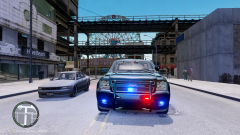 I wish I could use another Tahoe but no one has an unlocked version thats not out of proportion
 -
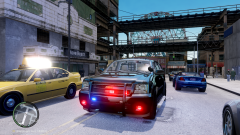 Unfortunately the model doesn't have a windows texture.
 -
Version of what? Its Kinksta's Tahoe and I added the lights, that's only the front. When It's done I'll release it.
-
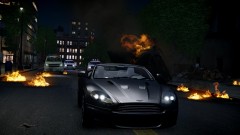 God I love Aston Martins
 -
From the album: 2011 Police Tahoe
Just started working on it. Opinions? -
OShjdbsajolja
-
From the album: 2011 Police Tahoe
Just started working on it. Opinions? -
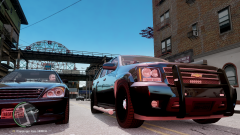
From the album: 2011 Police Tahoe
Just started working on it. Opinions? -
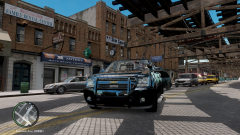
From the album: 2011 Police Tahoe
Just started working on it. Opinions? -
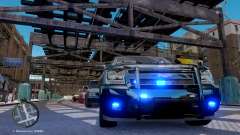
From the album: 2011 Police Tahoe
Just started working on it. Opinions? -
Somebody beat you in a PM
-
I'm open once again for request, if I like it I'll PM you.
-
-
1. Renaming a file doesnt change its type 2. Locked means locked. Look up unlocked models. 3. Google 4. Google 5. Google
-
-
Go into the cars .wtd file and change the one of the blue lights to red in the emerglights file.
- 18 comments
- 7 reviews
-
-


