BlackDogGroup
Members
-
Joined
-
Last visited
Files posted by BlackDogGroup
-
My 1st attempt at a small MOD. Simple steps to install.(Requires OpenIV)
POLICE IMAGES & MATCHING AUDIO/MUSIC👮♂️
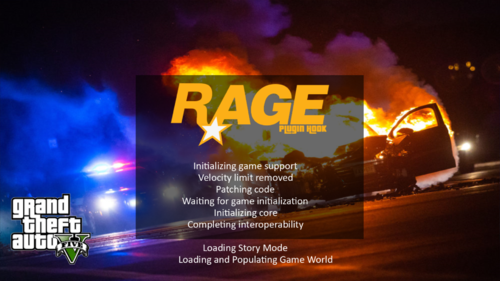
This File if installed correctly should give you custom police themed loading through RAGE hook and a custom audio track I mixed.
****NOTE you must enable "custom loading screens" in RAGE hook settings for the pics to load in, Just hit shift when you launch Rage and its in one of the Menu options, then save and launch. (Only have to do 1 time then it saves)
INSTALL:
"LoadingScreens" folder drag to GTA Main Game Directory
"td_loading_music" folder just put on desktop and leave till after installion is complete(you can delete this folder after install)
"td_loading_music.oac" Open up your "OpenIV" Go to (GTAV/x64/audio/sfx/PROLOGUE.rpf) hit "edit mode" button then it will say "copy this folder(show in MODS)" select yes/ok then drag the new td_loading_music.oac file and drop into mods/prologue.rpf **Once you learn process you can create your own if you want. 😬
- 476 Downloads
- 3 Comments
Submitted