


Txbi187
Members
-
Joined
-
Last visited
Everything posted by Txbi187
-
My VRAM is 8 GB from the 2070 Super. And I had 16GB DDR4 Ram 😞
-
Why do you get so much FPS? I play with a RTX 2070 Super and a Ryzen 5 3600x and I still got 40 FPS wehen launching LSPDFR. Without i get 120 😞
-
Can you help me? I have the same error 😞
-
OK, too bad
-
the repair of the framework didn't help either I despair .. I got the same error
-
Yes i tried to reinstall GTA V and i made an exeption in my windows defender
-
I tried that yesterday and unfortunately it still crashes
-
I heard the last one but unfortunately didn't hear anything :(
-
Can anyone help me?
-
RagePluginHook.log
-
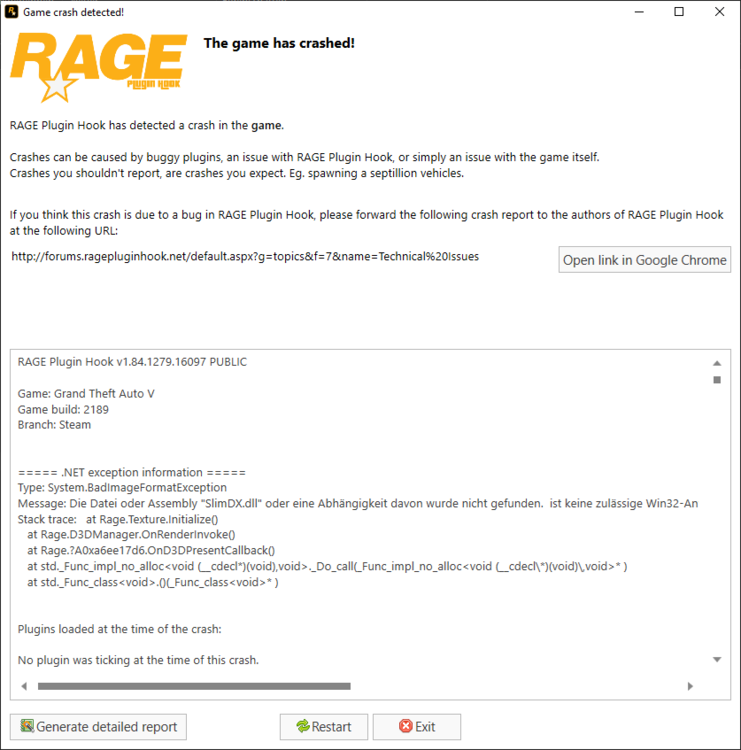
Hello, every time I start LSPDFR the game with the error message "Type: System.BadImageFormatException Message: The SlimDX.dll file or assembly, or a specific one, could not be found. is not a necessary Win32 application. (Exception from HRESULT: 0x800700C1) Batch tracking: at Rage.Texture.Initialize () at Rage.D3DManager.OnRenderInvoke () at Rage.?A0xa6ee17d6.OnD3DPresentCallback () at std._Func_impl_no_alloc <void (__cdecl *) (void), void> ._ Do_call (_Func_impl_no_alloc <void (__cdecl \ *) (void) \, void> *) at std._Func_class <void>. () (_ Func_class <void> *) " My LSPDFR is vanilla and I have already deleted the lines in the command line RagePluginHook.log


