Major Banana
Members
-
Joined
-
Last visited
Files posted by Major Banana
-
BACKUP YOUR SHIT !!!
Disclaimer: Vanilla works contains 4 different OIVs. The only OIV you need to install is “dw_sa_packs.oiv” be warned, this does replace the game config. Remember to re-add a new game config after installing.
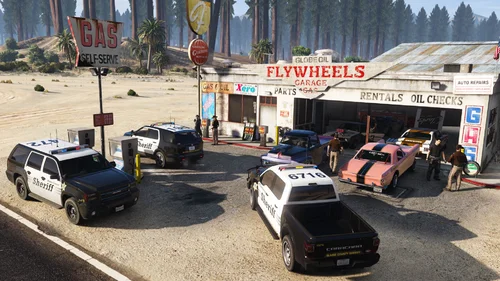
A UB Pack to work in conjunction with VanillaWorks DispatchWorks pack. This allows UB to use the vehicles provided In the pack, currently there is only Custom regions, Default regions, and ambient units supporting base LSPDFR and EUPFR. There is a plethora of vehicles within this pack,covering all regions in some way shape or form.
Whats not here;
Special units, because there is 9000 lines of text...im okay. Lol
Cayo Perico and North Yankton. Who plays there, really...besides pictures.
I am in no way shape or form taking credit for the pre-made UB configs made in this pack. A HUGE credit goes towards for Joe C Wilson for the base configs used that helped me add the vehicles. Thank you.
REQUIRED EUP 9.3 by Alex Ashhold
REQUIRED (Install “dw_sa_packs.oiv”) by Vanillaworks, Carrythxd
IF YOU WANNA USE ELS (ONE STAGE LIGHTING) ELS CONVERSION By Unity999
Full credit to Joe C Wilson for creating UB configs used in this edit. Found here
EUPFR by Alex Ashhold
UB. Use adblocker
- 222 Downloads
- 2 Comments
Updated