


FileEX
Members
-
Joined
-
Last visited
Everything posted by FileEX
-
Right click the "GTAV" folder and go to properties > security and check if your user has the required permissions. Tick the box that says full control and click "apply" and "ok"
-
Just click OK. It should run as administrator
-
Try run RPH as administrator
-
2 days ago everything was working normally. Today I run GTA V via RPH and the light signals under J or K do not work in any vehicle. I can hear the sound of them turning on/off, but I can't see anything. The panel under ctrl + p works, and only the constant light under the [ key works. Nothing blinks, nothing can be seen. I reinstalled ASI Loader, but it didn't help. I didn't have any system updates or anything like that at that time. It just suddenly stopped working one day. There are absolutely no errors in the logs, the plugin loads correctly (as I wrote, the constant light under [ and the panel under ctrl+p work).
-
I understand what's going on, but I don't understand how it is possible that everything works fine with RPH, but not in story mode? All vehicles have status "OK ALL CLEAR" ELS.log
-
Yes, but why? All vehicles in RPH work well with lighting. So why not in story mode?
-
Yes you are right. The source of the crash is ELS.asi. How to fix it? Everything has worked fine so far.
-
GTA V crashes when loading story mode. It doesn't show any error, just crashes the game to desktop after a few seconds of loading. I renamed the mods folder to _mods but the problem persists. I renamed the file dinput8.dll and the game works! Why do I think this crash is weird? Because if I run the game via RPH everything works fine including dinput8.dll, asi mods and the mods folder. The problem is only in GTA V in story mode.
-
After "file compatibility checking" everything is ok.
-
GTA V With Rage Plugin Hook workings fine, but when i want play GTA V Story Mode without Rage Plugin Hook then game has been crashed with exit code 0xc0000409 Deleting mods folder doesn't help. Save files are ok. How can i fix it without reinstalling game? (I have a HDD drive and 3 mb/s internet 😞 )
-
I fixed it by switch shaders option to high.
-
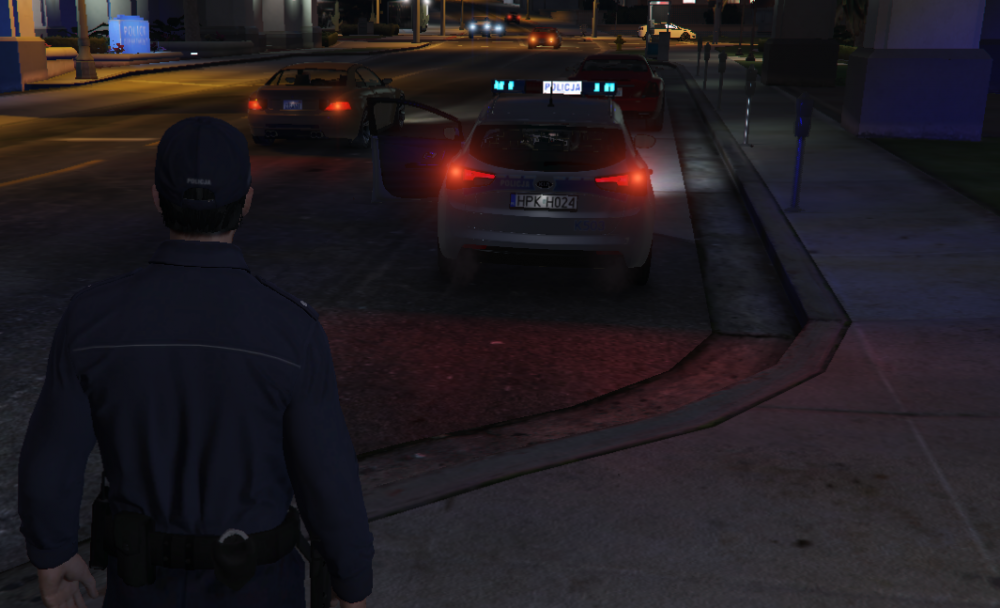
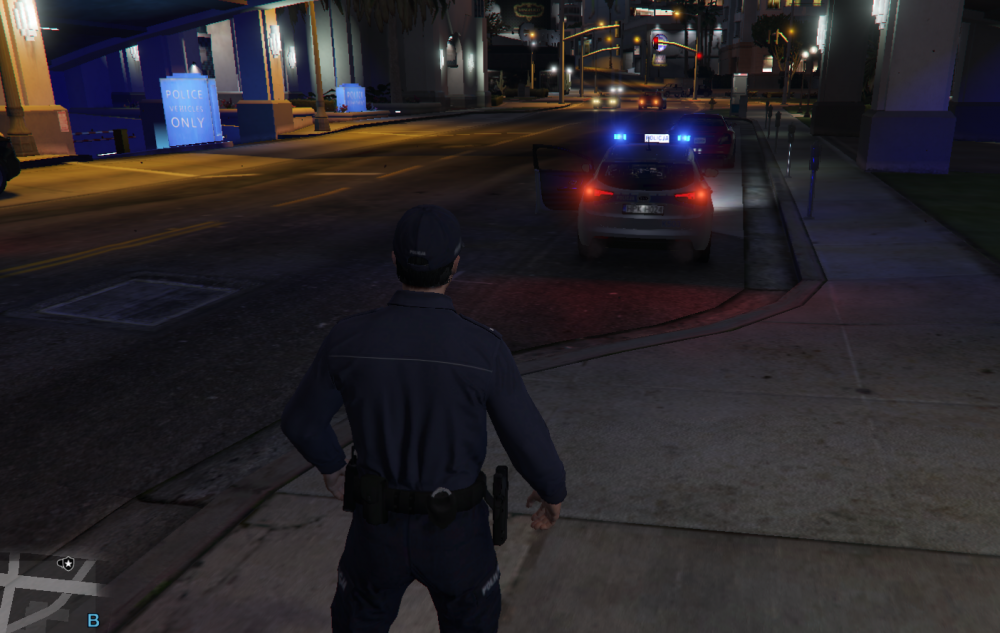
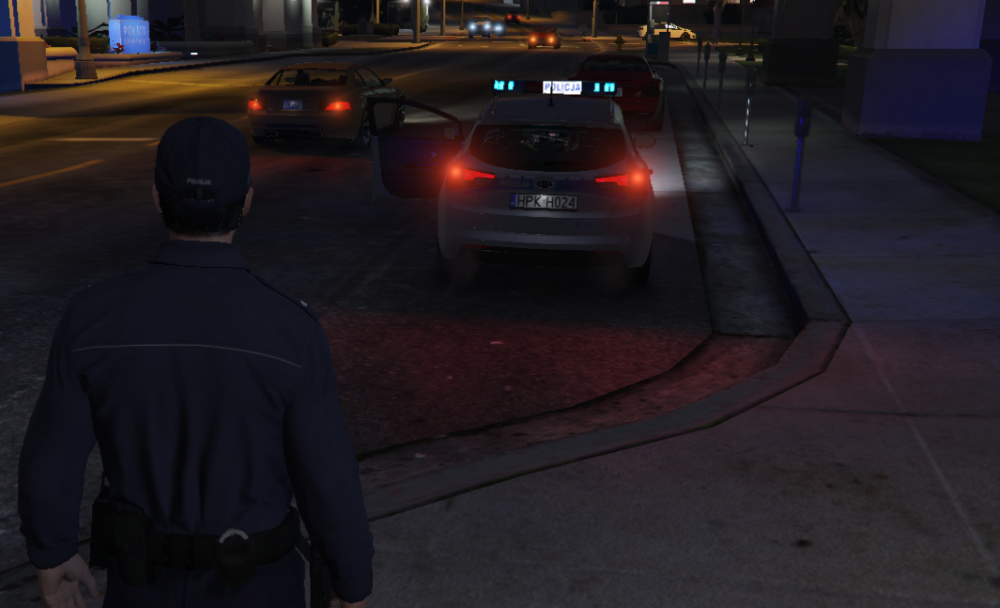
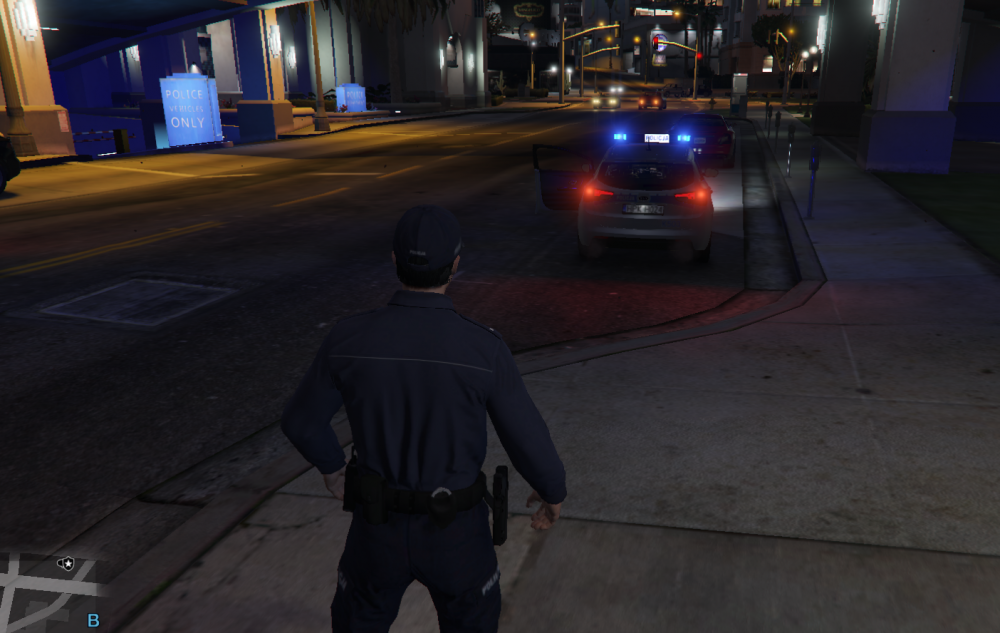
HI. I have a problem. The problem is that you cannot see them when you turn on the emergency lights (J). Only after moving a bit further from the vehicle. How can I improve it?
-
HI. I have a problem. The problem is that you cannot see them when you turn on the emergency lights (J). Only after moving a bit further from the vehicle. How can I improve it?
-
Bez folderu mods wszystko działa. Udało się! - I fixed it! Wgrałem to co podałeś gameconfig i doinstalowałem rzeczy z readme i działa wszystko 🙂 Mam tylko pytanie czysto teoretyczne... Dlaczego taki błąd ma miejsce? Skoro przed aktualizacją nie potrzebowałem wgrywać gameconfig?
-
Tak. GTA przestaje działać podczas ładowania. Jeśli usunę folder "mods" to wszystko działa. Problem jest tylko w przypadku pojazdów, ponieważ jak wgrywam EUP Menu i podmieniam skiny policyjne to błąd nie występuje. Jeśli wgram pojazdy to GTA V wywala do rockstar launcher. Dzieje się tak teraz, ponieważ przed ostatnią aktualizacją GTA V wszystko działało dobrze. Usuwałem folder "mods" i wgrywałem mody na nowo wiele razy, ale to nic nie dało. Jak mogę to naprawić? EDIT: Po wgraniu gameconfig.xml przy uruchamianiu GTA V otrzymuję błąd "Za mało pamięci, uruchom ponownie komputer i grę".
-
GTA V Crashed by mods folder. But only if i installed vehicles. Because i install EUP and skins replacements and game's working, RPH also. But when i install the police vehicles replacement then GTA V has crashed. I was reinstall mods folder many time. These vehicles was working before last GTA V update. How can i fix it?
-
GTA V Crashed by mods folder. But only if i installed vehicles. Because i install EUP and skins replacements and game's working, RPH also. But when i install the police vehicles replacement then GTA V has crashed. I was reinstall mods folder many time. These vehicles was working before last GTA V update. How can i fix it?


