murtoo
Members
-
Joined
-
Last visited
Files posted by murtoo
-
Have you ever stuck in weapon wheel while exiting vehicle?
Did you get killed when you find yourself middle of a gun fight while on callout?
If so, you need Fast Draw
Streets are safer for officers with this script!
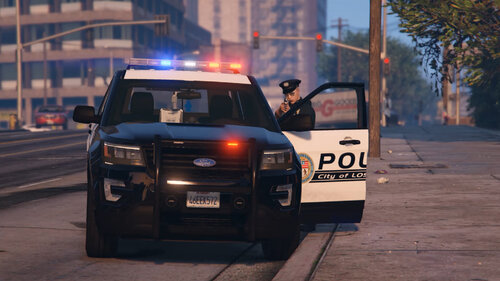
Fast Draw is a simple ScriptHookVDotNet script that allows draw (pull out) the player's pistol easier and faster while getting out of the vehicle.
To use Fast Draw you need to hold down vehicle exit key (Default key: F). If you tap the vehicle exit key your ped will get out of the vehicle as standard (without drawing pistol and closing the vehicle's door).
If you hold the aiming key (Default key: Right mouse button) while exiting the vehicle, your ped will be ready to shoot immediately and leaves the vehicle door open.
Otherwise, if you don't hold RMB your ped will close the vehicle door and holds his/her pistol in hand.
Installation:
First you need ScriptHookVDotNet you can download from: https://github.com/crosire/scripthookvdotnet/releases
Then copy scripts folder from Fast Draw.zip to your main GTAV directory.
Tutorial/showcase video by GeoffreyGamer:
Q: Why pistol?
A: Pistol is default LSPDFFR weapon.
Q: Can I get out vehicle without drawing my gun with this script?
A: Yes, you can. Just tap the vehicle exit key.
Q: If I don't have pistol on my ped is this script can cause any error?
A: No, if your pad doesn't have pistol noting happens.
Q: I'm using different key combinations or controller. Is this script still works?
A: Yes, it should work. Script uses vehicle exit control method.
Q: Can I select another weapon?
A: Yes, Fast Draw now has a menu. You can select any time.
Q: Script doesn't work for me what can be wrong?
A: Make sure ScriptHookVDotNet working and up to date.
Q: Can I save my selected weapons to ini file?
A: Yes, Fast Draw now has Save Function. You don't have to deal with ini file. Script saves for you.
- 79,442 Downloads
- 106 Comments
Updated