
R4Blue
Members
-
Joined
-
Last visited
Everything posted by R4Blue
-
Might take you up on that... Got it to work then opened up OpenIV and saw I forgot to copy the NEW update folder into my mods folder. Clicked okay and had OpenIV do it's thing and now the game won't start up, just crashes after loading but no error message pops up (e.g. LSPDFR was terminated). Attached RPH log if you can offer any assistance 🙂 RagePluginHook.log
-
This is embarassing... it worked after I saved it. Thank you for your help!
-
Increased my plugin timeout threshold to 60000 with no avail. Forgot to mention in the original post
-
Hey everyone, my game won't start up after installing the new RPH and ScriptHook V after the update. My GTA V has been updated and everything is in order there. I have the crash log attached. It crashes after sitting on the RPH loading screen for 5-10 minutes. Error message is somethibg like "RPH Startup was terminated because LSPDFR caused the game to freeze" I am not sure how to read it and see what's causing the problem so I would appreciate anyone's assistance. Thanks everyone RagePluginHook.log
-
 I am having troubles using vest 7 setup 2, I can't find it anywhere in EUP menu or skin control, does anyone know like the spawn number out of the 209 different armors? I've looked through them all but I am still missing vest 7.
- 549 comments
- 44 reviews
-
Hey everyone, I am trying to install a cruise control script and Police Menu V. For this, I need a scripts folder. Check. I made one and named it "scripts" and put inside what I was told. I made SURE my scripthookv, rageplugin hook, and scripthookvdotnet were all updated to the current versions. Still, no dice. I'm pretty stuck here, I have tried reinstalling all of the pre-requisites again and again, but nothing works. I get in game and press the corresponding key and no menu pops up. Any assistance or feedback is appreciated!
-
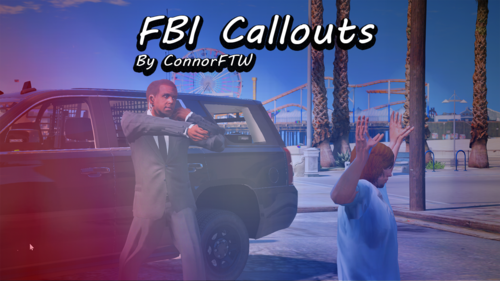 Awesome thank you! I also noticed for the Bank Robbery callout after you neutralize the suspects, there's not really any way to talk to the (suspect/victim I'm not sure) standing in the vault. Same with the FBI agent in charge of the raid after the suspects are delt with he just kind of stands there yelling at one of them. Still a great pack but just some suggestions if you are interested in updating! I will try using the mod to see if it helps with the vaccine escort, thank you!
- 102 comments
- 11 reviews
-
-

- 1
-
-
For the COVID-19 Vaccine Escort, maybe add a waypoint to show where the truck is going once you get on scene to escort the truck. The truck also seems to drive pretty erradic and can't stay on the road (maybe that is my game's issue?). I just updated to the latest version relased 30-or-so minutes ago. Otherwise the pack looks great!
- 102 comments
- 11 reviews
-
-
-

- 2
-
-
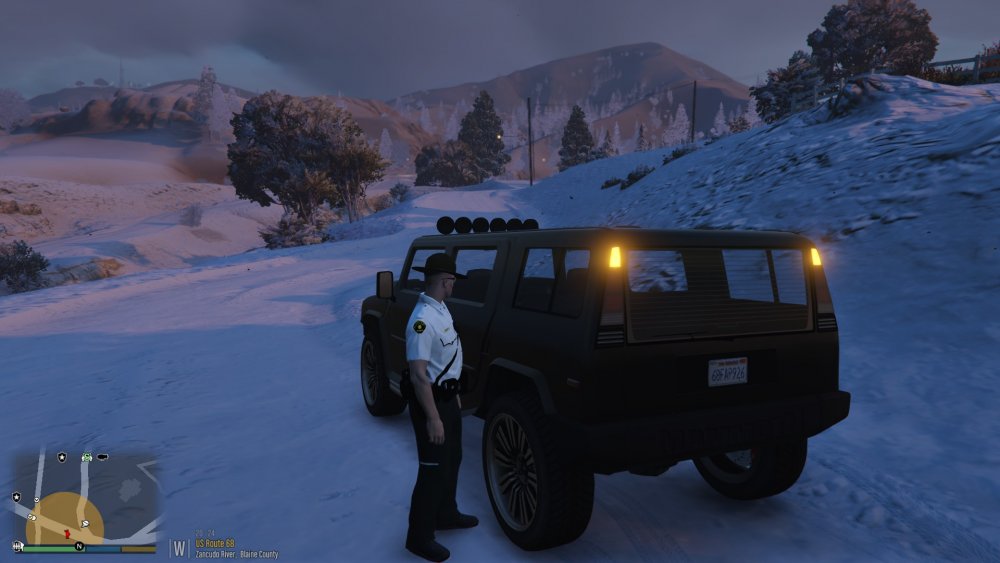
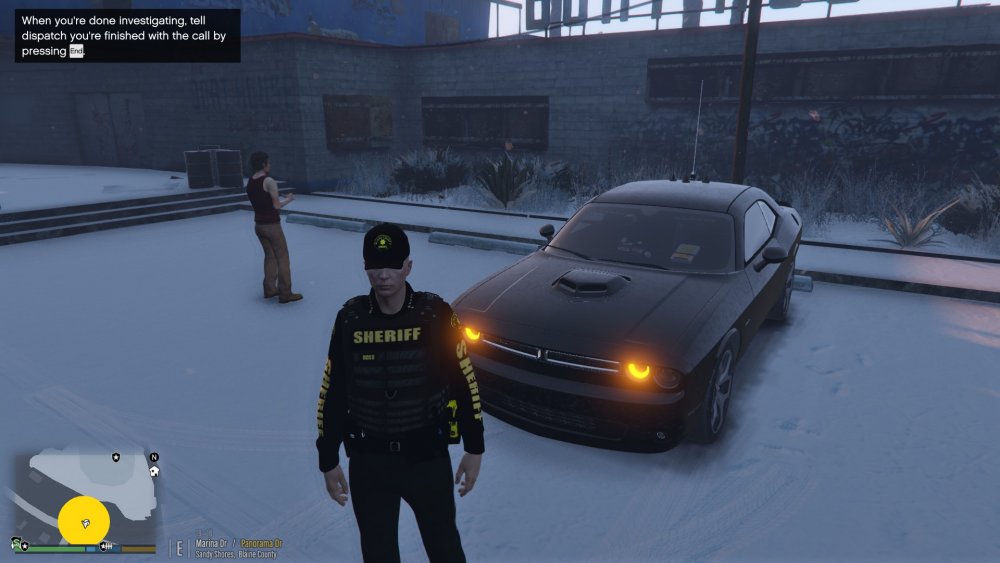
Every vehicle in my game has this problem, I am not sure if it is because of a plugin or mod but I can't figure out how to turn these lights off. They are always on, even in ai cars and parked cars. The Challenger in the second screenshot is an undercover cop car, the other is a random ai car. Both cars in these screen shots have their engines off. Any help is appreciated!
-
Perfect! This is just what I needed, it is in the mods folder so this should work. Thank you!!!
-
I was attempting to install the mpClothes mod and I needed to edit the dlclist.xml inside OpenIV. I exported it to notepad (not knowing you could literally just right click) and I exported as an HTML doc then replaced the file once it was edited and now it looks nothing like the original, most likely because I exported it to Notepad++ as an HTML then exported out of Notepad++ as an XML. Is there any way to "unreplace" the file and revert to the original dlclist.xml?
-
I've been using LSPDFR for about a month now and I have cycled through several various vehicle models with different departments. I am wondering if you can install multiple different vehicle MODELS (not skins/textures) without replacing the existing vehicle. For instance, let's say I have a LSPD Crown Vic for "POLICE2" and I download a LSPD Charger that is also "POLICE2" can I rename one of these to like "POLICE7" etc. or do I have to replace the Vic with the Charger if I want to use it? Hopefully this makes sense and is a rational question, if you CAN rename them, do I just rename the XML file? Let me know if anyone has any ideas/solutions! Merry Christmas everyone! Thanks, Riley
-
Hey everyone, I'm curious if Lenny's Mod Loader will reconize cars I have uploaded previous to installing LML. I just read that with the LSPDFR update, when it comes out, it will wipe pretty much all the mods from the game (correct me if I am wrong). Also, is there a better way to make sure that I can just "copy/paste" or something alike, once I install the new version of LSPDFR so I can keep all of my current plugins and mods/cars/outfits? Thank you!
-
I will go check this out! I appreciate it.
-
Thank you for the tip! I will keep that in mind for the future, I appreciate it!
-
Thank you for the help! I ended up restarting my computer and it worked perfect. My game version already updated so I can't use LSPDFR anyway, just wanted to get these two updated (RAGE & ScriptHookV) and wait for the LSPDFR update. Thanks again everyone, looks like "turning it off and back on again" is a solid solution. lol.
-
Hey all, I am trying to upload the newest version of ScriptHookV to my GTA directory folder, however, when I drag and drop the new file, this message comes up: I've tried clicking "continue" but it just says "you need permission to perform this action" If anyone has any insight or knows what is going on (I've seen it might be an antivirus block?) please let me know. I appreciate it! Thanks, Riley

-
Hey everyone, I am new to LSPDFR and GTA V, I did not realize that Steam would automatically update GTA V. As we know, the new version of GTA won't work with LSPDFR they release a new version to run with the new patch/update. Does anyone know if there is a way to uninstall the GTA update so I can continue to use LSPDFR? RAGE won't let me load in the game because of the unsupported game version. I've searched the internet high and low for an answer if it is possible to uninstall an update, with no avail. If anyone has any insight to offer I would most definitely appreciate it! Thanks, Riley
-
Here's the section of my ini file I'm looking at: TRAFFICSTOP_START_Key=LShiftKey TRAFFICSTOP_START_ModifierKey=None TRAFFICSTOP_START_ControllerKey=None TRAFFICSTOP_START_ControllerModifierKey=None TRAFFICSTOP_INTERACT_Key=E TRAFFICSTOP_INTERACT_ModifierKey=None TRAFFICSTOP_INTERACT_ControllerKey=None TRAFFICSTOP_INTERACT_ControllerModifierKey=None I don't see anything here that I should specifically change to fix this issue, am I missing it?
-
Thank you! What folder or .ini should I look for this setting in by chance?
-
Hey everyone, I just recently download LSPDFR and I am using: Arrest Manager, PoliceSmart Radio, Stop the Ped, and Vocal Dispatch (I believe those are the only mods installed). When I initate a traffic stop using "Shift" on the keyboard, and call for backup with the "B" menu, when I close out of this menu (using "O" on my PS4 controller) it cancels the traffic stop. Anybody have any insight to what keybinds I need to change, and specifically WHERE I would find these keybinds? I'm really struggling here, I have looked through all of the config files and .ini files to try and find this. My "O" button (B on XBOX) on the PS4 controller also blips the siren if that helps. Like I said, I'm new so any tips will help! Thank you, Riley