
godlyokkk
Members
-
Joined
-
Last visited
Files posted by godlyokkk
-
INSTALLATION STEPS
1. DOWNLOAD AND INSTALL
2. FOLLOW THE FOLDER STRUCTURE FROM THE .ZIP
3. GO TO THE .YTD OF THE CAR
4. FIND cvpi_sign_1 AND PRESS REPLACE IN THE .YTD
5. DRAG AND DROP THE PNG IN
6. PRESS SAVE AND WAIT FOR IT TO CLOSE
- 22 Downloads
Submitted -
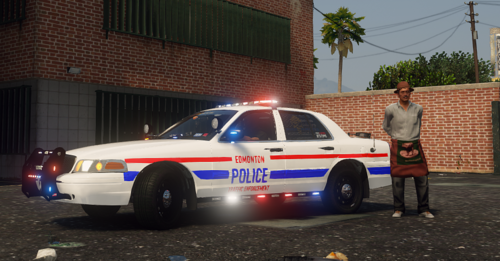
Alright, Here's another texture. This time it's way more realistic then my first.
INSTALATION STEPS
1. GO TO THE LINK BELOW AND DOWNLOAD IT
2. NOW GO TO OPENIV ONCE ITS DOWNLOADED
3. GO TO MODS>UPDATE>X64>DLCPACKS>PATCHDAY22NG>DLC.RPF>X64>LEVELS>GTA 5>VEHICLES.RPF
4. DRAG AND DROP THE EXPLORER FILES FROM THE DOWNLOAD
5. OPEN THE .YTD AND FIND exp_text_1 AND PRESS REPLACE, MAKE SURE YOU ARE IN EDIT MODE.
- 43 Downloads
- 1 Comments
Submitted -
- 32 Downloads
- 4 Comments
Updated -
First ever texture pack, Please no hate. I am working on a discord, if you want to join the invite is https://discord.gg/c34HuJBJFj
INSTALL INSTRUCTIONS
1. INSTALL OPENIV AND ASI MANAGER ETC
2. DOWNLOAD https://www.lcpdfr.com/downloads/gta5mods/vehiclemodels/25801-els-san-andreas-state-trooper-pack/ (FULL CREDIT FOR THE CAR GOES TO HIM/HER)
3. PRESS EDIT MODE
4.MODS>UPDATE>X64>DLCPACKS>PATCHDAY22NG>DLC.RPF>X64>LEVELS>GTA5>VEHICLES.RPF
5. FIND THE 2011 CVPI IN THE SAN ANDREAS STATE TROOPER PACK THEN COPY THE .YTD, .YFT AND _HI.YFT AND PASTE THEM INTO VEHICLES.RPF
6. NOW GO TO THE .YTD AND FIND CVPI_SIGN_1 NOW PRESS REPLACE IN THE TOP RIGHT FOLDER OPEN MY PACK THAT SHOULD BE ON YOUR DESKTOP THEN OPEN IT AND FIND THE PNG. PRESS OPEN ON THE PNG. THEN PRESS SAVE.
And now your done. Join the discord please, we need members.
PLEASE DO NOT UPLOAD ANYTHING AT ALL. THIS IS MY SKIN. YOU MUST ASK ME FIRST.
- 14 Downloads
- 2 Comments
Submitted