



Callsign Rice Gaming
Members
-
Joined
-
Last visited
Files posted by Callsign Rice Gaming
-
My own custom livery for a '19-'20 Tahoe. This livery comes with full ghosted decals with a Boston Strong ribbon, custom Chiliad PD badging, and unit numbers! This has been requested by many and is my first ever livery! I appreciate any and all feedback for the livery. No, I will not be releasing any of the separate files contained in this livery. I appreciate all the support on my previous upload and I will continue to upload throughout! This livery is specifically made to fit:
- 95 Downloads
Updated -
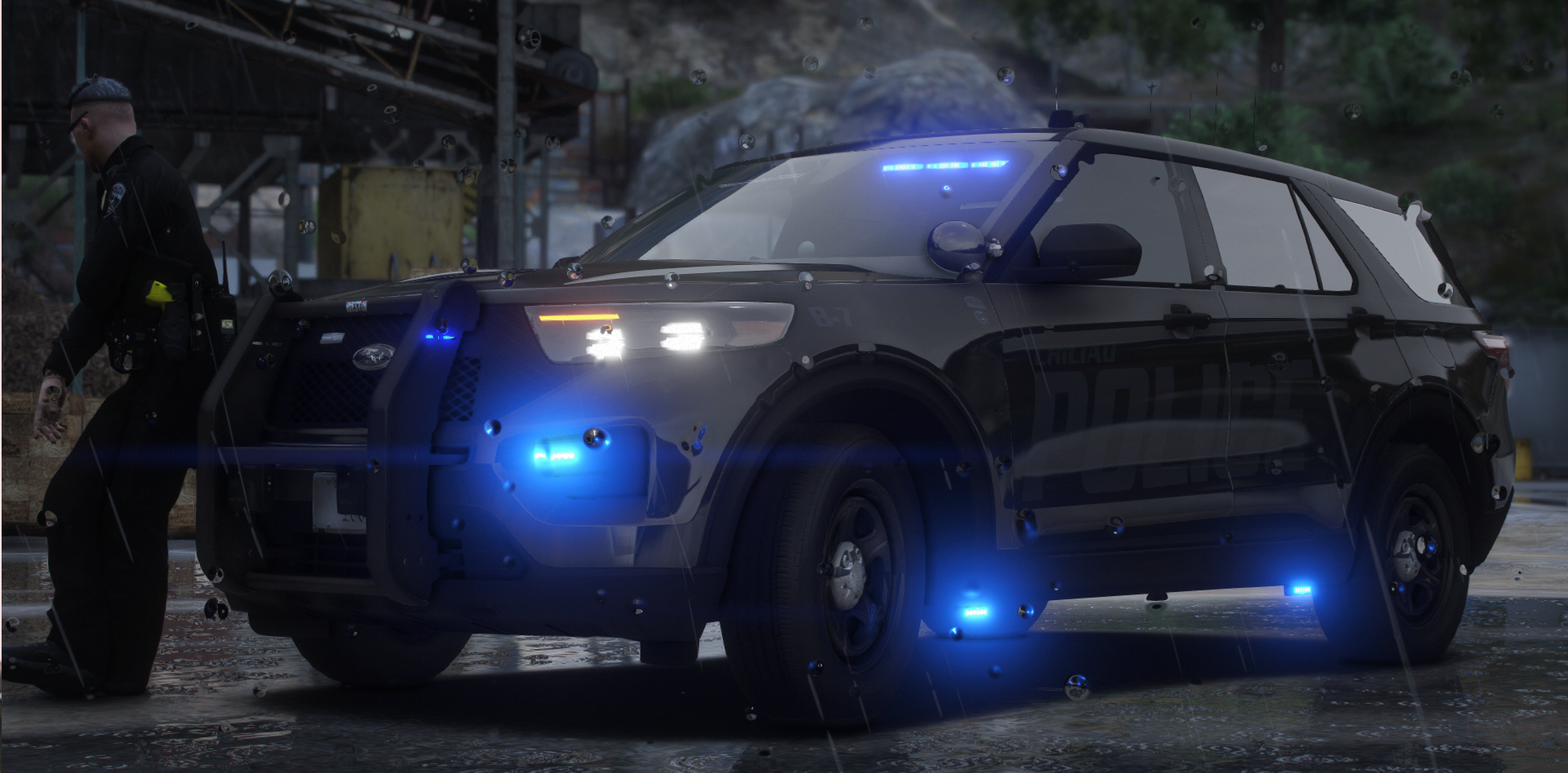
My own custom livery for Space 101's '20 FPIU. This livery comes with full ghosted decals with a Boston Strong ribbon, custom Chiliad PD badging, and unit numbers! This has been requested by many and is my first ever livery! I appreciate any and all feedback for the livery. Please note Space101's '20 FPIU is a FiveM vehicle so I'm unsure if this will fit on any LCPDFR vehicles. No, I will not be releasing any of the seperate files contained in this livery.
- 220 Downloads
- 2 Comments
Updated


