Skip to content
View in the app

A better way to browse. Learn more.

LCPDFR.com

A full-screen app on your home screen with push notifications, badges and more.

To install this app on iOS and iPadOS
  1. Tap the Share icon in Safari
  2. Scroll the menu and tap Add to Home Screen.
  3. Tap Add in the top-right corner.
To install this app on Android
  1. Tap the 3-dot menu (⋮) in the top-right corner of the browser.
  2. Tap Add to Home screen or Install app.
  3. Confirm by tapping Install.

Gokaic

Members
  • Joined

  • Last visited

Files posted by Gokaic

  1. This file was created for those who love LCPDFR, but wish they could choose their own weapons.

    http://www.youtube.com/watch?v=20LLePWab1s

    The file knows which game you are running, and will show the weapon choices for the game you are playing(vanilla, TBoGT, TLaD).

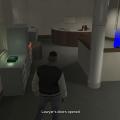
    To use, go into the lawyers offices/where you chose a partner in LCPDFR and enter the blue circle, then follow the on screen directions.

    For questions/comments, you can reach me at gokaic_egaci@hotmail.com
    • 3,751 Downloads
    • 12 Comments
    Updated

Account

Navigation

Search

Search

Configure browser push notifications

Chrome (Android)
  1. Tap the lock icon next to the address bar.
  2. Tap Permissions → Notifications.
  3. Adjust your preference.
Chrome (Desktop)
  1. Click the padlock icon in the address bar.
  2. Select Site settings.
  3. Find Notifications and adjust your preference.